EasyManua.ls Logo

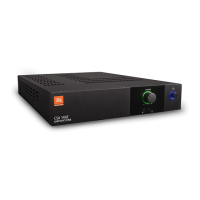
JBL CSA 140Z - User Manual

JBL CSA 140Z
24 pages
Print Icon
To Next Page IconTo Next Page
Loading...
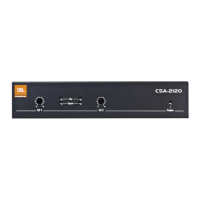
CSA 140Z
CSA 180Z
CSA 1120Z
CSA 240Z
CSA 280Z
CSA 2120Z
Commercial Series Amplier
Operation Manual
JBL Commercial Series

Questions and Answers

  • Z
    Zachary StuartJul 26, 2025
    What to do if my JBL CSA 140Z Amplifier has no sound or low sound?
    • C
      Colin SantanaJul 26, 2025
      If you're experiencing no sound or low sound from your JBL Amplifier, several factors could be at play. First, ensure that the input signal is present and at an adequate level. Also, check if the Master Volume control is turned down and increase it if needed. If a CSR-V is connected, make sure it's turned up. If you are using the 70V or 100V outputs, confirm that the Hi-Z switch is ON. Finally, verify that the power switch is ON.
  • M
    mercedes18Aug 6, 2025
    How to fix a JBL CSA 140Z Amplifier that has no power?
    • C
      Charles WoodsAug 6, 2025
      If your JBL Amplifier isn't receiving power and the power ring isn't illuminated, the most likely cause is that the amplifier isn't properly plugged into the power receptacle. Ensure the amplifier is plugged into the power receptacle.
  • K
    Keith RomanAug 15, 2025
    Why does my JBL CSA 140Z Amplifier sound distorted?
    • E
      Edward HunterAug 15, 2025
      If your JBL Amplifier produces distorted sound, it might be due to a high input signal level. Try turning down the input level controls. Alternatively, the Master Volume could be too high; in that case, lower the Master Volume.

Summary

Important Safety Information

General Safety Instructions

Covers power cord, earthing, and general safety precautions for amplifier use.

User Protection Warnings

Warnings related to electrical shock, fire hazards, and proper amplifier handling.

EC Declaration of Conformity

Product Overview

Welcome and Series Introduction

Introduction to the JBL Commercial Series Amplifiers and their applications.

Key Amplifier Features

Highlights of the amplifier's capabilities, including outputs, controls, and technology.

Setup and Installation

Unpacking and Installation

Steps for unpacking, inspecting, and installing the amplifier.

Cooling and Wiring

Guidelines for proper cooling, input/output wiring, and speaker connections.

Power Connection and Startup

Procedure for connecting to AC mains, protecting speakers, and initial startup.

Operation and Controls

Operational Precautions

Important precautions for safe and optimal operation of the amplifier.

Controls and Modes

Explanation of Hi-Z switch, remote volume, and sleep mode functionality.

Troubleshooting

Appendices

Performance Specifications

Detailed technical specifications for the Commercial Series amplifiers.

Contact Information

Details for contacting JBL Professional for support and additional information.

JBL CSA 140Z Specifications

General IconGeneral
Frequency Response20Hz - 20kHz
Power140W
Rack MountYes
Input Impedance10k ohms
Output Impedance4 ohms
TypePower Amplifier

Related product manuals