EasyManua.ls Logo

JBL CSA 1120Z - User Manual

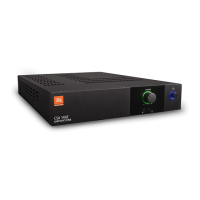
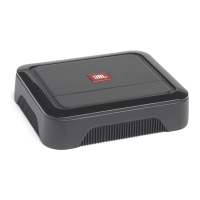
JBL CSA 1120Z
24 pages
Print Icon
To Next Page IconTo Next Page
Loading...
CSA 140Z
CSA 180Z
CSA 1120Z
CSA 240Z
CSA 280Z
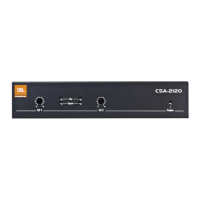
CSA 2120Z
Commercial Series Amplier
Operation Manual
JBL Commercial Series

Questions and Answers

JBL CSA 1120Z Specifications

General IconGeneral
Amplifier class-
Frequency range20 - 20000 Hz
RMS rated power120 W
Input sensitivity1400 mV
Audio output channels1.0 channels
Peak power per channel- W
Signal-to-Noise Ratio (SNR)100 dB
Total Harmonic Distortion (THD)- %
Package weight4500 g
AC input voltage100 - 240 V
AC input frequency50 - 60 Hz
Line inputs (RCA)2
Speakers connectivity typeRCA
Storage temperature (T-T)-20 - 85 °C
Operating temperature (T-T)0 - 35 °C
Operating relative humidity (H-H)0 - 95 %
PurposeHome
On/off switchYes
Product colorBlack
Volume controlRotary
Connectivity technologyWired
Sustainability certificatesRoHS, ENERGY STAR
CertificationCE, FCC
Weight and Dimensions IconWeight and Dimensions
Depth303.4 mm
Width218.5 mm
Height43.3 mm
Weight3100 g

Summary

Important Safety Information

General Electrical Safety Warnings

Covers electrical shock, fire risks, and symbol meanings.

Power Cord and Grounding Safety

Details power cord color coding, grounding, and plug safety.

Operational Safety Guidelines

Instructions on ventilation, heat, cleaning, lightning, and servicing.

UK Mains Plug and Compliance

UK Mains Plug Warning

Warning about using cut or damaged UK mains plugs and fuse replacement.

Electromagnetic Compatibility

Discusses FCC rules compliance and interference.

Magnetic Field Precautions

Advises on placement of sensitive equipment due to magnetic fields.

EC Declaration of Conformity

Product Overview and Features

Welcome and Introduction

Introduction to the JBL Commercial Series amplifiers for installed sound applications.

Key Product Features

Lists features like 1 or 2 channel outputs, 70V/100V compatibility, and DriveCore technology.

Front Panel Controls and Indicators

Single Channel Model Controls

Identifies and describes front panel controls like Volume, Power, and Tone controls.

Rear Panel Controls and Connectors

Rear Panel Interface Details

Details AC power inlet, output connectors, Hi-Z switch, and audio inputs.

Amplifier Setup Procedures

Unpacking and Inspection

Instructions for unpacking, inspecting for damage, and saving packing materials.

Installation Guidelines

Covers rack mounting, stacking, and spacing for proper installation.

Cooling and Input Wiring

Ensuring Proper Cooling

Specifies rack spacing and ventilation requirements for optimal cooling.

Choosing Input Wire and Connectors

Recommends balanced line cables and explains Euro-block and RCA connectors.

Output Wiring and Speaker Connection

Output Wiring and Connectors

Guides on connecting to 70V or 100V systems and selecting speaker wire.

Audio System Wiring

Input and Output Wiring Guide

Explains typical input/output wiring for low and high impedance speakers.

Powering and Speaker Protection

Connecting to AC Mains

Instructions for connecting the amplifier to the AC power source.

Protecting Your Speakers

Advice on avoiding clipping and subsonic signals to protect speakers.

Startup Procedure

Step-by-step guide for safely powering on the amplifier.

Amplifier Operation Precautions

Advanced Operation Features

Hi-Z Switch Functionality

Explains the Hi-Z switch for high impedance outputs and its effect on the high-pass filter.

Remote Volume Control

Details how to implement remote volume control using a CSR-V module.

Sleep Mode Operation

Describes the auto-sleep function and how to disable it.

Troubleshooting Common Issues

No Power or No Sound

Addresses common problems like no power or no sound output.

Distorted Sound Resolution

Explains causes and solutions for distorted audio output.

Appendix A: Performance Specifications

Appendix B: Contact Information

Related product manuals