For the best sound, we recommend turning your TV’s built-in speakers off. Consult your TV’s owner’s
manual to find out how to do this.
MUTING THE SYSTEM
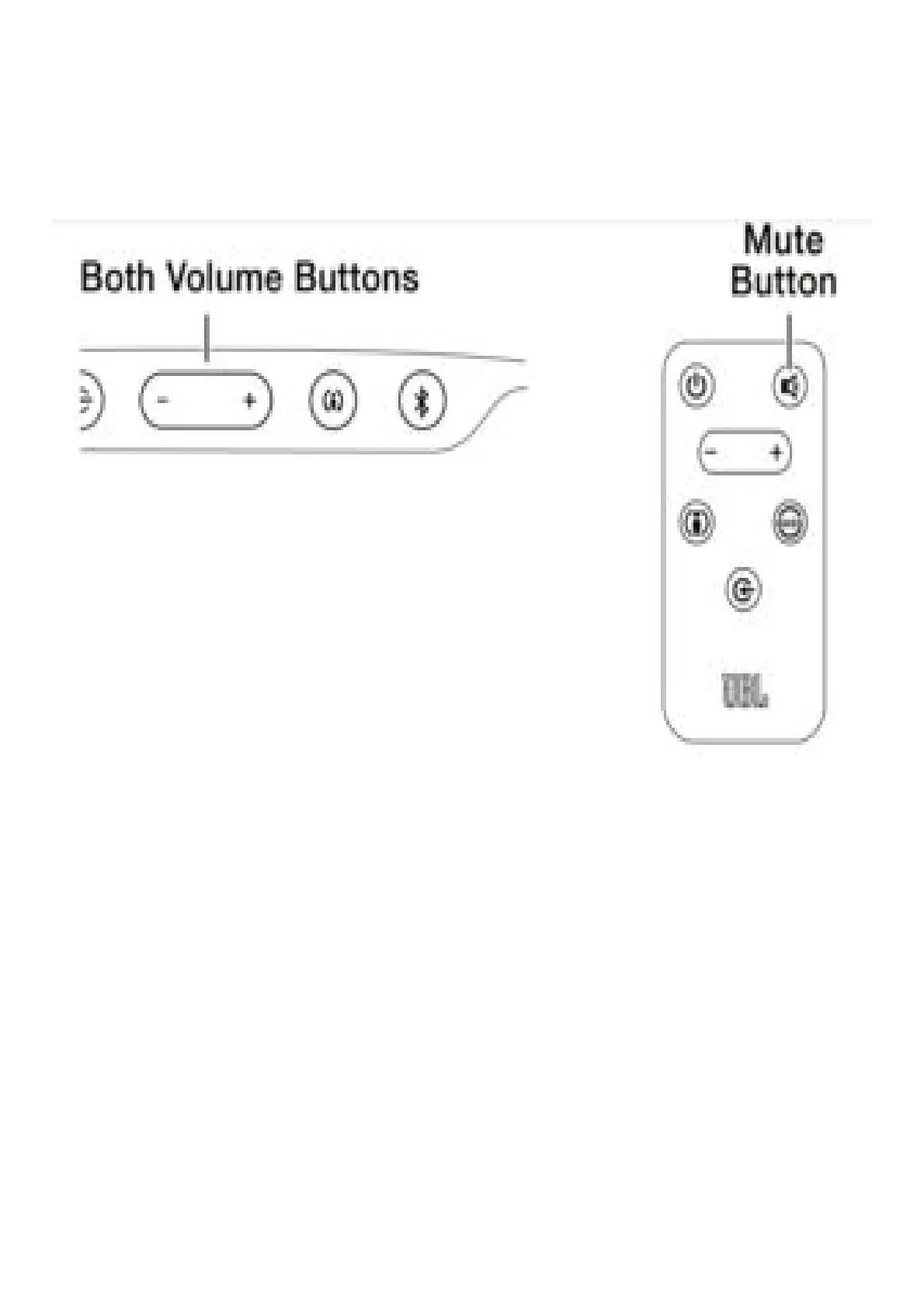
Momentarily press both of the soundbar’s Volume buttons at the same time, or press the remote’s
Mute button to mute the system. (Both Volume indicators illuminate.) Momentarily press either of the
soundbar’s Volume buttons or press the remote’s Mute button again to un-mute the system. (The
Volume indicators turn off.)
CHANGING THE SURROUND MODE
Press the soundbar’s or remote’s Surround Mode indicator to switch the sound between normal stereo
(the Surround Mode indicator lights white) and HARMAN Display Surround (the Surround Mode
indicator lights amber). The HARMAN Display Surround setting will produce a complete surround-
sound experience for anyone sitting in front of and several feet away from the soundbar. Although it is
particularly effective when watching movies, you can also try the HARMAN Display Surround setting
for music.



 To Next Page