other connections.
If you will not be using the soundbar for an extended period – for instance, if you’re going on vacation
– set the Power switch to the “Off”position.
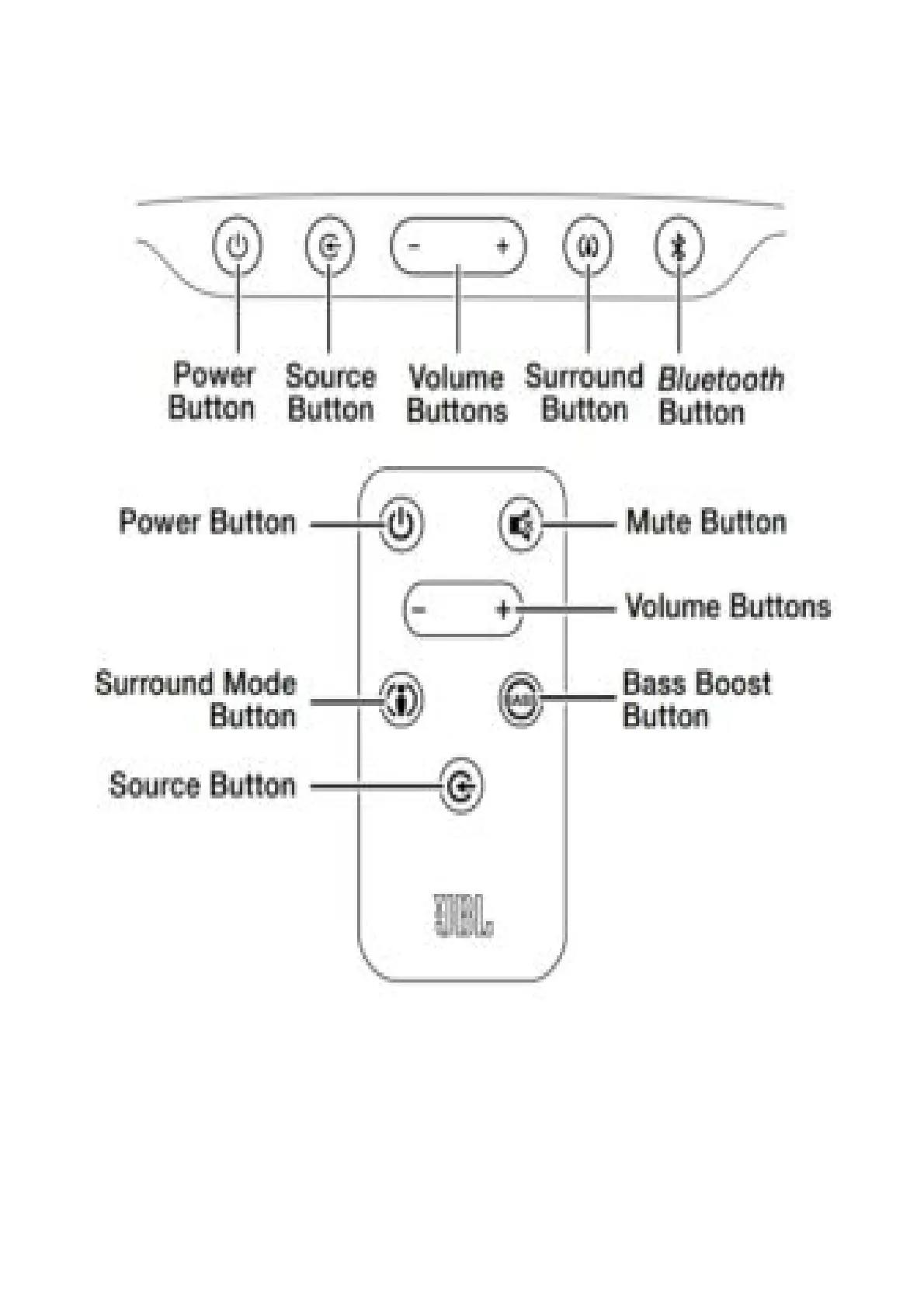
SOUNDBAR TOP-PANEL CONTROLS AND REMOTE CONTROL
Power button: To turn the soundbar on when it is in the Standby mode, press the Power button on
either the soundbar or the remote. (The Power indicator will turn white.) To put the soundbar in the
Standby mode, press either Power button while the system is on. (The Power indicator will turn
amber.) If you do not press the Power button, the soundbar will automatically go into the Standby
mode approximately 10 minutes after the audio signal ceases.
NOTE: If you put the soundbar into the Standby mode by pressing the Power button, you must
manually turn it on by pressing the Power button again.
Mute button (remote control only): Press the Mute button to mute the soundbar. (The Volume +/–
indicators both illuminate white.) While the system is muted, press the Mute button again or either the
Volume button to restore the sound.



 To Next Page