support this weight.
4. After reading the Connections section on page 4, connect all cables to the soundbar.
IMPORTANT: Do NOT plug the soundbar’s power cord into an AC outlet at this time.
• Set the soundbar’s EQ switch in the “Wall” position, and set the soundbar’s Power switch in the
“On” position. See (Soundbar RearPanel Controls and Connections.)
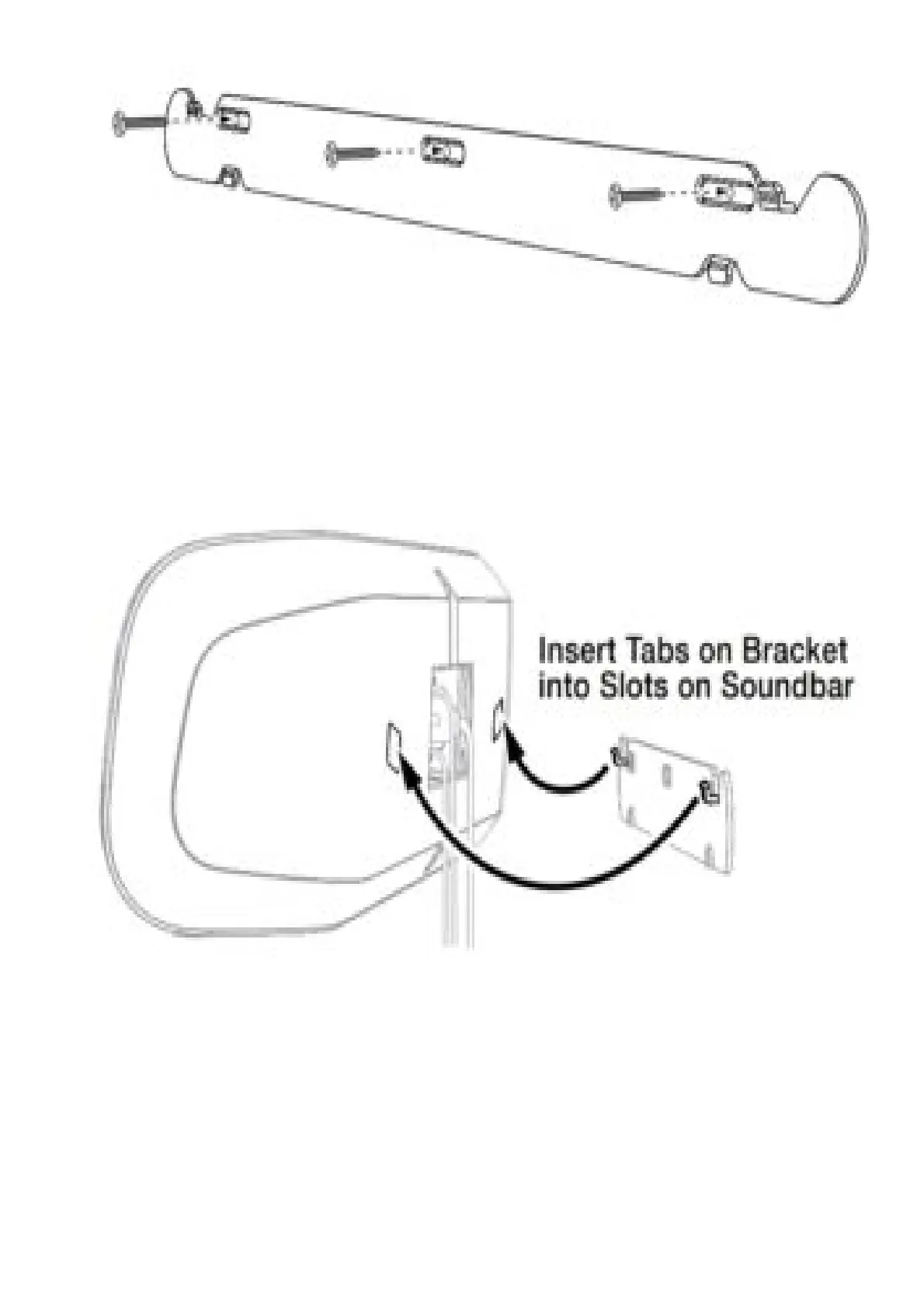
5. Attach the soundbar to the bracket by sliding the bracket’s upper tabs into the slots on the back
of the soundbar. The soundbar’s slots allow you to adjust the soundbar’s angle on the wall to
ensure that it is level.
CONNECTIONS
SOURCE CONNECTIONS
Analog: Use the supplied stereo audio cable to connect the soundbar’s Aux (analog) input to your TV’s
stereo audio output. If your TV has two sets of audio output jacks, use the set that has a fixed (not
variable) output level. This will let you turn your TV’s speakers all the way off while the TV still supplies
a constant audio signal to the soundbar.
Digital: If your disc player, cable tuner, or satellite tuner has an optical digital output, you can use the
supplied optical digital audio cable to connect it to the soundbar’s Optical (digital) input.
NOTE: If your disc player, cable tuner, or satellite tuner does not have an optical digital output, you
can connect its analog audio output to your TV. The TV will send its audio signal to the soundbar



 To Next Page