EasyManua.ls Logo

JBL Simply Cinema ESC 360 - User Manual

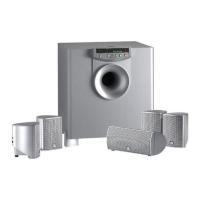
JBL Simply Cinema ESC 360
14 pages
Print Icon
To Next Page IconTo Next Page
Loading...
ENGLISH
TM
®
ESC 360
Simple
setup guide
Thank you for choosing JBL. For over 55 years, JBL has been
involved in every aspect of music and film recording and reproduc-
tion, from live performances to monitoring the recordings you play
in your home, car or office.
We’re confident that the JBL system you have chosen will provide
every note of enjoyment that you expected – and that when you
think about purchasing additional audio equipment for your home,
car or office, you will once again choose JBL.
JBL Consumer Products
Question and Answer IconNeed help?

Do you have a question about the JBL Simply Cinema ESC 360 and is the answer not in the manual?

Summary

Safety and Handling

General Safety Warnings

Risk of electric shock, do not open, refer servicing to qualified personnel.

Power Cord Precautions

Handle gently, do not pull cord, disconnect when unused, avoid damage.

Automatic On;Off and Digital Input Selection

Automatic Turn-On;Shut-Down

System powers on/off automatically based on connected sources.

Automatic Digital-Input Selection

System automatically switches to active digital input source.

Included Components

System Features

About Dolby Digital

About DTS

Speaker Placement Guide

Satellite Speaker Placement

Guidance on positioning satellites for optimal surround sound.

Subwoofer Placement

Recommendations for placing the subwoofer for best bass output.

Remote Sensor Mounting

Instructions for mounting the remote sensor to the center speaker.

Connector and Wiring Diagram

System Operation

Remote Control Battery Installation

Step-by-step guide to install or replace batteries in the remote control.

Rear-Panel Master Power Switch

Explains the function of the master power switch on the subwoofer.

Controls and Indicators Overview

Power Control

Details the power button function on the remote and automatic power features.

Mute Function

How to use the mute button to silence audio output and its indicators.

Late Night Mode

Explains the dynamic range compression for nighttime listening.

Detailed Control Functions

Input Selection and Surround Modes

Manual/automatic input selection and choosing surround sound modes.

Volume, Test Tone, Delay, and Level

Adjusting volume, test tone, speaker delay, and individual speaker levels.

Audio Adjustments and Indicators

Bass, Treble, and Input;Surround Indicators

Adjusting audio frequencies and understanding input/surround mode indicators.

Signal and System Indicators

Explains indicators for signal types, power, standby, mute, and status bars.

Status-Bar Indicator Details

Surround Sound Modes

Surround, Phantom, and 3-Stereo Modes

Details different surround sound modes and their characteristics.

Stereo Mode

Explains the traditional two-channel stereo listening mode.

Test Tone Calibration

Troubleshooting Common Issues

System Specifications

Summary

Safety and Handling

General Safety Warnings

Risk of electric shock, do not open, refer servicing to qualified personnel.

Power Cord Precautions

Handle gently, do not pull cord, disconnect when unused, avoid damage.

Automatic On;Off and Digital Input Selection

Automatic Turn-On;Shut-Down

System powers on/off automatically based on connected sources.

Automatic Digital-Input Selection

System automatically switches to active digital input source.

Included Components

System Features

About Dolby Digital

About DTS

Speaker Placement Guide

Satellite Speaker Placement

Guidance on positioning satellites for optimal surround sound.

Subwoofer Placement

Recommendations for placing the subwoofer for best bass output.

Remote Sensor Mounting

Instructions for mounting the remote sensor to the center speaker.

Connector and Wiring Diagram

System Operation

Remote Control Battery Installation

Step-by-step guide to install or replace batteries in the remote control.

Rear-Panel Master Power Switch

Explains the function of the master power switch on the subwoofer.

Controls and Indicators Overview

Power Control

Details the power button function on the remote and automatic power features.

Mute Function

How to use the mute button to silence audio output and its indicators.

Late Night Mode

Explains the dynamic range compression for nighttime listening.

Detailed Control Functions

Input Selection and Surround Modes

Manual/automatic input selection and choosing surround sound modes.

Volume, Test Tone, Delay, and Level

Adjusting volume, test tone, speaker delay, and individual speaker levels.

Audio Adjustments and Indicators

Bass, Treble, and Input;Surround Indicators

Adjusting audio frequencies and understanding input/surround mode indicators.

Signal and System Indicators

Explains indicators for signal types, power, standby, mute, and status bars.

Status-Bar Indicator Details

Surround Sound Modes

Surround, Phantom, and 3-Stereo Modes

Details different surround sound modes and their characteristics.

Stereo Mode

Explains the traditional two-channel stereo listening mode.

Test Tone Calibration

Troubleshooting Common Issues

System Specifications

JBL Simply Cinema ESC 360 Specifications

Power IconPower
satellite power output25 Watts x 5 @ 0.1% THD
subwoofer power output60 Watts x 1 @ 1% THD
Audio IconAudio
signal-to-noise ratio80 dBA
frequency response35Hz – 20kHz
Input Specifications IconInput Specifications
input impedance20k Ohms
input sensitivity400mV
auto turn-on sensitivity2mV
Dimensions IconDimensions
satellite dimensions111 x 81 x 92mm
subwoofer dimensions315 x 300 x 310mm

Related product manuals