EasyManua.ls Logo

JBL SRX835P - User Manual

JBL SRX835P
45 pages
Print Icon
To Next Page IconTo Next Page
Loading...
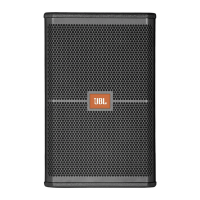
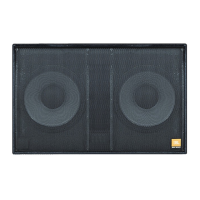
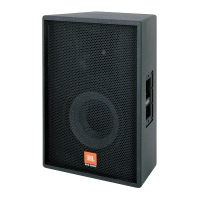
SRX812P SRX815P SRX835P SRX818SP SRX828SP
USER’S GUIDE

Other manuals for JBL SRX835P

Questions and Answers

  • J
    jonathan92Aug 20, 2025
    How to reduce hum or buzz in JBL SRX835P with long cables?
    • Y
      Yvonne BrownAug 20, 2025
      If you're experiencing hum or buzz with your JBL speakers, and it's due to an excessively long unbalanced cable run, try using the balanced outputs if they are available.
  • S
    shawtroyAug 22, 2025
    What to do if my JBL Speaker System has no sound but the speaker comes on?
    • R
      Ryan LaneAug 22, 2025
      If your JBL Speaker System powers on but produces no sound, here’s what to check: * Ensure that the signal source (mixer, instrument, etc.) is sending a signal. Check the VU meters on the source mixer and verify that any tape or CD is playing. Use headphones to confirm the instrument is sending an audio signal. * Inspect the cables and connections for faults. Disconnect and then re-seat the signal cables. If you suspect a cable is bad, replace it with one that is known to be working correctly.
  • D
    Dylan BatesAug 25, 2025
    What to do if my JBL SRX835P Speakers sound distorted and the PEAK light is on?
    • D
      Dawn BrownAug 25, 2025
      If the signal from your JBL speakers sounds distorted and very loud, and the PEAK light is frequently on, it's likely due to an excessive input signal trying to exceed the speaker's capabilities. To resolve this, reduce the output level of the source.
  • M
    Matthew MorrisAug 26, 2025
    How to fix JBL SRX835P when there is no sound?
    • J
      joseph79Aug 26, 2025
      If there is no sound from your JBL speakers, make sure the speaker is connected to an active AC power source and that the circuit is on. Also, verify that the power is switched on and the power LED is illuminated.
  • M
    Mr. Thomas BrownAug 27, 2025
    Why is there noise or hiss coming from my JBL SRX835P?
    • R
      rittererinAug 27, 2025
      If you hear noise or hiss at the output of your JBL speakers, the issue might be a noisy source device. Try disconnecting the devices connected to your speaker one at a time. If the noise disappears, the problem lies with the source or the connecting cable.
  • P
    parkermelissaAug 29, 2025
    What to do if JBL SRX835P sound distorted at moderate volumes?
    • R
      robertwebbAug 29, 2025
      If the signal from your JBL speakers sounds distorted even at moderate volumes and the LIMIT light is not lit, the mixer or another source might be overdriven. Consult the owner's manual for your mixer and adjust the controls as needed.
  • K
    Kendra MontgomeryAug 31, 2025
    Why is there no sound from my JBL SRX835P when using a microphone?
    • D
      David StokesAug 31, 2025
      If you are getting no sound from your JBL speakers with a microphone directly connected, it could be that the microphone requires phantom power. Try switching to a dynamic microphone, using a battery-powered microphone if available, or using an external phantom power supply for condenser-type microphones.
  • M
    Mariah HammondSep 2, 2025
    Why do my JBL SRX835P Speakers have hum or buzz with improper gain?
    • C
      Christine GarnerSep 2, 2025
      If you're experiencing hum or buzz with your JBL speakers, it may be due to an improper system gain structure. Try reducing the input level controls and increasing the output level of your source devices.
  • J
    John BenjaminSep 4, 2025
    Why does hum or buzz in JBL SRX835P Speakers change with mixer levels?
    • J
      Jeffrey MurphySep 4, 2025
      If the hum or buzz from your JBL speakers increases or decreases when the mixer level controls are moved, it could be due to an improper AC ground or faulty equipment connected to the mixer input. Disconnect or mute channels one at a time to isolate the problem. Refer to the owner’s manual of the faulty equipment for troubleshooting help.
  • A
    Austin OrtizSep 6, 2025
    What to do if the JBL Speaker System signal sounds distorted and very loud?
    • S
      sfischerSep 6, 2025
      If the signal from your JBL Speaker System sounds distorted and the PEAK light is frequently lit, it indicates that the input signal is too high, exceeding the speaker's capabilities. Here’s what you can do: * Reduce the output level of the audio source. * Lower the level controls on the speaker itself. * Consider using additional SRX800 speakers to distribute the load.

Summary

SAFETY INSTRUCTIONS

Important Safety Information

Introduces crucial safety information to review before using the SRX800 speaker system.

DECLARATION OF CONFORMITY

Safety and EMC Compliance

Lists standards and specifications related to safety and electromagnetic compatibility for the SRX800 series.

Regulatory Compliance Statements

Details compliance with UL, FCC, and IC regulations, including warnings and exposure limits.

QUICK SETUP GUIDE

Packaging Contents

Lists the items included in the SRX800 system packaging for initial setup.

Configuration Options

Illustrates various ways to set up and configure the SRX800 loudspeakers for different applications.

QUICK SETUP GUIDE

Powering On and Input Setup

Instructions on connecting power and audio sources to the SRX800 speaker inputs.

Setting Output Levels

Guidance on adjusting input gain and master volume levels for optimal sound output.

SRX812 P, SRX815 P, SRX835 P BACK PANEL

SRX812 P, SRX815 P, SRX835 P BACK PANEL COMPONENTS

Input;Output Controls and Encoders

Details CH1/CH2 inputs, direct outs, mix out, and encoders for signal management.

System Indicators and Screen

Explains the LCD screen, Power LED, Link LED, and Data LED for system status.

Connectivity Ports

Describes the Locking IEC Inlet and Ethercon Connector for power and network.

SRX828 SP, SRX818 SP BACK PANEL

SRX828 SP, SRX818 SP BACK PANEL COMPONENTS

Input;Output Controls and Encoders

Details CH1/CH2 inputs, direct outs, mix out, and encoders for signal management.

System Indicators and Screen

Explains the LCD screen, Power LED, Link LED, and Data LED for system status.

Connectivity Ports

Describes the Locking IEC Inlet and Ethercon Connector for power and network.

OVERVIEW - SRX800 FAMILY

SRX812 P, SRX815 P - BLOCK DIAGRAM

SRX835 P - BLOCK DIAGRAM

SRX818 SP - BLOCK DIAGRAM

SRX828 SP - BLOCK DIAGRAM

SRX812 P SPECIFICATIONS

SRX815 P SPECIFICATIONS

SRX835 P SPECIFICATIONS

SRX818 SP SPECIFICATIONS

SRX828 SP SPECIFICATIONS

PURPOSEFUL PRODUCT DESIGN

Portability and Handling Features

Covers ergonomic handles, indexing feet for stacking, and overall design for easy movement and setup.

Mounting and Configuration Options

Discusses M10 suspension points and pole mounts for flexible speaker placement.

Back Panel User Interface

Describes the LCD screen and glow-in-the-dark ink for visibility in low light conditions.

COMPONENT ELEMENTS

HF and LF Driver Technology

Details the JBL 2432H HF driver and Differential Drive LF drivers for performance.

Mid Frequency Drivers

Explains the SRX835's midrange driver derived from the VTX 20 touring system.

Patented Waveguides

Discusses JBL's Progressive Transition Waveguides for improved high-frequency directivity.

COMPONENT ELEMENTS

HiQnet Network Control

Explains network control using Audio Architect and SRX Connect for system configuration.

Premium DSP Technology

Details onboard DSP features like PEQs, delay, signal generators, and user presets.

Crown DriveCore Amplification

Describes the Crown DriveCore amplification for high power and excellent signal-to-noise ratio.

BACK PANEL LCD OPERATION

Navigating System Menus

Guide to accessing and navigating the LCD screen's Input Screen and Main Menu.

Input and Sensitivity Settings

How to adjust input levels, select sensitivity, and manage presets, auto-dim, and auto-sleep.

BACK PANEL LCD ADVANCED FUNCTIONS

Meters and Network Configuration

How to view input meters and configure network settings like IP, Subnet, and DHCP.

System Information Display

How to access and view the system model number, software version, and MAC address.

SRX SPEAKER PRESETS AND TUNING

Full-Range Speaker Presets

Covers presets for Main, Monitor, Speech, and SRX Top configurations for full-range SRX speakers.

Subwoofer Integration Presets

Details presets for SRX Sub, SRX Top, and various crossover frequencies (60-120Hz) for subwoofer pairing.

Cardioid Subwoofer Presets

Describes the Cardioid 60 and Cardioid 80 presets for rear-facing subwoofers in cardioid setups.

SRX SPEAKER PRESETS AND TUNING

Preset Crossover Chart

A chart detailing recommended presets for combining SRX full-range speakers with various subwoofer models.

PREMIUM DSP TECHNOLOGY AND CONTROL

DSP Features and Tunings

Covers V5 Tunings, FIR Filters, LevelMax Limiting, and the full suite of user-controllable DSP parameters.

System Control Applications

Discusses the SRX Connect App for mobile control and Audio Architect for advanced system configuration.

NETWORKING

Network Connection Methods

Explains direct, wired, and wireless connection methods for controlling SRX800 speakers.

NETWORKING

Audio Architect Control

Detailed guide on using Audio Architect software for advanced SRX800 system configuration.

HiQnet Address Management

Ensuring unique HiQnet addresses for speakers and using NetSetter to resolve conflicts.

SMART DEVICE APP

SRX Connect App Overview

Introduction to the SRX Connect app for mobile device control of SRX800 speakers.

App Configuration and Control

Instructions on using the app for speaker setup, level adjustment, and DSP tuning.

LOUDSPEAKER PLACEMENT AND SUSPENSION

Optimal Placement and Aiming

Covers aiming for audience coverage, avoiding feedback, and positioning relative to turntables.

Suspension and Configuration

Discusses safe suspension practices and general placement for PA and monitor use.

TROUBLESHOOTING

WARRANTY INFORMATION AND SERVICE

Warranty Coverage and Exclusions

Outlines what defects are covered, who is protected, and specific exclusions from the warranty.

Obtaining Warranty Service

Provides instructions on contacting JBL, shipping procedures, and limitations on implied warranties.

CONTACT INFORMATION

JBL SRX835P Specifications

General IconGeneral
Power Rating2000W Peak
Coverage Pattern60° x 40°
Amplifier DesignClass D
Output ConnectorsXLR
Weight38.2 kg (84.2 lb)
System TypeSelf-powered 15" three-way bass reflex
Frequency Response (-10 dB)35 Hz - 21 kHz
Max SPL136 dB peak
LF Driver1 x 15" (380mm)
MF Driver1 x 6.5" (165mm)
HF Driver2432H 3 in (75 mm) voice coil compression driver
Input ConnectorsXLR/1/4" Combination
Enclosure18 mm plywood
Suspension / MountingM10 Suspension Points
Dimensions (H x W x D)29.5 x 18.5 x 17.5 inches (750 x 470 x 445mm)
Maximum SPL Output136 dB peak
Maximum SPL136 dB peak
Dimensions29.5 x 18.5 x 17.5 inches (750 x 470 x 445mm)
Height29.5 inches (750mm)
Width18.5 inches (470mm)
Depth477.5 mm (18.8 in)
Net Weight85 lbs (38.6 kg)

Related product manuals