EasyManua.ls Logo

JBL SRX815P - User Manual

JBL SRX815P
45 pages
Print Icon
To Next Page IconTo Next Page
Loading...
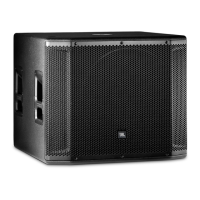
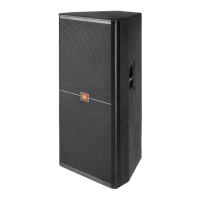
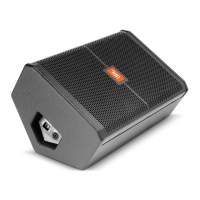
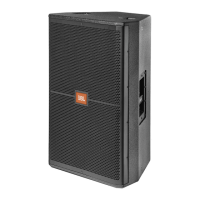
SRX812P SRX815P SRX835P SRX818SP SRX828SP
USER’S GUIDE

Other manuals for JBL SRX815P

Questions and Answers

JBL SRX815P Specifications

General IconGeneral
Coverage Pattern90° x 50°
Amplifier DesignClass D
Input ConnectorsXLR, 1/4" combo jack
System TypePowered 15" two-way loudspeaker
FinishBlack DuraFlex™ finish

Summary

Safety Instructions

Important Safety Information

Key safety guidelines and precautions before operating the SRX800 speaker system.

Declaration of Conformity

Safety and EMC Compliance

Details on compliance with safety standards and electromagnetic compatibility.

UL and Regulatory Statements

Information regarding UL, FCC, and IC compliance statements for the device.

Quick Setup Guide

Packaging Contents

List of items included in the SRX800 speaker package.

Configuration Options

Visual guide to various ways the SRX800 speakers can be set up and configured.

Powering On and Connecting Inputs

Steps for powering the speaker, connecting audio sources, and setting input levels.

Setting Output Levels

Instructions for adjusting the master volume and individual channel gain levels.

Back Panel Overview

SRX812 P, SRX815 P, SRX835 P Back Panel

Diagram and descriptions of connectors and controls on the rear panel.

Component Descriptions

Detailed explanation of each connector and control on the back panel.

Subwoofer Back Panel Overview

SRX828 SP, SRX818 SP Back Panel

Diagram and descriptions of connectors and controls on the rear panel for subwoofer models.

Component Descriptions

Detailed explanation of each connector and control on the back panel for subwoofer models.

Overview - SRX800 Family

SRX800 Series Introduction

Introduction to the SRX800 Series, highlighting its features and intended applications.

SRX812 P, SRX815 P Block Diagram

Signal Path Overview

Diagram illustrating the audio signal path and processing within the SRX812P and SRX815P.

SRX835 P Block Diagram

Signal Path Overview

Diagram illustrating the audio signal path and processing within the SRX835P speaker.

SRX818 SP Block Diagram

Signal Path Overview

Diagram illustrating the audio signal path and processing within the SRX818SP subwoofer.

SRX828 SP Block Diagram

Signal Path Overview

Diagram illustrating the audio signal path and processing within the SRX828SP subwoofer.

SRX812 P Specifications

System and Amplification Specs

Technical specifications for system type, SPL, frequency range, and amplifier details.

Speaker and Enclosure Specs

Technical specifications for drivers, coverage, enclosure material, dimensions, and weight.

SRX815 P Specifications

System and Amplification Specs

Technical specifications for system type, SPL, frequency range, and amplifier details.

Speaker and Enclosure Specs

Technical specifications for drivers, coverage, enclosure material, dimensions, and weight.

SRX835 P Specifications

System and Amplification Specs

Technical specifications for system type, SPL, frequency range, and amplifier details.

Speaker and Enclosure Specs

Technical specifications for drivers, coverage, enclosure material, dimensions, and weight.

SRX818 SP Specifications

System and Amplification Specs

Technical specifications for system type, SPL, frequency range, and amplifier details.

Speaker and Enclosure Specs

Technical specifications for drivers, coverage, enclosure material, dimensions, and weight.

SRX828 SP Specifications

System and Amplification Specs

Technical specifications for system type, SPL, frequency range, and amplifier details.

Speaker and Enclosure Specs

Technical specifications for drivers, coverage, enclosure material, dimensions, and weight.

Purposeful Product Design

Portability and Ergonomics

Details on the design features enhancing portability, handling, and user convenience.

Component Elements

High Performance Components

Overview of key components like HF, LF, and MF drivers, and waveguides.

Networking and DSP Technology

Explanation of HiQnet Network Control and Premium DSP features.

Crown DriveCore Amplification

Information on the proprietary Crown DriveCore technology used for amplification.

Back Panel LCD Controls

LCD Screen Introduction

Overview of the LCD screen's function for system control and access.

Menu Navigation and Settings

Instructions for navigating menus, adjusting presets, auto dim, and auto sleep settings.

Input Meters and Network Menu

Details on viewing input meters and configuring network settings (IP, Subnet, HiQnet, DHCP).

System Information

Accessing system information such as model number, version, and MAC address.

SRX Presets

Preset Descriptions

Explanation of various presets like Main, Monitor, Speech, SRX Sub, SRX Top, and frequency-specific tunings.

Preset Crossover Chart

Chart detailing optimal preset crossovers for various SRX speaker and subwoofer combinations.

Premium DSP Technology

DSP Features and Tunings

Details on V5 compatible tunings, FIR filters, and user-configurable DSP features.

Control Applications

Information on using SRX Connect App and Audio Architect for system control.

Networking

Network Connection Options

Methods for connecting SRX speakers to a network: direct, wired, and wireless.

Using Audio Architect

Guide to using Audio Architect software for network configuration and control.

Smart Device App Control

SRX Connect App Usage

Instructions for using the SRX Connect app on Android and iOS devices for speaker control.

Loudspeaker Placement and Suspension

Placement and Rigging Guidelines

Recommendations for optimal speaker placement, aiming, and safe suspension practices.

Troubleshooting Guide

Common Issues and Solutions

Table of common audio problems, likely causes, and troubleshooting steps.

Warranty Information

JBL Limited Warranty Details

Information on warranty coverage, duration, limitations, and exclusions for JBL products.

Contact Information

JBL Support and Contact Details

Mailing address, customer service contact numbers, and website for JBL Professional.

Quickstart Guide

Unboxing Procedure

Step-by-step instructions for unboxing the SRX800 series speaker.

Optional Setups

Visual guide to common optional setups and configurations for the SRX800 series.

Back Panel Operation

Powering On and Input Setup

Instructions for powering the unit, connecting inputs, and setting gain levels.

Setting Output Levels

Guide on how to adjust the master output level using the Master Encoder.

SRX835 P Datasheet

Key Features Overview

Highlights of the SRX835P's main features including design, transducers, amplification, and DSP.

SRX800 Series Summary

Network Control and Back Panel

Overview of HiQnet network control and the flexible back panel features.

Configurations and Specifications

Common configurations and a summary table of specifications for the SRX800 series.

SRX835 P Product Details

Key Features and Applications

Detailed breakdown of SRX835P's features, design, and typical applications.

Technical Specifications

Comprehensive list of technical specifications for the SRX835P speaker.

SRX835 P Performance Data

Frequency Response Graphs

Graphs showing frequency response for main and speech modes of the SRX835P.

Sub;Satellite Preset Chart

Chart detailing preset selection for SRX835P with various subwoofers and satellites.

SRX835 P Detailed Block Diagram

Audio Signal Flow

Detailed block diagram showing the audio signal flow and processing stages for the SRX835P.

SRX835 P Dimensions

Dimensional Drawings

Detailed drawings showing the physical dimensions of the SRX835P speaker.

Related product manuals