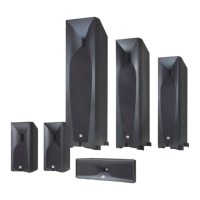
5 series speakers have connectors that are marked “+” and “–” on the terminal-cup assembly.
Additionally, the “+” connectors have red markings, while the “–” connectors have black markings.
To ensure proper polarity, connect each “+” connector on the back of the amplifier or receiver to the
respective “+” (red) connector on each speaker. Connect the “–” connectors in a similar way. Do not
reverse polarities (i.e., “+” to “–” or “–” to “+”) when making connections. Doing so will cause poor
stereo imaging and diminished bass performance.
Important: make sure the “+” and “–” wires or connectors do not touch each other or the other
terminal. Touching wires can cause a short circuit that can damage your receiver or amplifier.
The Studio 5 series speakers’ gold-plated speaker connectors can accept a variety of wire connector
types: bare wire, pin connectors, spade connectors and banana connectors.
Using Bare Wire or Pin Connectors:
Using Spade Connectors:
Using BANANA Connectors:
Basic SINGLE-WIRE Connection
To connect the speakers using a single wire, connect the amplifier to each speaker as shown in the
illustration below.
You can use either set of connectors on the connector panel.
Important: do not remove the metal jumper bars from between the two sets of connectors when
connecting the speaker wires.



 To Next Page
 Loading...