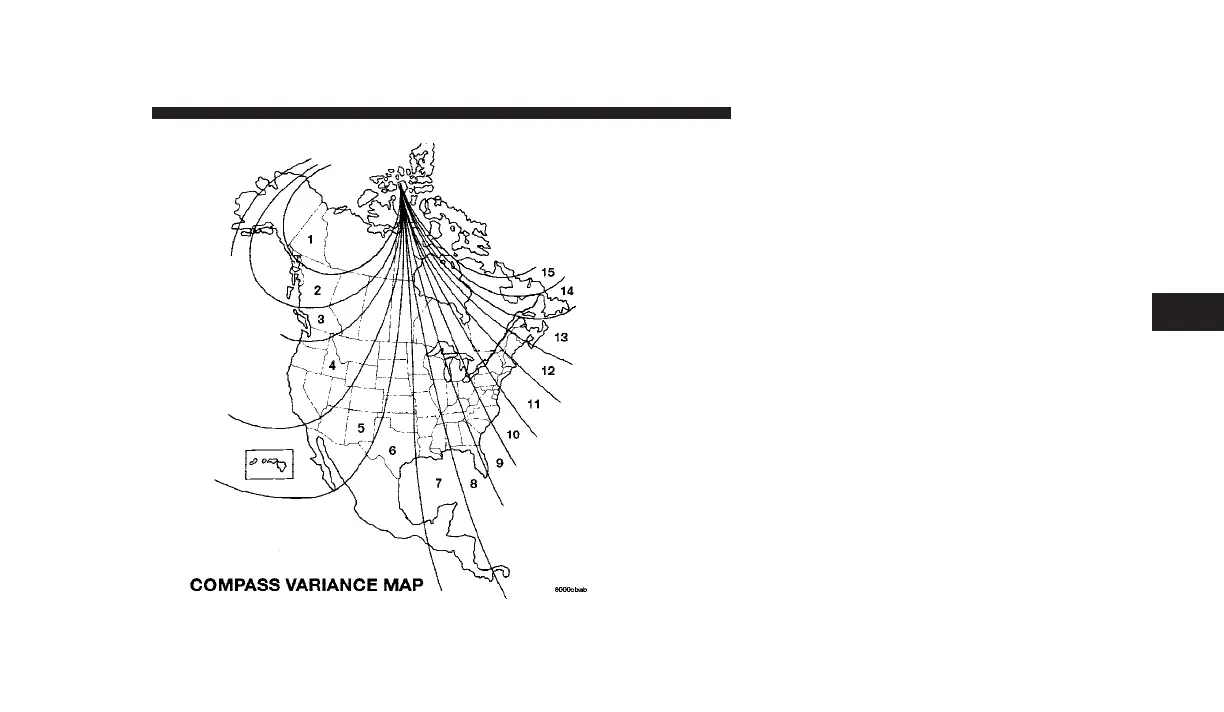
1. Turn the ignition switch ON.
2. Press and hold the COMPASS/TEMPERATURE but-
ton for approximately two seconds.
3. Press the SCROLL button until the “Compass Vari-
ance” message, and the last variance zone number dis-
plays in the EVIC.
4. Press and release the FUNCTION SELECT button
until the proper variance zone is selected according to the
map.
5. Press and release the COMPASS/TEMPERATURE
button to exit.
Personal Settings (Customer Programmable
Features)
Personal Settings allows the driver to set and recall
features when the transmission is in PARK.
UNDERSTANDING YOUR INSTRUMENT PANEL 213
4











 To Next Page