PO BOX 7231, COLORADO SPRINGS, COLORADO 80933 USA E-mAIL: jRDG@jEffROwLAND.COm www.jEffROwLAND.COm TELEPHONE (719) 473-1181
20
OWNER’S MANUAL CAPRI/CAPRI S STEREO PREAMPLIFIER
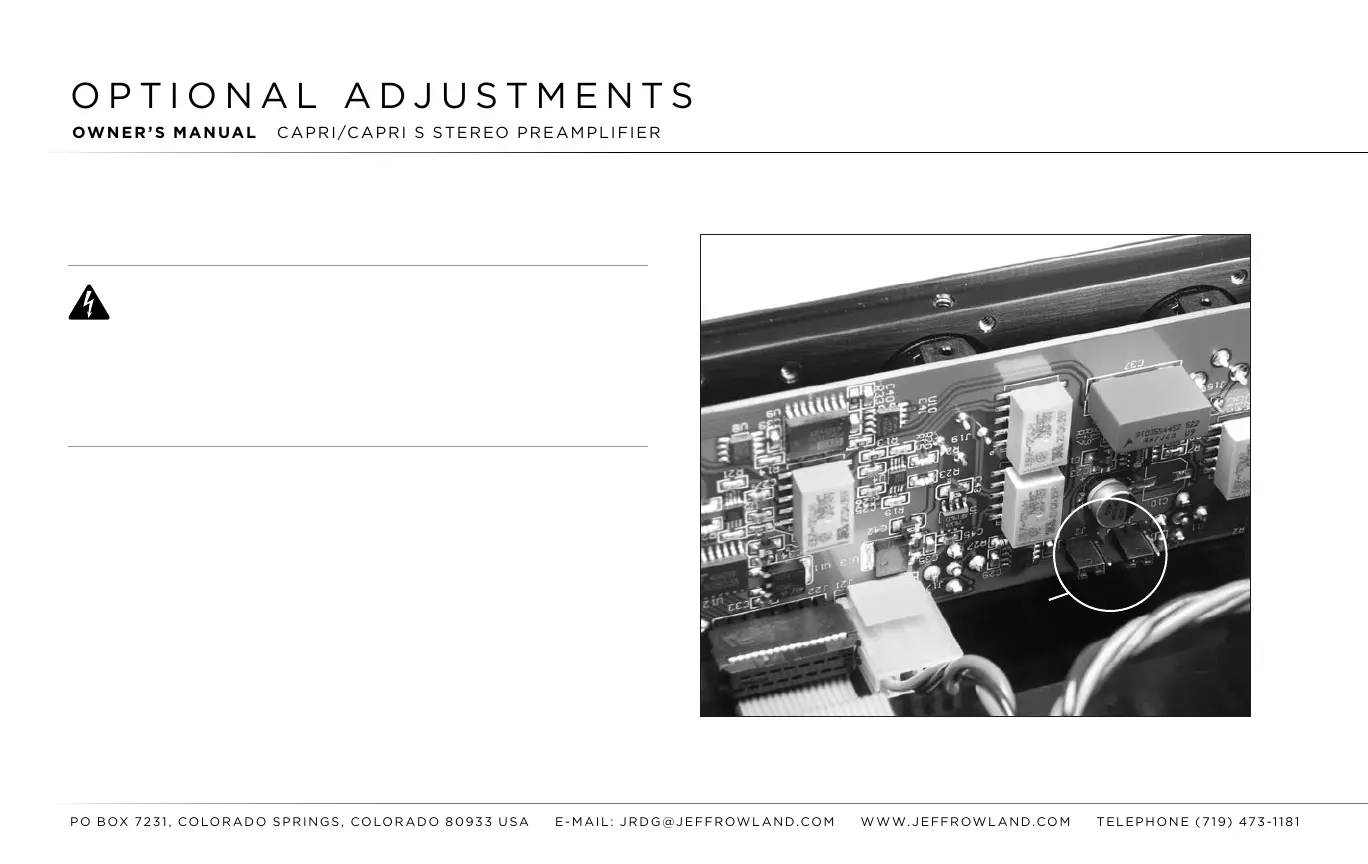
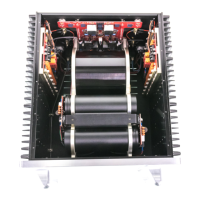
FIGURE 1:
Location of jumpers within the chassis
RISK OF ELECTRICAL SHOCK!
WARNING: The instructions in this section are meant for qualied JRDG service
per sonnel only; however, if you as an end user choose
to attempt these adjust-
ments yourself, JRDG cannot be held liable for any damage that may occur to your
CAPRI Stereo Preamplier because of your actions. Further, accessing the interior of
your CAPRI by removing the bottom
Cover can expose you to dangerous, potentially
lethal electrical voltages. Thus, JRDG cannot be held liable for any injury you may
sustain should you undertake any of these adjustments yourself.
DISPLAY BLANKING ADjUSTMENTS
The display of the CAPRI can be configured to turn off (“go blank”)
five seconds after
each user command, whether from the front
panel
controls or from the remote control.
STEP 1: Unplug the CAPRI power cable from the wall AC outlet.
STEP 2: Place the unit upside-down on a soft, clean surface.
Using a
5/64" hex wrench,
remove
the nine screws that secure the bottom
cover of the unit.
jUMPERS





 To Next Page