EasyManua.ls Logo

Jeio tech Lab Companion SK-71 - User Manual

Default Icon
43 pages
Print Icon
To Next Page IconTo Next Page
Loading...
Page 1
OPERATING MANUAL
[SHAKER]
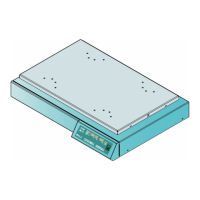
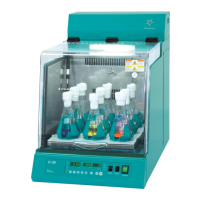
Model: SK-300 / SK-600/ SK-71
Manual No: 00HAA0001149 (Version :5.0)
This operating manual describes the important subjects to maintain the product¡s
functions and to use it safely. Especially, be sure to read <Safety Precaution> carefully
before you use this equipment. Please keep this operating manual close to the equipment to
use it after reading through it once. Please place it where the new user can find it
easily for the safety use when you hand over or lend the equipment to others.
.

Questions and Answers

  • C
    Carl OwensAug 8, 2025
    How to troubleshoot a Jeio tech Lab Companion SK-71 unit that does not turn on?
    • K
      Kevin MillerAug 8, 2025
      If your Jeio tech Laboratory Equipment unit isn't turning on, start by checking the ID plate on the back to ensure you have the correct power and voltage. Make sure the main power plug is correctly inserted. Check for any power failures and resolve them. If the socket, plug, or main power line is damaged, or if exchanging the fuses on the back of the unit doesn't solve the problem, request service.
  • J
    Jesus SheltonAug 12, 2025
    What to do if the circuit breaker of building(room) is often shorted with Jeio tech Lab Companion SK-71?
    • J
      Jeffrey WilliamsAug 13, 2025
      If the circuit breaker frequently shorts when using your Jeio tech Laboratory Equipment, verify the voltage supplied to the circuit breaker. Also, check if multiple similar units are being used together, which could overload the circuit. Avoid using too many units simultaneously. If the issue persists, request the service.
  • S
    Sara GeorgeAug 17, 2025
    Why do the fuses keep burning out in my Jeio tech Laboratory Equipment?
    • J
      Jermaine PhillipsAug 17, 2025
      If the fuses in your Jeio tech Laboratory Equipment are frequently burning out, check the voltage and ampere of the fuses. If the main power line is cut or damaged, replace it. Ensure there is no humidity on the inserting part; if there is, clear it and reconnect. If problems persist, request the service.
  • J
    Jon LeeAug 22, 2025
    What to do if main power turns on but switch lights off in Jeio tech Lab Companion SK-71?
    • S
      stewartpatriciaAug 22, 2025
      If the main power is on but the switch lights are off on your Jeio tech Laboratory Equipment, check for a blackout. Ensure the main plug is correctly connected to the socket. If the fuses are blown, replace them with new ones. If the problem continues, request the service.
  • C
    cory67Aug 27, 2025
    What to do if the START/STOP button does not work on Jeio tech Laboratory Equipment?
    • S
      Shane AndersonAug 27, 2025
      If the START/STOP button on your Jeio tech Laboratory Equipment isn't working, first press the SHAKE/SET button to input the RPM setting value, then press the START/STOP button to check if it operates correctly. If the problem persists, request the service.
  • J
    Jessica JacksonSep 1, 2025
    What to do if Jeio tech Lab Companion SK-71 Laboratory Equipment stops without cutting main power?
    • J
      Jason NguyenSep 1, 2025
      If your Jeio tech Laboratory Equipment stops controlling without any input, avoid strong noise near the unit or move the unit away from the noise source. If the problem persists, request the service.

Summary

Chapter 1: Introduction

Caution about Operating Instructions

Guidelines for proper use and adherence to the operating manual.

Warning Mark of the Product

Explanation of symbols (WARNING, CAUTION, NOTICE) indicating potential hazards.

Chapter 3: Safety Alert and Caution

Safety Alerts

Critical warnings about potential dangers, electrical hazards, and operating conditions.

Safety Cautions

Precautions for safe handling, cleaning, and operation to prevent damage or injury.

Chapter 4: Part Names and Controller Instructions

Timer Programming

Instructions for setting various timer functions including total run, forward, backward, and pause times.

Chapter 5: Switching Orbital;Reciprocation Motion and Stroke Width Adjustment

Chapter 6: Maintenance and Troubleshooting

Troubleshooting Guide

Solutions for common problems related to power, shaking system, and unit operation.

Jeio tech Lab Companion SK-71 Specifications

General IconGeneral
BrandJeio tech
ModelLab Companion SK-71
CategoryLaboratory Equipment
LanguageEnglish

Related product manuals