EasyManua.ls Logo

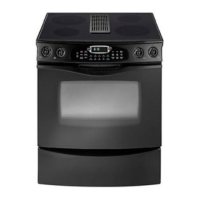
Jenn-Air SLIDE-IN RANGE - User Manual

Jenn-Air SLIDE-IN RANGE
92 pages
Print Icon
To Next Page IconTo Next Page
Loading...
JENN-AIR
®
GAS SLIDE-IN RANGE
PRO-STYLE
TM
Form No. A/11/05 Part No. 8113P524-60 ©2005 Maytag Appliances Sales Co. Litho U.S.A .
Important Safety Instructions .....................................1-4
Care & Cleaning ..............................................................5-7
Maintenance.....................................................................8-9
Troubleshooting ......................................................... 10-11
Surface Cooking......................................................... 12-13
Oven Cooking..............................................................14-20
Options .......................................................................... 21-24
Favorites ...............................................................................25
Setup .............................................................................. 26-28
Accessories .........................................................................28
Warranty & Service...........................................................29
Guide d’utilisation et d’entretien .................................30
Guía de uso y cuidado ....................................................60
USE & CARE
GUIDE
TABLE OF CONTENTS
®
8113P524-60 11/9/05, 4:29 PM1


Table of Contents

Questions and Answers

  • A
    Anthony CampbellAug 19, 2025
    What to do if my Jenn-Air Ranges appliance does not work?
    • R
      reynoldsbethAug 19, 2025
      If your Jenn-Air Ranges appliance isn't working, first ensure the surface and/or oven controls are properly set. Also, check if the oven door is unlocked after a self-clean cycle, or if the oven is set for a delayed cook or clean program. Finally, verify that the control lock is not activated and that the control is not in Sabbath Mode.
  • S
    Susan ThomasAug 21, 2025
    Why won't my Jenn-Air Ranges surface burner light?
    • R
      rchavezAug 21, 2025
      If your Jenn-Air Ranges surface burner isn't lighting, check that the unit is properly connected to the power supply and that there isn't a blown circuit fuse or tripped main circuit breaker. Make sure the ignitor is dry and clicking. If the ignitor is damaged, soiled, or wet, turn the control knob OFF.
  • C
    Carl DawsonAug 23, 2025
    What to do if my Jenn-Air Ranges oven will not self-clean?
    • H
      Heather JohnsonAug 23, 2025
      If your Jenn-Air Ranges oven won't self-clean, check that the cycle isn't set for a delayed start, the door is closed, and the control is not in Sabbath Mode. Also, the oven temperature must be below 400° F to program a clean cycle.
  • T
    Thomas FitzgeraldAug 26, 2025
    What to do if food is not broiling properly or smokes excessively in my Jenn-Air Ranges?
    • J
      Jennifer FletcherAug 26, 2025
      If food isn't broiling properly or smokes excessively in your Jenn-Air Ranges, check the oven rack positions. Never line the broiler insert with foil. Trim excess fat from meat before broiling. Preheat the oven for 2-3 minutes before placing food in the oven and broil with the oven door closed.
  • M
    Mark ToddAug 28, 2025
    What to do if my Jenn-Air Ranges oven door will not unlock after self-clean cycle?
    • S
      Sarah JohnsonAug 28, 2025
      If the Jenn-Air Ranges oven door won't unlock after a self-clean cycle, allow about one hour for the oven to cool after the completion of the cycle. The control and door may be locked.
  • N
    Nancy HallAug 29, 2025
    Why is my Jenn-Air Ranges clock working but oven not heating?
    • J
      Jill PerezAug 29, 2025
      If the clock, indicator words, and/or lights operate but the oven does not heat on your Jenn-Air Ranges, the oven may be set for a Cook & Hold or delay function. Also, the control lock may have been set.
  • A
    ariceSep 1, 2025
    How to troubleshoot most common issues with Jenn-Air Ranges?
    • E
      Erica MillerSep 1, 2025
      To troubleshoot most concerns with Jenn-Air Ranges, check if the oven controls have been properly set, ensure the plug is securely inserted into the receptacle, check or re-set the circuit breaker, check or replace the fuse, and check the power supply.
  • S
    Stephen GibsonSep 3, 2025
    Why are my Jenn-Air Ranges baking results not as expected?
    • L
      Leslie LopezSep 3, 2025
      If your Jenn-Air Ranges baking results aren't as expected, check the oven temperature selected and ensure the oven is preheated if the recipe recommends it. Make sure the oven vent isn't blocked and that the range is level. Temperatures often vary between a new oven and an old one, as oven temperature often “drifts”. Use the correct pan, check rack positions and pan placement, and check the use of foil in the oven.
  • A
    afullerSep 5, 2025
    Why is there a strong odor or light smoke when my Jenn-Air Ranges oven is turned on?
    • J
      Joseph MaysSep 5, 2025
      A strong odor or light smoke when a Jenn-Air Ranges oven is turned on is normal for a new range and will disappear after a few uses. Initiating a clean cycle will “burn off” the odors more quickly. Turning on a ventilation fan will help remove the smoke and/or odor. If there are excessive food soils on the oven bottom, use a self-clean cycle.
  • A
    Alex RiveraSep 7, 2025
    Why does moisture collect on the oven window of my Jenn-Air Ranges?
    • J
      Jose SmithSep 7, 2025
      Moisture collecting on the oven window or steam coming from the oven vent of your Jenn-Air Ranges is normal when cooking foods high in moisture. It can also occur if excessive moisture was used when cleaning the window.

Summary

Important Safety Instructions

General Safety Guidelines

Understand safety symbols, general operation, and installation precautions.

Child Safety

About Your Appliance

Cooking Safety

Utensil Safety

Recommendations for selecting and using cookware safely during cooking.

Cleaning Safety

Self-Clean Oven Precautions

Specific warnings and procedures for using the self-cleaning oven feature.

CARE & CLEANING

Self-Clean Oven Operation

Detailed instructions for setting up and performing the self-cleaning cycle.

Cleaning Procedures

Step-by-step guide for cleaning various parts of the appliance.

MAINTENANCE

Oven Door and Light Maintenance

Instructions for oven door removal and oven light bulb replacement.

Appliance Leveling and Electrical

Procedures for leveling the appliance and ensuring proper electrical connection.

TROUBLESHOOTING

Basic Operation Issues

Solutions for appliance not working, heating, or burner ignition problems.

Baking & Broiling Performance

Tips for achieving expected baking results and troubleshooting broiling issues.

TROUBLESHOOTING

Oven Cycle & Display Problems

Troubleshooting for self-cleaning, display, and SAb indications.

Performance Anomalies & Faults

Addressing odors, smoke, moisture, fault codes, and noises.

SURFACE COOKING

Surface Controls & Ignition

Explanation of surface controls, ignition, and power failure operation.

SURFACE COOKING

Cooktop, Burners & Grates

Information on cooktop maintenance, sealed burners, and burner grates.

OVEN COOKING

Control Panel and Clock Setup

Overview of the control panel and instructions for setting the clock.

OVEN COOKING

Timer and Lock Functions

How to set timers, lock controls, and manage clock display settings.

Baking

Bake Settings and Options

How to set bake, use bake options like Cook & Hold, and delayed start.

Convect

Convect Bake and Preheat

Instructions for using Convect Bake and the Rapid Preheat feature.

Convect Roast

Setting Convect Roast

Step-by-step guide to set the oven to Convect Roast mode.

Warming Drawer

Operating the Warming Drawer

How to use the controls for the warming drawer.

Broil

Broiling Guide and Chart

Instructions for setting broil and a chart for times and rack positions.

Oven Features

Oven Fan, Vent, Light, Bottom & Racks

Information on oven fan, vent, light, bottom protection, and rack positions.

OPTIONS

Cook & Hold, Delay, and Proofing

How to use advanced oven options like Cook & Hold, Delay, and Proofing.

Keep Warm

Warming Rolls, Plates, and Meat Probe

Using Keep Warm for food/plates and operating the meat probe.

Drying

Setting Up the Drying Process

Step-by-step guide to initiate the oven drying process.

Drying Guide

FAVORITES

Managing Favorite Recipes

How to select, save, edit, and delete favorite recipes.

Setup

Clock, Language, Conversion & Auto Convect

Configuring clock, language, temperature scale, and auto convect settings.

Sabbath Mode

Adjusting Oven Settings

How to adjust oven temperature and tone settings for Sabbath Mode.

Advanced Settings & Features

Timer Beeps, Volume, Shutoff, Energy Saver, Service & Demo

Customizing timer beeps, volume, shutoff, energy saver, and accessing service/demo modes.

ACCESSORIES

Wok Accessory

Description of the wok accessory and its uses.

WARRANTY & SERVICE

Warranty Details and Coverage

Information on full, limited, and Canadian warranties and what is not covered.

Obtaining Service and Support

Guidance on troubleshooting, contacting customer assistance, and obtaining warranty service.

Jenn-Air SLIDE-IN RANGE Specifications

General IconGeneral
BrandJenn-Air
ModelSLIDE-IN RANGE
CategoryRanges
LanguageEnglish

Related product manuals