15
OPERATIONCAR68
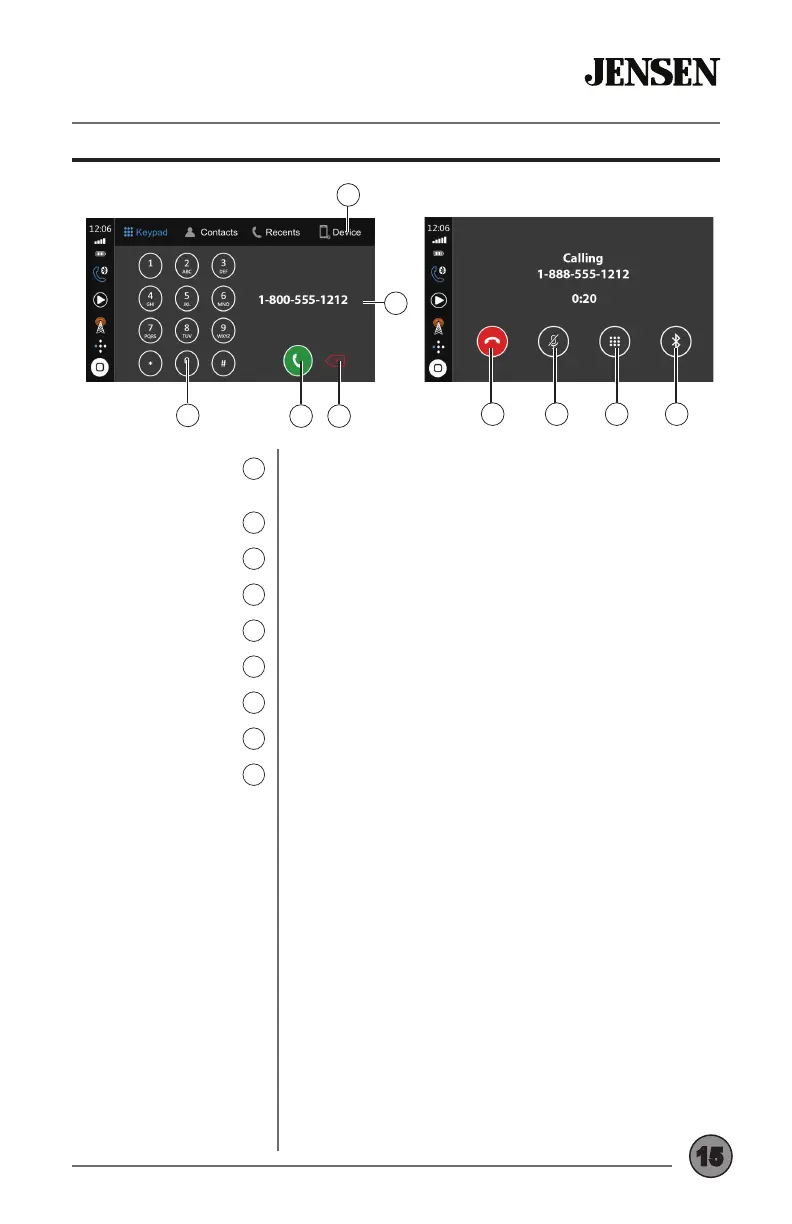
Bluetooth - Handsfree Operation
Device Manager
5
Keypad
6
Talk
7
Backspace
8
Phone Number
9
End Call
10
Mute
11
Display Keypad
12
Transfer Audio
13
Press to display a list of paired devices, and
select desired device to connect.
Use the keypad to dial a number.
Press to connect a call to the number entered.
Press to backspace when using the keypad.
Displays the number dialed.
Press to end a call.
Press to mute call audio.
Press to return to the keypad.
Press to transfer call audio between the unit and
the mobile phone.
7
6
9
10 11 12 13
5
8



 To Next Page