20
CAR710
Exiting Android Auto™
To exit Android Auto™, press the Exit button. Disconnecting your Android phone will
automatically exit Android Auto™ mode.
Android Auto™ Operation
Using Android Auto™
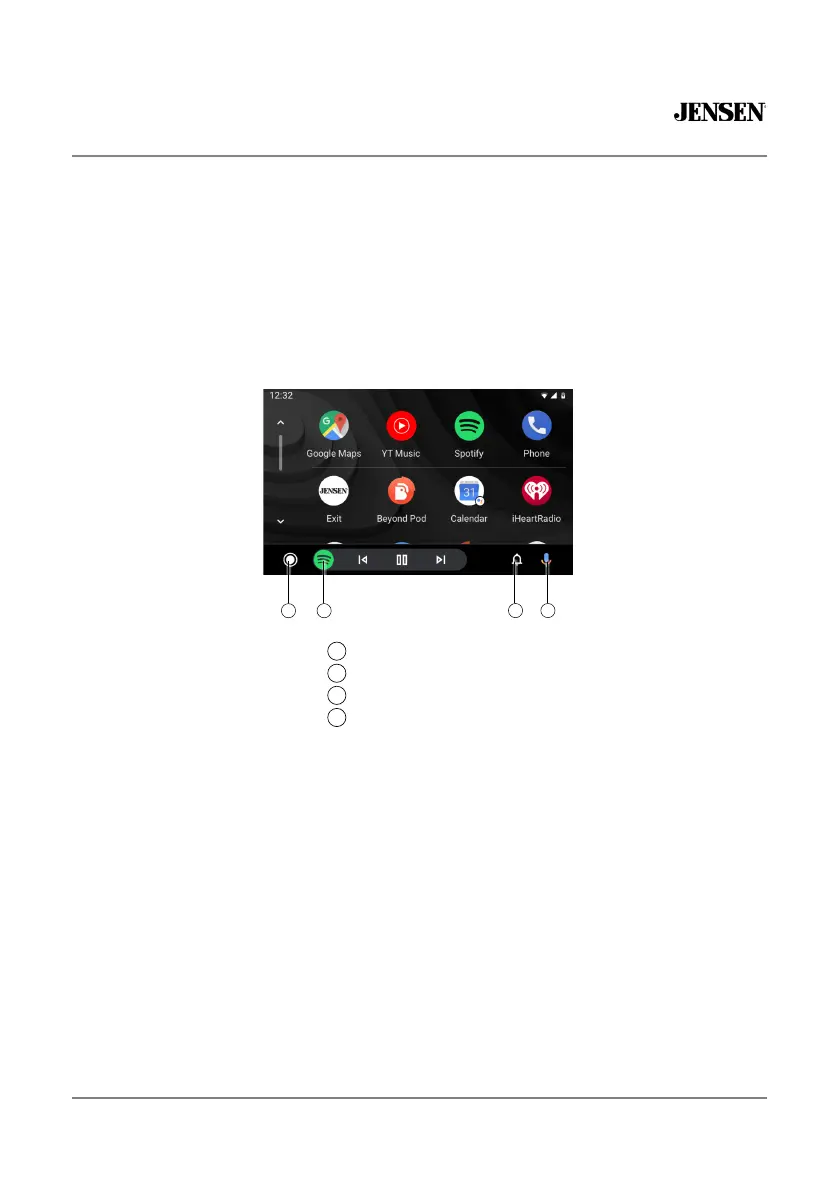
The Android Auto™ home screen displays personalized information, like time to your
destination, reminders, recent calls incoming messages, the song you're listening to, and
Google Now cards.
When the Android Auto™ menu is displayed, you can say "OK Google" or select the
microphone in the upper right corner to talk to Google.
3
21
4
Android Auto Home Button
Recent Apps
Notification Button
Activate Google Assistant™
1
2
3
4



 To Next Page