10
CAR910X
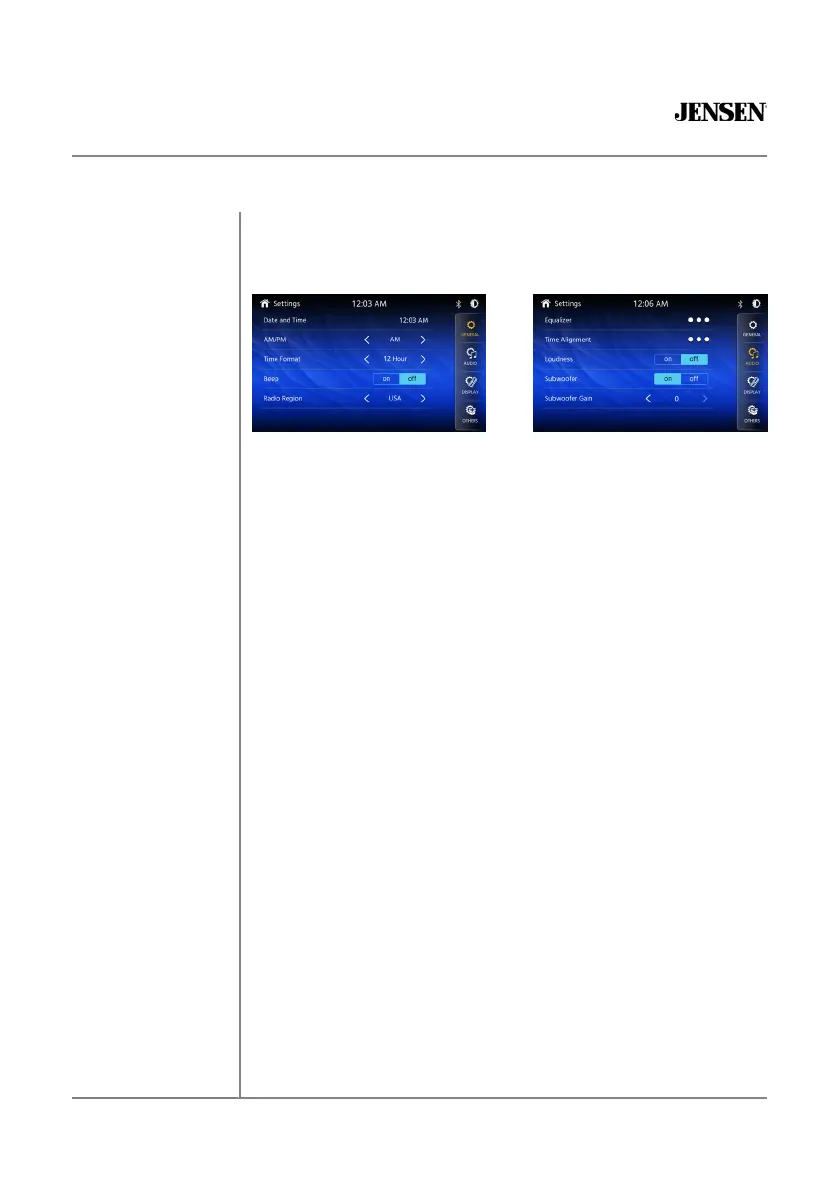
From the Main Menu screen, select Setup to access the Settings menu
and select from eight categories represented by the icons on the top of the
screen: General, Audio, Display, Others. Select the category, and adjust any
of the available options using the touch screen.
General:
• Adjust the date and time- Day, Month, Year, Hour, Minute and Format.
• Time Format- Select between 12-Hour and 24-Hour Time Format.
• Beep Tone - Turn the Beep Tone On or Off.
• Radio Region - Select Radio Region.
Audio:
• Equalizer-Select between the following EQ presets: Default, User,
Classic, Rock, Jazz, Electric, Pop, Soft (allows user to enter custom EQ
settings).
• Time Alignment-To adjust time correction settings select“PRESET 1”
”PRESET 2“or“PRESET 3”.
• Loudness - Touch screen button to turn the Loudness function on/off.
• Subwoofer Control - Touch the button to turn the Subwoofer Control
On/Off.
• Subwoofer Gain - Select subwoofer -15 to 0 ( -6 is default ).
Display:
• Brightness- Press > or < to adjust to desired level.
(O Minimum/20 maximum: Day: 20 is default, Night: 6 is default).
• Dimmer Mode- Press > or < to adjust to change the mode
(Auto/Day/Night).
Others:
• Factory Default-Reset Bluetooth Settings or Reboot System
(Including SiriusXM™ data reset) .
• System Version-Displays software version of unit .
General Operation
Setup Menu



 To Next Page