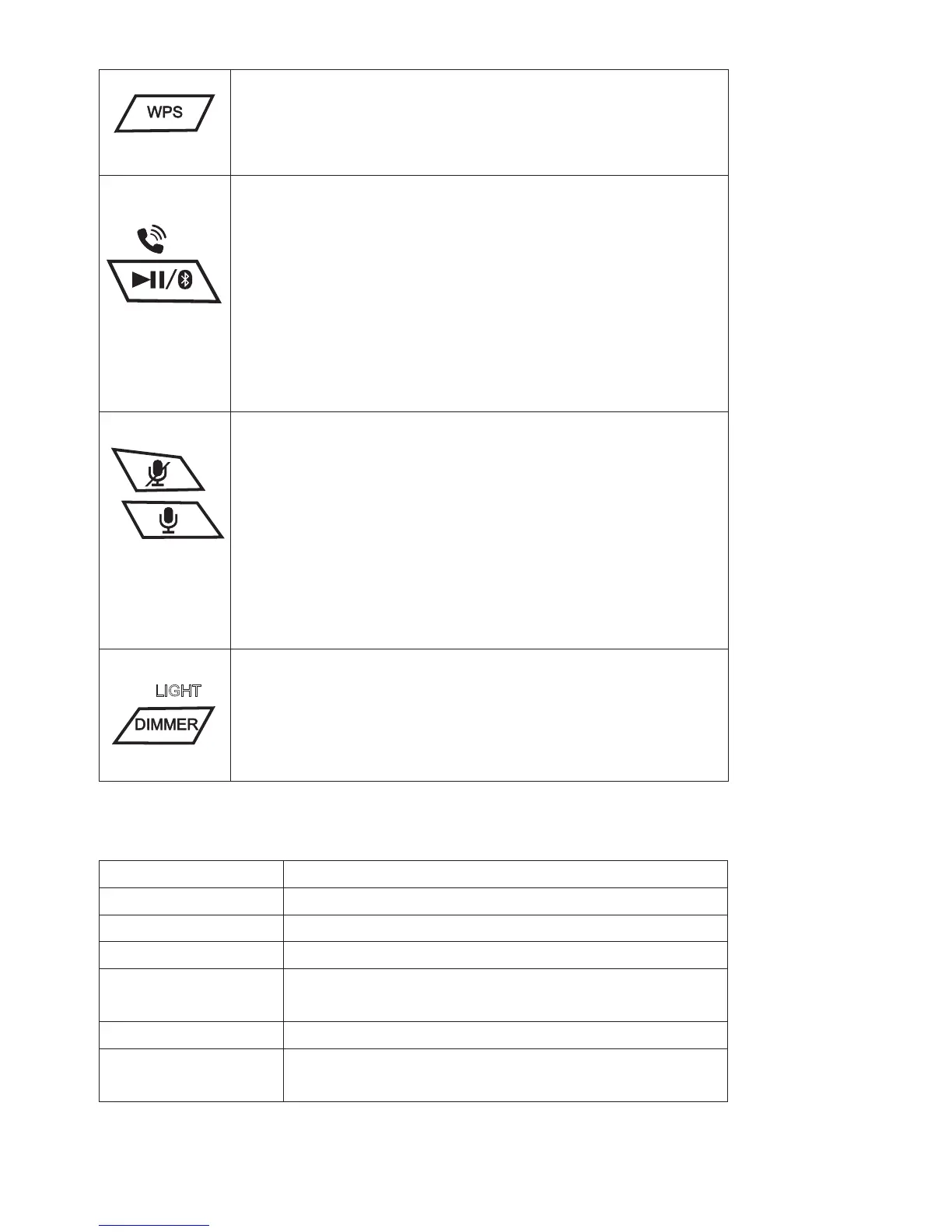
Connect the JAS-725 to Wi-Fi Network link up again.
In Wi-Fi Mode, press and hold this button once to link up the
JAS-725 with your Wi-Fi network. Follow the instructions on
the Jensen Wi-Fi Audio App.
Play/Pause
Tap to play or pause audio playing from the JENSEN Wi-Fi
Audio app or from a Bluetooth connected device.
Bluetooth Pair
Press and hold to connect to a new Bluetooth device.
Answer / End Call
Tap the button to answer an incoming call.
Tap the button again to end the call.
Alexa Mic ON/OFF AND TAP TO TALK
Tap the Tap to Talk button to activate Amazon Alexa and say a
command. You can also just say, “Alexa..”, within range of the
speaker’s microphones. Tap the Mic On/Off button to mute the
microphones and disable Amazon Alexa.
In Wi-Fi mode, press and hold this button for 10 seconds until
display changed to 12:00 then release it, unit will reset Wi-Fi to
factory setting then restart for set up.
Light
Tap the button to turn on light ON / OFF
Dimmer
Press and hold the button to change display dimmer settings -
low and high.
ALEXA MODE INDICATION
Flashing White
Alexa is thinking
Turquoise and Blue
changing
Alexa is talking
Solid Red The microphones are muted
Flashing Amber The JAS-725 is not logged into your Alexa account
(follow the voice instructions for connecting)
LIGHT


 To Next Page