EasyManua.ls Logo

Jensen JBS-215 - User Manual

Jensen JBS-215
19 pages
Print Icon
To Next Page IconTo Next Page
Loading...
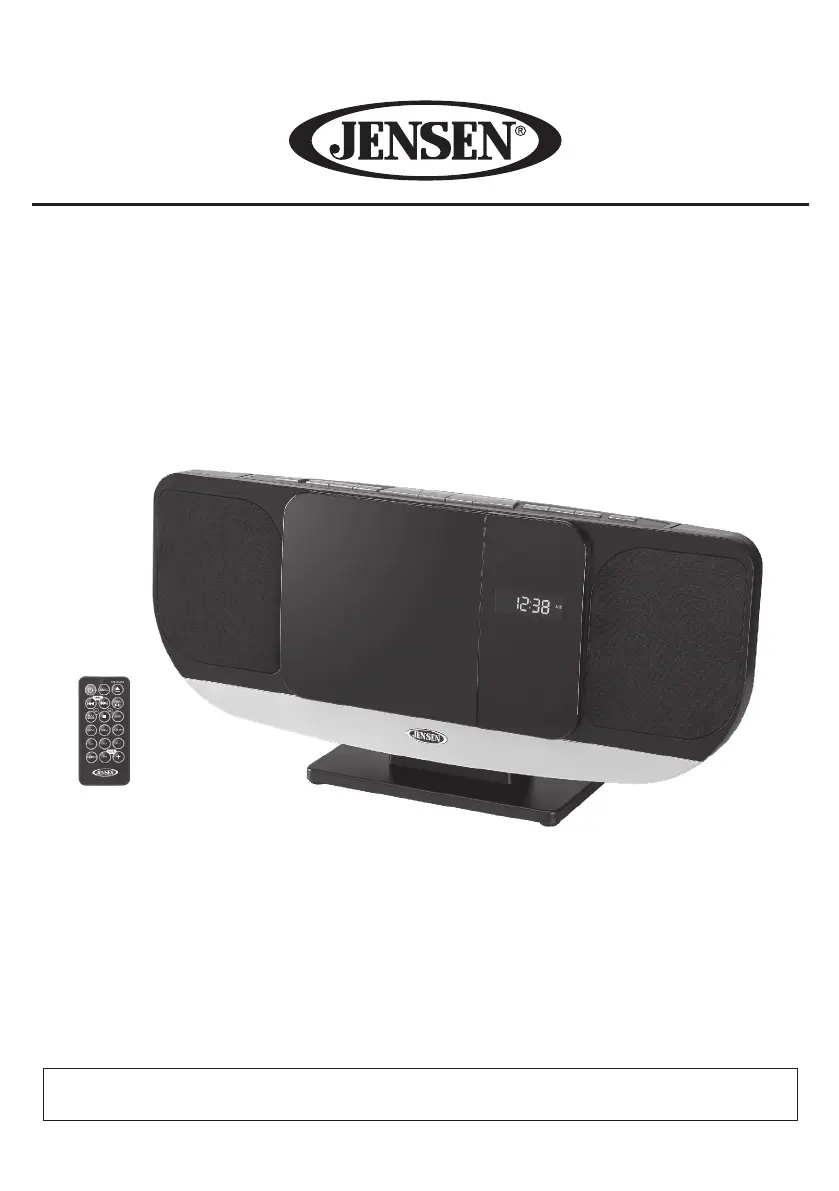
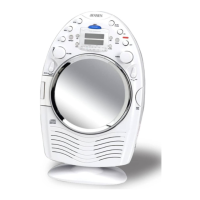
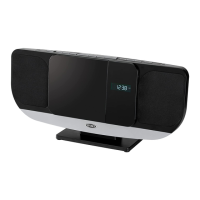
Wall Mountable Bluetooth Music System with CD
MODEL: JBS-215
USER MANUAL
PLEASE READ THIS USER MANUAL COMPLETELY BEFORE OPERATING THIS UNIT
AND RETAIN THIS BOOKLET FOR FUTURE REFERENCE

Questions and Answers

  • C
    Christian LyonsAug 17, 2025
    What to do if my Jensen Stereo System does not respond or power on?
    • C
      Connie WalshAug 17, 2025
      If your Jensen Stereo System isn't responding, it could be disconnected from the AC outlet. Try reconnecting it. If that doesn't work, the AC outlet itself might not have power; test the unit on a different outlet.
  • Q
    qmooreAug 19, 2025
    What to do if my Jensen JBS-215 CD skips while playing?
    • K
      Kathleen EstradaAug 19, 2025
      If the CD skips while playing, the disc may be dirty or scratched. Try wiping the CD with a clean cloth or using another disc.
  • A
    April MarksAug 22, 2025
    How to fix noise or distorted sound on Jensen JBS-215 FM broadcast?
    • M
      Michael HayesAug 22, 2025
      If you experience noise or distorted sound on FM broadcast, it could be due to the station not being tuned properly. Fine-tune the FM broadcast station. Additionally, ensure the wire antenna is fully extended and reposition it for the best reception.
  • T
    Thomas McneilAug 25, 2025
    Why is there no sound on my Jensen JBS-215 Clock Radio FM radio?
    • G
      garciabenjaminAug 26, 2025
      If there is no sound on your FM radio, first, ensure the unit is in FM mode by tapping the SOURCE BUTTON. Also, check that the volume is not at the minimum level and increase the volume if needed.
  • M
    Melissa NelsonAug 28, 2025
    What to do if Jensen Clock Radio CD player will not play?
    • S
      Shelia WilsonAug 28, 2025
      If the CD player will not play, first ensure the unit is in CD function mode by tapping the SOURCE BUTTON to CD mode. Also, check that the CD is inserted correctly with the label side up. If using a self-compiled CD, the media may not be compatible, so try using better quality blank media.
  • T
    Tommy BrownAug 30, 2025
    How to resolve intermittent sound from Jensen JBS-215 CD Player?
    • T
      Teresa ChoiAug 30, 2025
      If you are experiencing intermittent sound from the CD Player, the disc may be dirty or defective. Clean or replace the disc. The pick-up lens might also be dirty; use a CD-lens cleaning disc to clean the lens. Finally, the player may be subject to excessive shock or vibration, so relocate it away from such conditions.
  • D
    Deborah CastroSep 2, 2025
    Why is my Jensen Stereo System CD player skipping?
    • A
      Angela HowardSep 2, 2025
      If the CD player skips while playing, the disc might be dirty or scratched. Try wiping the CD with a clean cloth or using a different disc.
  • L
    Lisa MaxwellSep 5, 2025
    How to fix intermittent sound from the CD Player on my Jensen Stereo System?
    • R
      Ryan JeffersonSep 5, 2025
      If you are experiencing intermittent sound from the CD Player, it might be due to a dirty or defective disc. Try cleaning or replacing the disc. A dirty pick up lens could also be the cause, in this case use a CD-lens cleaning disc to clean the lens. Excessive shock or vibration can also cause this issue; relocate the player away from such disturbances.
  • W
    William EllisSep 8, 2025
    Why won't my Jensen Stereo System CD player play?
    • L
      lsimmonsSep 8, 2025
      If the CD player won't play, ensure the unit is in CD function mode by tapping the SOURCE BUTTON to CD mode. Also, check that the CD is inserted correctly, with the label facing the CD door. If you're using a self-compiled CD, the media might not be compatible; try using better quality blank media and retest.
  • A
    Alexandra BellSep 12, 2025
    What to do if there is no sound from FM radio on my Jensen Stereo System?
    • O
      ojensenSep 12, 2025
      If there's no sound from the FM radio, ensure the unit is in FM mode by tapping the SOURCE BUTTON. Also, check that the volume isn't at minimum and increase it if necessary.

Summary

Important Safety Instructions

General Warnings

Location of Controls

Remote Control

Installation Options

Attaching the Unit Stand

Step-by-step guide to attach the provided stand to the main unit.

Getting Started

AC Power Connection

How to connect the JBS-215 to a power outlet using the AC adapter.

Turning the Unit Power On;Off

Setting the Clock

Alarm Operation

Setting Dual Alarms

Detailed steps for configuring alarm times and wake-up sources (sound, FM, CD).

Radio Operation

Bluetooth Operation

CD and MP3 CD Playback Information

CD;MP3 CD Playback Controls

Programmed Playback Operation

Troubleshooting Guide

Jensen JBS-215 Specifications

General IconGeneral
BrandJensen
ModelJBS-215
CategoryClock Radio
LanguageEnglish

Related product manuals