EasyManua.ls Logo

Jensen JCR-228 - User Manual

Jensen JCR-228
13 pages
Print Icon
To Next Page IconTo Next Page
Loading...
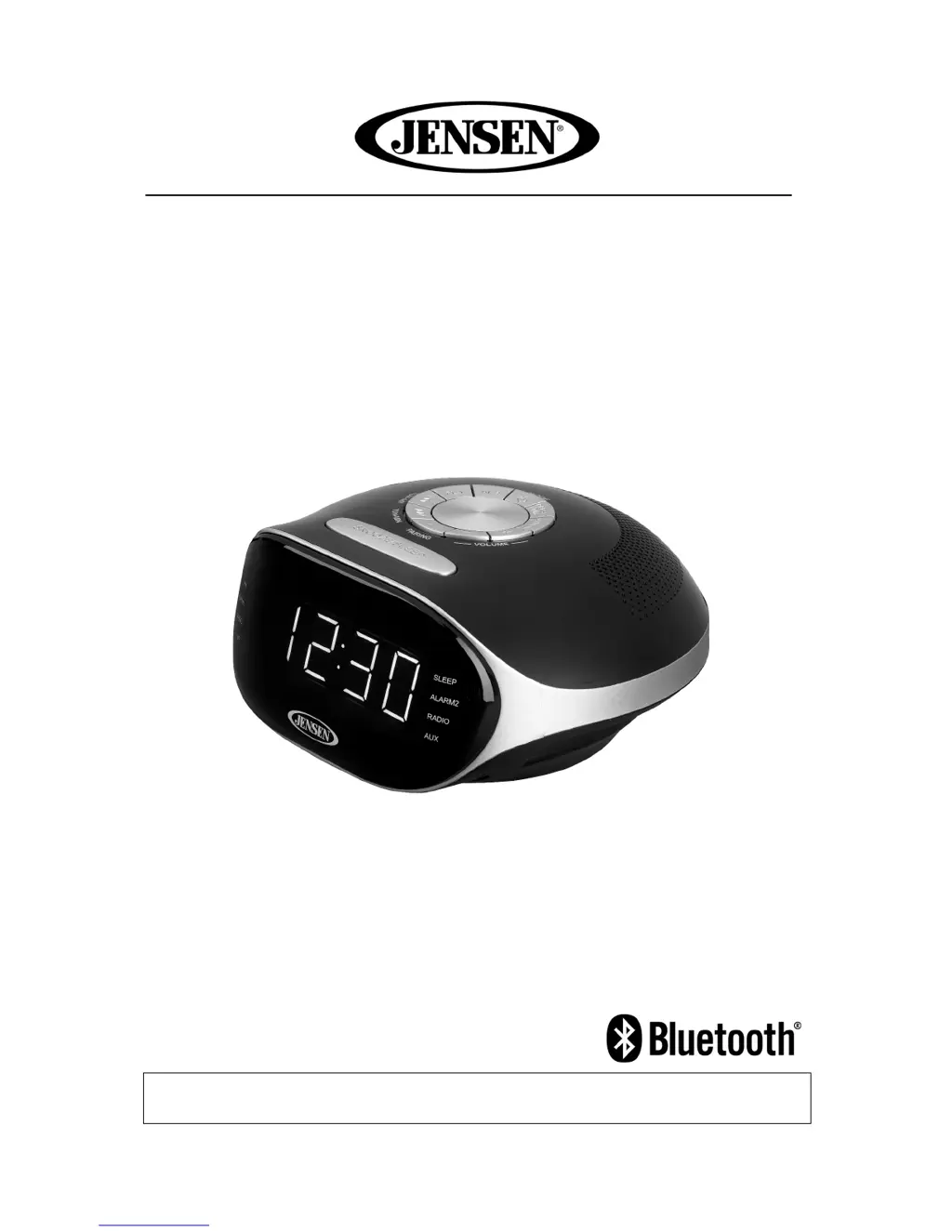
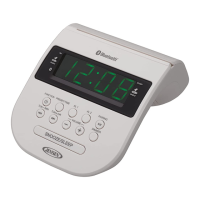
DIGITAL BLUETOOTH AM/FM DUAL ALARM CLOCK RADIO
MODEL: JCR-228
USER MANUAL
PLEASE READ THIS USER MANUAL COMPLETELY BEFORE OPERATING THIS
UNIT AND RETAIN THIS BOOKLET FOR FUTURE REFERENCE.

Questions and Answers

Summary

General Safety Warnings

Electrical Hazard Precautions

Warnings about fire and shock hazards from improper plug use and appliance exposure to moisture.

Important Safety Instructions

Key guidelines for safe installation, operation, cleaning, and maintenance of the apparatus.

Additional Safety Guidelines

Operational Safety Rules

Instructions on power source, object/liquid entry, damage handling, plug usage, and ventilation.

Environmental and Usage Notes

Guidelines on battery care, ventilation, flame sources, climate suitability, and disposal aspects.

FCC Compliance Information

FCC Regulations and Warnings

Details device compliance with FCC Part 15 rules and cautions against unauthorized modifications.

Furniture Protection

Rubber Feet Care Advice

Recommendations for protecting furniture from rubber feet marks using felt pads.

Customer Information and Safe Listening

Safe Listening Practices

Guidance on setting safe audio levels to protect hearing and maximize enjoyment.

Customer Record

Space for recording model and serial numbers for purchase records and security.

Power Source and Battery Backup

AC Power and Battery Backup System

Details on AC power requirements and the function of the battery backup system for clock settings.

Battery Installation and Cautions

Instructions for installing AA batteries and important cautions regarding battery use and disposal.

Power Interruption Indicator

Explanation of the '12:00' flashing indicator after power loss and the need to reset settings.

Location of Controls

Top and Front Panel Controls

Identification and numbering of controls on the top and front of the clock radio unit.

Display Indicators and Rear Panel

Description of LED display indicators and identification of the power cord location.

Clock and Radio Operation

Setting the Clock Time

Step-by-step guide to setting the correct time, including AM/PM indication via indicator.

Radio Tuning and Presets

Instructions for operating the radio, tuning stations, and setting/recalling presets.

Optimizing Radio Reception

Tips for achieving the best AM and FM radio signal reception by adjusting antenna and unit position.

Bluetooth Connectivity

Pairing Bluetooth Devices

Procedure for pairing a Bluetooth device with the JCR-228, including pass code and indicator status.

Wireless Music Playback

How to play music wirelessly from a paired Bluetooth device using controls and volume adjustments.

Bluetooth Operation Notes

Important considerations for Bluetooth operation, compatibility, and device power management.

Alarm Functions

Setting Alarm Time and Volume

Guide to setting alarm times, choosing wake sources (radio/alarm), and adjusting volume.

Wake Settings and Indicators

Configuring wake-up modes (alarm/radio) and understanding associated indicator lights.

Snooze and Alarm Checking

How to use the snooze function and check current alarm settings.

Device Operation Features

Auxiliary Input and Dimmer Control

Connecting external audio devices and adjusting display brightness.

Sleep Timer Function

Setting the unit to automatically turn off after a specified period.

Product Specifications

Technical Details

Summary of power requirements, battery backup, and radio frequency ranges.

Troubleshooting and Company Information

Problem Resolution Guide

Guide to diagnosing and solving common issues like no power, no sound, or Bluetooth problems.

Company and Trademark Details

Information on Spectra's environmental initiatives and Bluetooth trademark usage.

Warranty and Service Information

90-Day Limited Warranty (USA)

Details the warranty period, coverage, exclusions, and requirements for claims.

Obtaining Service and Repair

Instructions on how to get the unit serviced, including shipping and contact information.

Summary

General Safety Warnings

Electrical Hazard Precautions

Warnings about fire and shock hazards from improper plug use and appliance exposure to moisture.

Important Safety Instructions

Key guidelines for safe installation, operation, cleaning, and maintenance of the apparatus.

Additional Safety Guidelines

Operational Safety Rules

Instructions on power source, object/liquid entry, damage handling, plug usage, and ventilation.

Environmental and Usage Notes

Guidelines on battery care, ventilation, flame sources, climate suitability, and disposal aspects.

FCC Compliance Information

FCC Regulations and Warnings

Details device compliance with FCC Part 15 rules and cautions against unauthorized modifications.

Furniture Protection

Rubber Feet Care Advice

Recommendations for protecting furniture from rubber feet marks using felt pads.

Customer Information and Safe Listening

Safe Listening Practices

Guidance on setting safe audio levels to protect hearing and maximize enjoyment.

Customer Record

Space for recording model and serial numbers for purchase records and security.

Power Source and Battery Backup

AC Power and Battery Backup System

Details on AC power requirements and the function of the battery backup system for clock settings.

Battery Installation and Cautions

Instructions for installing AA batteries and important cautions regarding battery use and disposal.

Power Interruption Indicator

Explanation of the '12:00' flashing indicator after power loss and the need to reset settings.

Location of Controls

Top and Front Panel Controls

Identification and numbering of controls on the top and front of the clock radio unit.

Display Indicators and Rear Panel

Description of LED display indicators and identification of the power cord location.

Clock and Radio Operation

Setting the Clock Time

Step-by-step guide to setting the correct time, including AM/PM indication via indicator.

Radio Tuning and Presets

Instructions for operating the radio, tuning stations, and setting/recalling presets.

Optimizing Radio Reception

Tips for achieving the best AM and FM radio signal reception by adjusting antenna and unit position.

Bluetooth Connectivity

Pairing Bluetooth Devices

Procedure for pairing a Bluetooth device with the JCR-228, including pass code and indicator status.

Wireless Music Playback

How to play music wirelessly from a paired Bluetooth device using controls and volume adjustments.

Bluetooth Operation Notes

Important considerations for Bluetooth operation, compatibility, and device power management.

Alarm Functions

Setting Alarm Time and Volume

Guide to setting alarm times, choosing wake sources (radio/alarm), and adjusting volume.

Wake Settings and Indicators

Configuring wake-up modes (alarm/radio) and understanding associated indicator lights.

Snooze and Alarm Checking

How to use the snooze function and check current alarm settings.

Device Operation Features

Auxiliary Input and Dimmer Control

Connecting external audio devices and adjusting display brightness.

Sleep Timer Function

Setting the unit to automatically turn off after a specified period.

Product Specifications

Technical Details

Summary of power requirements, battery backup, and radio frequency ranges.

Troubleshooting and Company Information

Problem Resolution Guide

Guide to diagnosing and solving common issues like no power, no sound, or Bluetooth problems.

Company and Trademark Details

Information on Spectra's environmental initiatives and Bluetooth trademark usage.

Warranty and Service Information

90-Day Limited Warranty (USA)

Details the warranty period, coverage, exclusions, and requirements for claims.

Obtaining Service and Repair

Instructions on how to get the unit serviced, including shipping and contact information.

Jensen JCR-228 Specifications

General IconGeneral
BrandJensen
ModelJCR-228
CategoryClock Radio
LanguageEnglish

Related product manuals