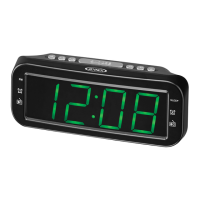
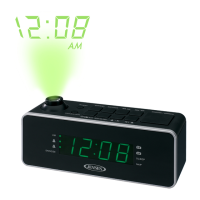
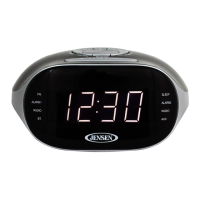
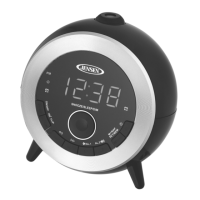
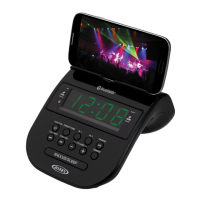
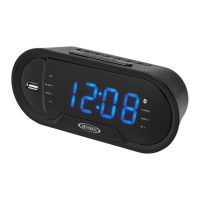
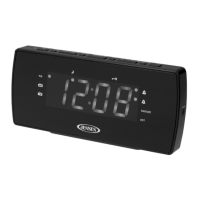
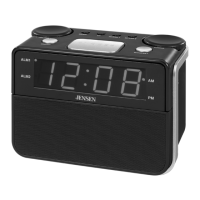
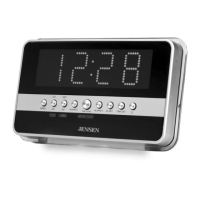
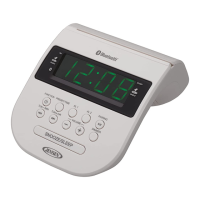
This document describes the JENSEN QiCR-200 Clock Radio with Wireless Charging, a versatile device designed to provide timekeeping, alarm functions, radio entertainment, and charging capabilities for compatible electronic devices. The unit is powered by an external AC-DC adapter and includes a battery backup system to maintain clock and timer settings during power outages.
Function Description
The QiCR-200 primarily functions as a clock radio, offering dual alarm settings with options to wake to an alarm tone or radio. It features both AM and FM radio reception, allowing users to tune into their favorite stations. A key feature is its wireless charging pad, compliant with the Qi standard, located on the top of the unit, enabling convenient charging of compatible smartphones. For devices without wireless charging capabilities, a USB charging port is provided on the back for wired charging. Additionally, the unit includes an AUX-IN jack, allowing users to connect external audio sources like iPods, MP3 players, or other digital audio players to play music through the clock radio's speakers. A dimmer function is available to adjust the brightness of the LED display, and a sleep timer allows users to fall asleep to music, with the unit automatically turning off after a set period.
Usage Features
Power and Battery Backup:
The unit operates with an external AC-DC adapter. Upon initial connection, the display will flash, indicating it's in standby mode and ready for clock setting. For power outages, a battery backup system, requiring 2 x AAA batteries (not included), preserves clock and alarm settings. It's crucial to ensure correct battery polarity when inserting them. When replacing batteries, it's recommended not to disconnect the power adapter to avoid losing settings. Old and new batteries should not be mixed, and only good quality, name-brand batteries (alkaline, standard, or rechargeable) should be used. If the unit is not used for an extended period, batteries should be removed to prevent leakage and damage. Batteries should be replaced every two years to prevent leakage.
Setting the Clock Time:
To set the clock, press and hold the /MEM/M+ button until the clock display flashes. Use the HOUR/◄◄ button to set the hour and the MIN/►► button to set the minutes. Press and hold these buttons for faster time adjustment. Confirm the setting by pressing the /MEM/M+ button again. The unit will automatically save the setting if no action is taken for 5 seconds. The AM and PM indicators on the display will show the current time period.
Alarm Operation:
The QiCR-200 supports dual alarms. To set Alarm 1, press and hold the /◄- button in standby mode until the alarm time display flashes. Use the HOUR/◄◄ and MIN/►► buttons to set the desired alarm hour and minutes, respectively. Confirm by tapping the /◄- button. Alarm 2 is set similarly using the /■+ button.
Users can choose to wake to an alarm tone or the radio. Repeatedly tapping the /◄- button (for Alarm 1) or /■+ button (for Alarm 2) cycles through "Wake to Alarm," "Wake to Radio," or "Alarm Off." The corresponding indicators on the display will light up to show the selected mode. When an alarm sounds, its indicator will flash. To stop the alarm, press the /MODE button. The alarm will sound again at the same time the following day. If both alarms are set for the same time, only Alarm 1 will sound.
Snooze Function:
When an alarm sounds, pressing the SNOOZE button temporarily silences it for 9 minutes. The alarm will resume after this period. This can be repeated. The alarm will automatically turn off after one hour if not manually stopped. During snooze, the corresponding alarm indicator will flash. To cancel snooze and the alarm entirely, press the /MODE button.
Radio Operation:
To listen to the radio, repeatedly tap the /MODE button to select either AM or FM mode. The frequency will be displayed. To search for the next/previous available station, press and hold the MIN/►► or HOUR/◄◄ buttons. For fine-tuning, briefly tap these buttons. Adjust the volume using the /■+ and /◄- buttons. To turn off the radio, press and hold the /MODE button. The display will automatically revert to showing the time after a few seconds in radio mode.
Setting Radio Station Presets:
The unit can store up to 30 FM and 20 AM stations. Tune to the desired station, then press and hold the /MEM/M+ button. "P01" will flash. Use the MIN/►► or HOUR/◄◄ buttons to select a preset channel number, then press /MEM/M+ to confirm. Repeat for other stations. To recall a preset station, repeatedly tap the /MEM/M+ button in AM or FM mode.
Radio Reception Tips:
For AM reception, the internal antenna requires repositioning the unit until the strongest signal is found. For FM reception, fully extend the wire antenna and adjust its position for optimal signal strength.
AUX-IN Operation:
To play music from an external device, connect an audio cable (not included) from the device's headphone or audio out jack to the AUX-IN JACK on the QiCR-200. Repeatedly tap the /MODE button to select AUX mode. Start playing music on the external device and adjust volume on both the external device and the QiCR-200 for a comfortable listening level. Remember to turn off both devices when finished.
Sleep Operation:
To activate the sleep timer, tap the SLEEP button. Repeatedly tap it to cycle through preset sleep times (120, 90, 80, 70, 60, 50, 40, 30, 20, 10, 5 minutes, or OFF). The unit will play for the selected duration and then turn off. To cancel the sleep timer, tap the SLEEP button until "OFF" is displayed. To turn off the unit before the sleep timer expires, press and hold the /MODE button. Tapping the SLEEP button once will show the remaining sleep time.
Dimmer Operation:
Tap the DIMMER button repeatedly to adjust the display brightness to High, Medium, or Low.
Qi Wireless Charging:
Place a Qi-compatible phone (back side down) on the WIRELESS CHARGING PAD on top of the unit. The CHARGING INDICATOR will light up. Note that the wireless charging pad turns off when the AM radio is on and automatically reactivates when the AM radio is turned off.
Caution: Remove any metal or magnetic protective cases from the phone before placing it on the charging pad. Do not place any metal objects or magnetic-striped devices on the charging pad, as this could damage the object or the unit. Phones with metallic finishes that are Qi-compatible will charge normally.
USB Charging:
For phones without wireless charging, connect a USB charging cable (not included) from the USB CHARGING PORT on the back of the QiCR-200 to the device. The device's battery charge indicator should show that charging has started. Unplug the cable when the device is fully charged.
Warning: The USB port is for charging only and does not support data transfer or computer connection. Do not connect another USB charger to this port, as it may damage the charging circuits and void the warranty.
Maintenance Features
Care and Cleaning:
Clean the radio with a soft, damp cloth and allow all parts to dry completely. Avoid using aggressive cleaners, brushes with nylon bristles, sharp or metallic utensils, knives, or hard scrapers, as these can damage the radio's surfaces. Do not immerse the radio in water or allow water to enter its housing. Unplug the power adapter before cleaning or storing the radio. Always store the radio in a dry and clean place.
Furniture Protection:
The unit is equipped with non-skid rubber feet to prevent movement. These feet are made from non-migrating rubber material. However, certain oil-based furniture polishes, wood preservatives, or cleaning sprays may cause the rubber feet to soften and leave marks or residue on fine wooden furniture. To prevent damage, it is strongly recommended to apply small self-adhesive felt pads (available at hardware stores) to the bottom of the rubber feet before placing the product on such furniture.



 To Next Page
 General