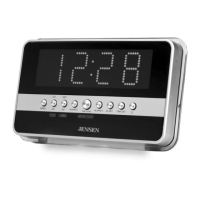
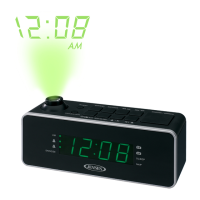
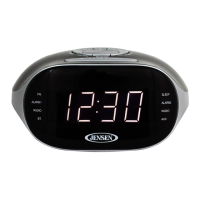
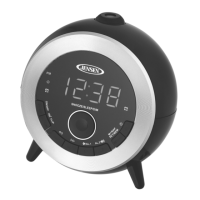
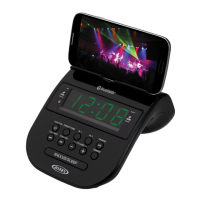
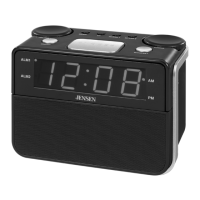
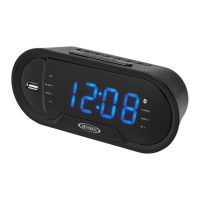
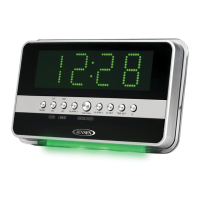
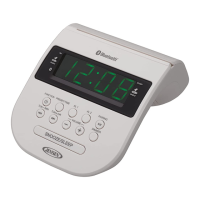
The JENSEN JCR-206 is a digital AM/FM dual alarm clock radio designed for convenient timekeeping, radio listening, and alarm functions. This unit is powered by an external AC adaptor and features a battery backup system to maintain clock and alarm settings during power outages.
Function Description:
The primary function of the JCR-206 is to serve as a clock radio with dual alarm capabilities. Users can set two independent alarms, each configurable to wake them up with either a beeping alarm or an FM radio station. The clock display is a clear LED, showing the current time and various indicators for AM/PM, alarm status, and sleep timer.
Beyond timekeeping and alarms, the JCR-206 offers AM/FM radio reception. Users can manually tune to desired stations or use an automatic tuning feature to scan for available broadcasts. The unit also includes a preset memory function, allowing storage of up to 10 FM and 10 AM stations for quick access.
An AUX IN jack expands the unit's functionality, enabling users to connect external audio devices such as iPods, MP3 players, or other digital audio players. This allows the JCR-206 to act as a speaker for these devices, playing music through its built-in speaker.
A sleep timer feature is integrated, allowing users to fall asleep to music from either the radio or an external AUX source. The unit will automatically turn off after a user-selected duration. Additionally, a dimmer function allows adjustment of the LED display brightness to suit user preference.
Usage Features:
Power and Setup:
The JCR-206 operates on AC power via an external adaptor. Upon plugging in, the LED display will flash, indicating standby mode and readiness for initial setup. A battery backup system, requiring two 'AAA' batteries (not included), ensures that clock and alarm settings are retained if AC power is interrupted. It's crucial to insert these batteries correctly, matching positive and negative terminals. When replacing batteries, it's recommended to keep the AC adaptor connected to avoid losing settings.
Clock Setting:
To set the time, users enter standby mode, then press and hold the MEMORY / CLOCK button until the hour digits flash. The TUNE - and TUNE + buttons are used to adjust the hour, with a press-and-hold option for fast adjustment. The PM indicator on the display helps distinguish between AM and PM hours. After setting the hour, tapping the MEMORY / CLOCK button confirms the hour and allows minute adjustment using the TUNE buttons. A final tap of the MEMORY / CLOCK button confirms the minute setting and completes the clock setup. The unit automatically saves settings and exits time set mode if no buttons are pressed for 10 seconds.
Alarm Setting:
The JCR-206 supports two independent alarms. To set Alarm 1, users press and hold the VOL - / ALARM 1 button in standby mode until the alarm hour digits flash. The TUNE - and TUNE + buttons adjust the hour, again with the PM indicator guiding AM/PM selection. Tapping VOL - / ALARM 1 confirms the hour and allows minute adjustment. After setting minutes, repeated taps of VOL - / ALARM 1 cycle through wake-up options: beeping alarm or FM radio. Setting Alarm 2 follows the same procedure but uses the VOL + / ALARM 2 button. The unit automatically saves alarm settings and returns to standby mode if no buttons are pressed for 10 seconds.
Alarm Operation:
When an alarm sounds, it starts at a low volume and gradually increases. The corresponding alarm indicator (ALARM 1 or ALARM 2) will flash. To temporarily silence the alarm and activate the snooze function, the SNOOZE button is pressed. This will pause the alarm for 9 minutes before it sounds again. To turn off the alarm completely, the STANDBY / SOURCE / ALARM OFF button is pressed. If no buttons are pressed, the alarm will sound for 60 minutes and then turn off automatically.
Wake to Radio:
If the "wake to radio" option is selected for an alarm, the unit will automatically turn on the last listened-to FM radio station when the alarm time is reached. The volume will gradually increase. Users should ensure the desired station is set before the alarm time. The SNOOZE button temporarily silences the radio alarm, while the STANDBY / SOURCE / ALARM OFF button turns it off completely.
Turning Daily Alarms Off:
To disable an alarm, users repeatedly tap the respective alarm button (VOL - / ALARM 1 or VOL + / ALARM 2) in standby mode. This cycles through the "wake to" options (Alarm, Radio) and eventually to "OFF," where all alarm indicators for that alarm are off, and the current time is displayed.
Snooze Function:
When an alarm is sounding, pressing the SNOOZE button activates a 9-minute snooze period, after which the alarm will sound again. The corresponding alarm indicator will flash during snooze. To cancel snooze and the alarm, the STANDBY / SOURCE / ALARM OFF button is pressed.
Radio Listening:
To listen to the radio, the STANDBY / SOURCE / ALARM OFF button is tapped to turn the unit on. Repeated taps cycle through FM Radio, AM Radio, and AUX modes. Once in FM or AM mode, the frequency is displayed. Manual tuning is done by repeatedly tapping the TUNE - or TUNE + buttons. Automatic tuning is achieved by pressing and holding these buttons. Volume is adjusted using the VOL - / ALARM 1 or VOL + / ALARM 2 buttons. To turn off the radio, press and hold the STANDBY / SOURCE / ALARM OFF button. The display will automatically revert to showing the time after a few seconds in radio mode; tapping TUNE buttons once will temporarily show the frequency again.
Radio Presets:
The unit can store up to 10 FM and 10 AM stations. To set a preset, select the desired station using tuning buttons, then press and hold the MEMORY / CLOCK button until "PXX" appears. Use the TUNE buttons to select a preset number (P01-P10), then tap MEMORY / CLOCK again to confirm. To recall a preset, repeatedly tap the MEMORY / CLOCK button until the desired preset number/radio station appears.
AUX IN Operation:
To play music from an external device, connect an audio cable (not included) from the device's headphone or line-out jack to the AUX IN JACK on the JCR-206. Tap the STANDBY / SOURCE / ALARM OFF button to turn the unit on and repeatedly tap it to select AUX mode. "AUX" will appear on the LED display. Start playing music on the external device and adjust the volume on both the JCR-206 and the external device to achieve a comfortable listening level. Remember to turn off both units when finished.
Sleep Operation:
To use the sleep timer, select Radio or AUX mode and start playing music. Tap the SLEEP button to enter sleep mode. Repeated taps cycle through preset sleep durations (120, 90, 60, 45, 30, 15 minutes) or OFF. The unit will play for the selected time and then turn off. To cancel the sleep timer, repeatedly tap the SLEEP button until "OFF" is displayed, or press and hold the STANDBY / SOURCE / ALARM OFF button to turn the unit off immediately. Tapping the SLEEP button once will check the remaining sleep time.
Dimmer Operation:
Press and hold the DIMMER button repeatedly to adjust the brightness of the LED display between low and high settings.
Maintenance Features:
Cleaning:
The JCR-206 should be cleaned with a soft, damp cloth. Ensure all parts are completely dry after cleaning. Avoid using aggressive cleaners, brushes with nylon bristles, sharp or metallic utensils, knives, or hard scrapers, as these can damage the radio's surfaces. Do not immerse the radio in water or allow water to enter its housing.
Storage:
Before storing the radio, unplug the power adaptor and clean the unit. Always store the radio in a dry and clean place.
Battery Care (for backup system):
To prevent damage and ensure proper function of the battery backup, do not mix old and new batteries, or different types of batteries (e.g., alkaline, standard, rechargeable). Use only good quality, name-brand batteries. If the unit will not be used for an extended period, remove the batteries to prevent leakage. Do not dispose of batteries in fire, as they may explode or leak. Batteries should not be exposed to excessive heat. Replace all batteries at the same time, approximately every 2 years, to prevent leakage. Do not attempt to recharge batteries not designed for recharging. Only an adult should replace the batteries.
Radio Reception Tips:
For AM reception, the antenna is built-in. If reception is weak, reposition the unit to find the strongest signal. For FM reception, fully extend the FM ANTENNA and vary its position and location to optimize the signal.
Furniture Protection:
The unit is equipped with non-skid rubber feet to prevent movement. However, certain oil-based furniture polishes, wood preservatives, or cleaning sprays may cause these feet to soften and leave marks. To prevent damage to fine wooden furniture, it is recommended to apply small self-adhesive felt pads to the bottom of the rubber feet before placing the product.


 To Next Page
 General