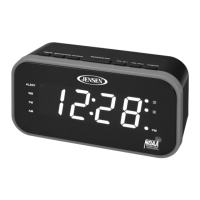
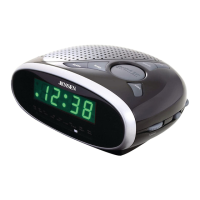
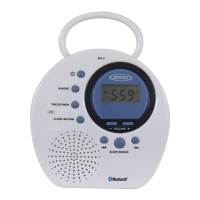
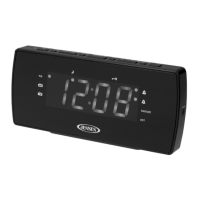
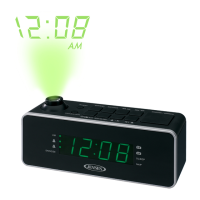
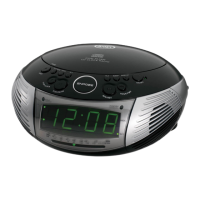
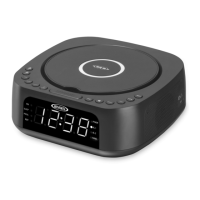
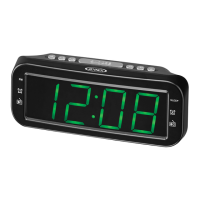
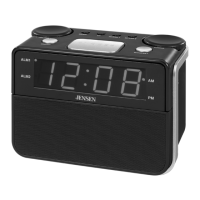
The JENSEN JEP-725 is a digital AM/FM weather band clock radio with weather alert, designed for personal use. This device serves multiple functions, including a clock, an alarm clock with dual alarm settings, an AM/FM radio, a weather band radio with alert capabilities, and an auxiliary input for external audio devices.
Function Description:
The primary function of the JEP-725 is to provide timekeeping and alarm features. It includes a digital clock display with options for 12-hour or 24-hour time formats. The dual alarm clock allows users to set two independent alarms, with options to wake up to a beeping alarm (bUZ) or the last listened-to radio station (rAd) from FM, AM, or Weather bands. The alarm volume gradually increases from low to high and cannot be adjusted. A snooze function is available, temporarily silencing the alarm for 9 minutes. If no buttons are pressed, the alarm will sound for 60 minutes before automatically turning off.
As a radio, the unit supports AM, FM, and Weather bands. It features both manual and automatic tuning methods. For FM and AM, users can manually adjust the frequency or automatically tune to the next available station. The weather band provides access to 7 specific channels (CH1-CH7) with frequencies ranging from 162.400 MHz to 162.550 MHz. The weather alert function is a critical safety feature; when an alert signal is received, the ALERT LED RING on top of the unit flashes, and the ALERT ICON and WARNING ICON flash on the LCD display. To stop the alert, the SOURCE button can be tapped, switching the unit to weather band radio mode.
The JEP-725 also includes an auxiliary input (AUX IN JACK) for connecting external audio devices such as MP3 players, CD players, or smartphones. This allows users to play audio from their external sources through the radio's speaker. The volume for the auxiliary input can be controlled via the unit's volume buttons.
Other features include a dimmer function for adjusting the backlight brightness of the LCD display (Low, High, or Off) and a sleep timer, which allows the unit to automatically turn off after a designated period (15, 30, 45, 60, 75, or 90 minutes).
Important Technical Specifications:
- Power Input: The unit operates on an AC-AC Adaptor (included) with an output of 6V/200mA or 4 x AA (UM-3) batteries (not included).
- Battery Type: For battery operation, 4 x AA (UM-3) alkaline-type batteries are recommended for optimum performance. A low battery icon appears on the display when battery power is weak.
- Radio Bands:
- FM: 87.5 – 108 MHz
- AM: 520 – 1710 KHz
- Weather Band (WX): CH1-7 (162.400 MHz, 162.425 MHz, 162.450 MHz, 162.475 MHz, 162.500 MHz, 162.525 MHz, 162.550 MHz)
- Preset Stations: The unit can store up to 20 FM and 20 AM preset stations for quick recall.
- Display: LCD display with multi-function indicators for time, frequency, icons (AM, PM, WB, FM, AL1, AL2, MEM, ALERT, WARNING, SLEEP, Low Battery), and units (MHz, KHz).
- Antenna: Telescopic antenna for FM and Weather band reception. The AM antenna is internal.
- Connectivity: AUX IN JACK (3.5 mm stereo) for external audio devices.
Usage Features:
- Clock Setting: The clock can be set to 12-hour or 24-hour mode. AM and PM icons indicate the time of day in 12-hour mode.
- Alarm Setting: Dual alarms (Alarm 1 and Alarm 2) can be set independently. Users can choose to wake to a buzzer or the last radio station.
- Radio Operation:
- Turning On/Off: The power button turns the unit on or off.
- Band Selection: The SOURCE button cycles through FM, AM, AUX, WB, and WB ALERT modes.
- Tuning: TUNE - and TUNE + buttons are used for manual or automatic tuning.
- Volume Control: VOLUME - and VOLUME + buttons adjust the sound level.
- Preset Storage/Recall: MEM/MEM+ button is used to store and recall preset radio stations.
- Snooze Function: Tapping the SNOOZE/SLEEP button temporarily silences the alarm for 9 minutes.
- Sleep Timer: The SNOOZE/SLEEP button also sets the sleep timer, allowing the radio to play for a set duration before turning off.
- Dimmer Function: The DIMMER button adjusts the brightness of the LCD display.
- Weather Band Alert: The ALERT LED RING and on-screen icons provide visual warnings during weather alerts.
- Auxiliary Input: Connects external audio devices via a 3.5mm audio cable.
Maintenance Features:
- Battery Replacement: The unit requires 4 x AA batteries for backup power or portable operation. The low battery icon indicates when batteries need replacement. It's important to install batteries correctly, observing polarity, and to avoid mixing old and new batteries or different types. Batteries should be removed if the unit is not used for an extended period to prevent leakage.
- Cleaning: The unit should be cleaned with a dry cloth. Solvents or detergents should not be used. Water or other liquids should not get inside the unit.
- Environmental Considerations: Avoid exposing the unit to excessive force, shock, dust, extreme temperatures, direct sunlight, hot/humid/dusty places, or sources of electrical noise.
- Resetting: In case of erratic operation due to electrostatic discharge or power surge, the unit can be reset by disconnecting the AC adaptor and removing backup batteries for at least 1 minute, then setting it up again.
- Furniture Protection: The unit is equipped with non-skid rubber feet. To prevent marks or residue on fine wooden furniture, it is recommended to apply small self-adhesive felt pads to the bottom of the rubber feet.
- Service: Refer all servicing to qualified service personnel. Do not attempt to tamper with the internal components.
The JEP-725 is designed for ease of use and provides essential clock, alarm, and radio functionalities, with a focus on weather alert capabilities for user safety.


 To Next Page
 General