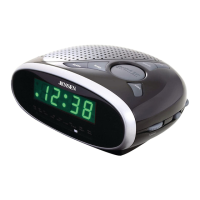
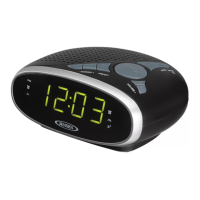
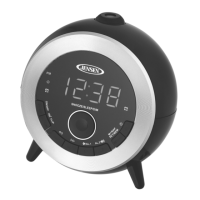
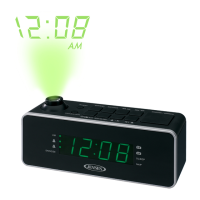
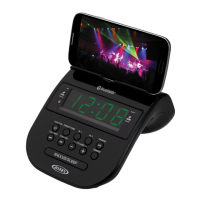
The JENSEN JCR-160 is a digital AM/FM dual alarm clock radio designed to provide reliable timekeeping, alarm functions, and radio entertainment. Its user-friendly interface and compact design make it suitable for various settings, particularly as a bedside companion.
Function Description
The core function of the JCR-160 is to serve as a clock radio with dual alarm capabilities. It displays the time clearly on an LED display and offers both AM and FM radio reception. The dual alarm feature allows users to set two independent alarms, which can be configured to wake them up with either a beeping alarm or a chosen radio station. A snooze function is also included for temporary alarm silencing. Beyond its primary clock and alarm functions, the unit can also play music from external audio sources via an auxiliary input. A sleep timer function allows users to fall asleep to music, with the radio automatically turning off after a set period. The display brightness can be adjusted to suit user preferences.
Usage Features
Power Source and Battery Backup: The JCR-160 operates on an external 120V AC adaptor. For uninterrupted timekeeping during power outages, it features a battery backup system that uses two 'AA' (UM-3) batteries (not included). This ensures that clock and alarm settings are retained even if the main power is lost. When replacing batteries, it's recommended to keep the AC adaptor connected to prevent loss of settings.
Clock Setting: Setting the time is straightforward. In standby mode, users press and hold the TIME / MEMORY button until the hour digits flash. The TUNE - / ◀◀ and TUNE + / ▶▶ buttons are then used to adjust the hour, ensuring the correct AM or PM time is selected (indicated by the PM indicator). Pressing the TIME / MEMORY button again confirms the hour and allows adjustment of the minute digits using the same TUNE buttons. A final press of the TIME / MEMORY button saves the settings. The unit will automatically save settings and exit time set mode if no buttons are pressed for 10 seconds.
Alarm Setting: The JCR-160 supports two independent alarms (ALARM 1 and ALARM 2). To set an alarm, in standby mode, press and hold the corresponding VOL - / ALARM 1 or VOL + / ALARM 2 button until the alarm hour digits flash. Use the TUNE - / ◀◀ and TUNE + / ▶▶ buttons to set the hour, paying attention to the AM/PM indicator. Pressing the alarm button again confirms the hour and allows minute adjustment. After setting the minutes, repeatedly tap the alarm button to select the wake-up option: a beeping alarm (ALARM 1 indicator lights) or radio (RADIO 1 indicator lights). To turn off an alarm, repeatedly tap the alarm button until all alarm indicators are off. The unit will automatically save alarm settings and return to standby mode if no buttons are pressed for 10 seconds.
Waking to Alarm: When an alarm sounds, it starts at a low volume and gradually increases. To temporarily turn off the alarm, press the SNOOZE button. To completely turn off the alarm, press the STANDBY / MODE button. If no buttons are pressed, the alarm will sound for 60 minutes and then turn off automatically.
Waking to Radio: If the radio wake-up option is selected, the unit will automatically turn on to the last FM radio station listened to when the alarm time is reached. The volume will gradually increase. Similar to the beeping alarm, the SNOOZE button temporarily silences the radio, and the STANDBY / MODE button turns it off completely. If left unattended, the radio will play for 60 minutes before turning off.
Snooze Function: When an alarm sounds, pressing the SNOOZE button activates the snooze function, silencing the alarm for 9 minutes before it sounds again. This can be repeated. To cancel the snooze period and the alarm, press the STANDBY / MODE button.
Radio Operation: To listen to the radio, press the STANDBY / MODE button to turn the unit on. Repeatedly tapping this button cycles through available modes: FM Radio, AM Radio, and AUX. Once in FM or AM mode, the frequency is displayed. Manual tuning is achieved by repeatedly tapping the TUNE - / ◀◀ or TUNE + / ▶▶ buttons. For automatic tuning, press and hold these buttons to scan for the next available station. The volume can be adjusted using the VOL - / ALARM 1 or VOL + / ALARM 2 buttons. To turn off the radio, press and hold the STANDBY / MODE button. The display will automatically switch back to show the time after a few seconds in radio mode.
Radio Presets: The JCR-160 allows storing up to 10 FM and 10 AM stations. To set a preset, tune to the desired station, then press and hold the TIME / MEMORY button until "PXX" appears. Use the TUNE - / ◀◀ or TUNE + / ▶▶ buttons to select a preset number (P01-P10), then press TIME / MEMORY again to confirm. To recall a preset, repeatedly tap the TIME / MEMORY button until the desired preset number/station is reached.
AUX IN Operation: To play music from external devices (like an iPod or MP3 player), connect an audio cable (not included) from the device's headphone or audio out jack to the AUX IN JACK (#13) on the JCR-160. Turn the unit on by tapping the STANDBY / MODE button and repeatedly tap it until "AUX" is displayed. Start playing music on the external device and adjust the volume on both the JCR-160 and the external device to a comfortable listening level. Remember to turn off both devices when finished.
Sleep Operation: The sleep timer allows users to fall asleep to music. In Radio or AUX mode, tap the SLEEP button to enter sleep mode. Repeatedly tapping the SLEEP button cycles through preset sleep times (120, 90, 60, 45, 30, 15 minutes, or OFF). The unit will play for the selected duration and then automatically turn off. To cancel the sleep timer, tap the SLEEP button until "OFF" is displayed. To turn the unit off before the selected sleep time, press and hold the STANDBY / MODE button. Tapping the SLEEP button once will display the remaining sleep time.
Dimmer Operation: Press and hold the DIMMER button (which is also the SNOOZE button) repeatedly to adjust the display brightness between Low and High settings.
Maintenance Features
Cleaning: The radio should be cleaned with a soft, damp cloth. All parts should be allowed to dry completely after cleaning. Avoid using aggressive cleaners, brushes with nylon bristles, sharp or metallic cleaning utensils, or hard scrapers, as these can damage the radio's surfaces.
Water Exposure: Do not immerse the radio in water or allow water to get into its housing.
Storage: Before storing, unplug the power adaptor and clean the radio. Always store the radio in a dry and clean place.
Battery Cautions: When using batteries for backup, do not mix old and new batteries, or different types of batteries (alkaline, standard, rechargeable). Use only good quality/name brand batteries. If the unit will not be used for an extended period, remove the batteries to prevent leakage and potential damage. Do not dispose of batteries in fire, as they may explode or leak. Batteries should not be exposed to excessive heat. Replace all batteries at the same time, approximately every two years, to prevent leakage. Do not attempt to recharge batteries not intended for recharging. Battery replacement should only be done by an adult.



 To Next Page
 General