EasyManua.ls Logo

Jensen JCR-310 - User Manual

Jensen JCR-310
17 pages
Print Icon
To Next Page IconTo Next Page
Loading...
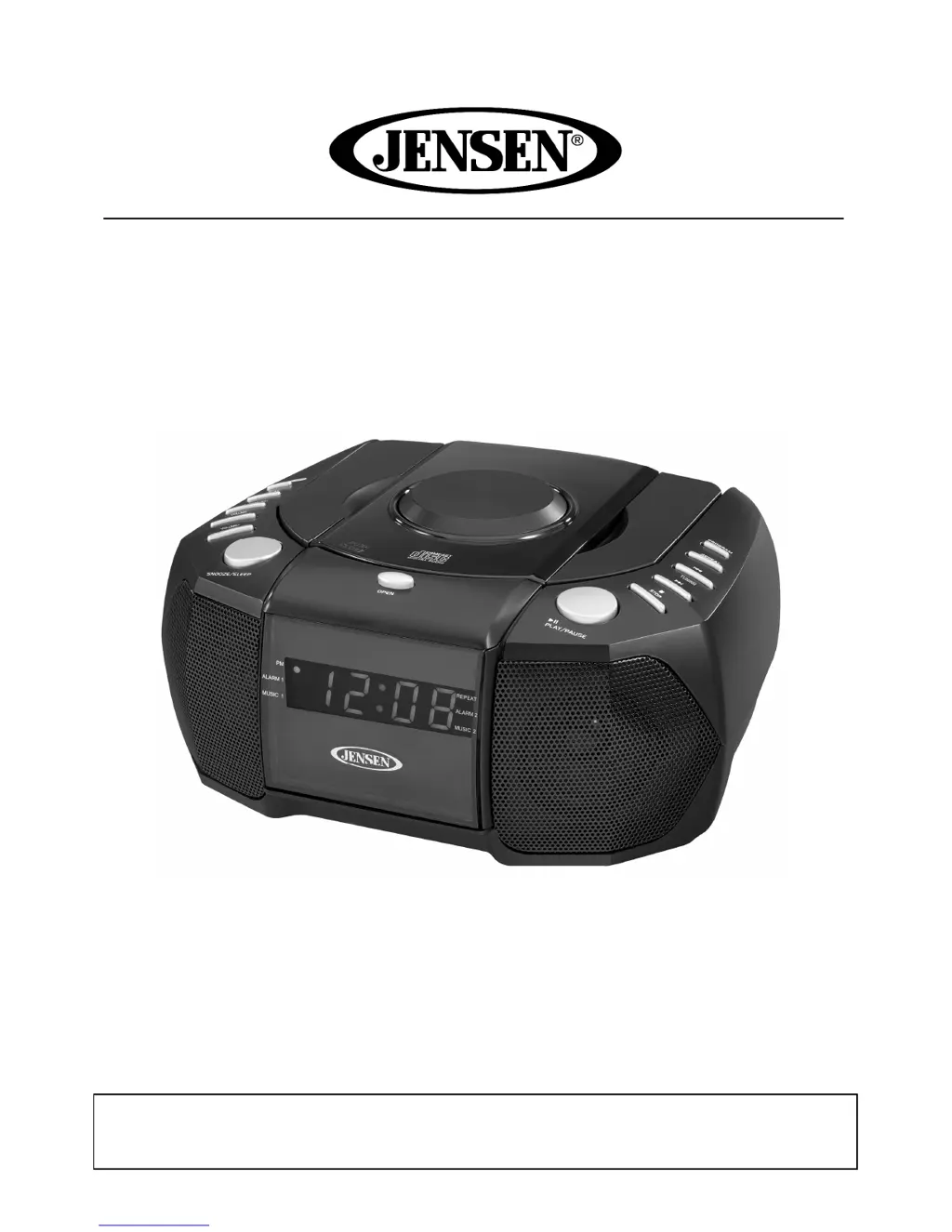
AM/FM Stereo Dual Alarm Clock Radio
With Top Loading CD Player
USER MANUAL
JCR-310
PLEASE READ THIS USER M
ANUAL COMPLETELY BEFORE OPERATING
THIS UNIT AND RETAIN THIS BOOKLET FOR FUTURE REFERENCE.

Questions and Answers

  • S
    stephensmithJul 26, 2025
    What to do if Jensen Radio has no sound?
    • N
      Nicholas HoffmanJul 27, 2025
      If your Jensen Radio has no sound, ensure that the unit is in RADIO function mode by tapping the FUNCTION button to the AM/FM RADIO position. Also, check that the volume is not set to the minimum and increase it as needed.
  • J
    James CruzJul 31, 2025
    Why Jensen JCR-310 unit does not respond (no power)?
    • A
      Andre EsparzaJul 31, 2025
      If your Jensen Radio unit isn't responding, check that the AC power cord is properly plugged into both the wall outlet and the AC Socket on the back of the System. Also, ensure the wall outlet is functioning by plugging another device into it.
  • M
    Maria LoweAug 3, 2025
    Why Jensen JCR-310 CD disc does not play?
    • B
      Brandon YoungAug 3, 2025
      If your Jensen Radio CD disc does not play, first ensure that the unit is in CD function mode. Then, check that the audio disc is inserted correctly with the label side up. If it's a self-compiled disc, the media used may not be compatible with the player; try using better quality blank media.
  • B
    Barbara WoodAug 8, 2025
    What to do if Jensen Radio has intermittent sound from the player?
    • C
      Casey MurrayAug 8, 2025
      If your Jensen Radio has intermittent sound, there are several possible causes: 1. The disc may be dirty or defective: Clean or replace the disc. 2. The pick-up lens may be dirty: Use a lens cleaning disc to clean the lens. 3. The player may be subject to excessive shock or vibration: Relocate the player away from shock or vibration.
  • E
    Edward BrownAug 13, 2025
    What to do if Jensen JCR-310 has noise or sound distorted on AM or FM broadcast?
    • K
      kennethholmesAug 13, 2025
      If you experience noise or distorted sound on AM or FM broadcast with your Jensen Radio, try retuning to the AM/FM broadcast station. For FM, fully extend or reposition the FM wire antenna. For AM, change the radio's position to find the best reception.
  • D
    davisthomasAug 16, 2025
    What to do if Jensen Radio audio disc skips while playing?
    • J
      Joseph RichardsonAug 16, 2025
      If the audio disc skips while playing on your Jensen Radio, the disc might be dirty or scratched. Try wiping the disc with a clean cloth or using another disc.
  • M
    Michael GoodmanAug 21, 2025
    Why Jensen Radio unit gets warm after extended play at high volume?
    • A
      ann58Aug 21, 2025
      It is normal for the Jensen Radio unit to get warm after extended play at high volume. To mitigate this, turn the unit off for a period of time or lower the volume.

Summary

Safety and Warnings

Important Safety Instructions

Key safety directives including avoiding water and keeping instructions safe.

General Warnings and Cautions

Crucial warnings regarding electrical shock, radiation, and proper usage.

Operational Guidelines and Precautions

Laser Safety and Unit Placement

Advice on protecting eyes from laser beam and guidelines for optimal unit placement.

Power Source and Settings

Alarm Operation

Setting the Alarms

Guide to configuring wake-up times and alarm sound modes.

Turning Alarms On and Off

Instructions for activating, deactivating, and managing alarm functions.

Listening to Radio and Snooze

CD Operation

Inserting and Playing Audio CDs

Guide to inserting discs, starting playback, and adjusting volume.

Care, Troubleshooting, and Specifications

Troubleshooting Guide

Solutions for common issues like no power, no sound, or distorted audio.

Warranty and Service Information

Jensen JCR-310 Specifications

General IconGeneral
TypeClock Radio
DisplayLED
Radio TunerAM/FM
Dimensions5.12 x 4.53 x 2.05 inches
Snooze FunctionYes
Battery BackupYes
Frequency Range (FM)87.5 - 108 MHz
Frequency Range (AM)530 - 1710 kHz
SpeakerBuilt-in
Weight1.2 lbs
AlarmYes
Power SourceAC
Power Source (Alternative)Battery (for backup)

Related product manuals