EasyManua.ls Logo

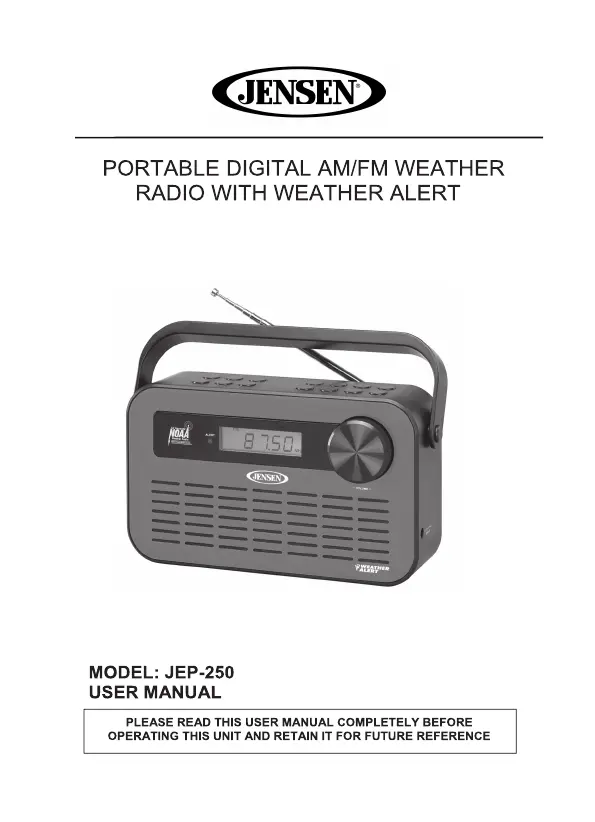
Jensen JEP-250 - User Manual

Jensen JEP-250
13 pages
Print Icon
To Next Page IconTo Next Page
Loading...

Questions and Answers

  • M
    Michael GuzmanJul 27, 2025
    What to do if my Jensen JEP-250 has no sound when powered on?
    • M
      melanie97Jul 27, 2025
      If your Jensen Radio produces no sound when turned on, there are several potential causes: * The VOLUME control might be set to the minimum. Adjust the VOLUME control. * The station may not be tuned correctly. Tune the station properly. * The FM reception could be weak. Extend and rotate the telescopic antenna. * The AM reception might be poor. Relocate the unit. * The unit may be in Weather Alert Mode. Select AM, FM, or WB mode as desired.
  • I
    Isabel SmithAug 10, 2025
    What to do if my Jensen Radio does not respond (no power)?
    • A
      Amanda CoxAug 10, 2025
      If your Jensen Radio isn't responding, check the following: * Ensure the unit is properly connected to the AC outlet; reconnect if necessary. * Verify the AC outlet has power by testing with another device. If there's no power, try a different outlet. * If using batteries, replace all 3 "C" batteries with fresh ones.

Summary

Important Safety Instructions

Compliance with FCC Regulations

Special Note

Location of Controls

Power Source

Battery Operation

Instructions for powering the unit using batteries.

AC Adaptor Operation

Instructions for powering the unit using the AC adaptor.

Clock Setting

Listening to the Radio

Radio Station Presets

How to store and recall AM/FM radio stations for easy access.

Listening to a Weather Channel

Weather Alert Function

How to receive emergency weather alerts and understand alert indicators.

Dimmer

Controls the LCD display brightness for different operating modes.

Care and Maintenance

Troubleshooting Guide

Specification

90 Day Limited Warranty and Service

Jensen JEP-250 Specifications

General IconGeneral
BrandJensen
ModelJEP-250
CategoryRadio
LanguageEnglish

Related product manuals