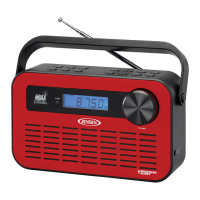
The JENSEN JISS-85 is a versatile docking AM/FM shower radio with an LCD clock, designed for use with various iPod models. This device offers a range of features for entertainment and convenience, particularly in a bathroom or shower environment, while emphasizing splash resistance.
Function Description:
The primary function of the JISS-85 is to serve as an AM/FM radio and an iPod docking station. It allows users to listen to their favorite radio stations or enjoy music from their iPod while in the shower or bathroom. The integrated LCD clock provides timekeeping functionality.
As an AM/FM radio, the unit features a FUNCTION selector to switch between modes (iPod, RADIO, AUX, or OFF) and an AM/FM RADIO BAND SELECTOR to choose between FM STEREO, FM (mono), and AM bands. A TUNING dial allows for precise selection of radio frequencies, while a VOLUME dial controls the audio output level. For optimal radio reception, users are advised to slightly rotate the unit or place it near an outdoor area. The device automatically switches to FM mono mode if a weak FM signal is received, even if the BAND selector is set to FM stereo. It's noted that a docked and turned-on iPod may cause interference with AM reception, suggesting that the iPod should be turned off or removed for better AM listening. The use of the AC adaptor may also cause some interference to AM radio, making battery operation recommended for AM listening.
The iPod docking feature is a central aspect of the JISS-85. It supports various iPod models, including iPod, iPod mini, iPod 1st to 3rd Gen nano, iPod classic, and iPod touch Player/Recharger. To dock an iPod, users release the iPod DOCKING COMPARTMENT DOOR LOCK, open the compartment, and carefully insert the iPod with its connector faced downward into the dock connector. Caution is advised to prevent damage to the 30-pin connector on either the iPod or the docking system. Once docked, the compartment door should be closed and locked. Sliding the FUNCTION selector to the iPod position initiates automatic playback. The VOLUME dial on the unit controls the audio level, and it's important to note that the iPod's own volume level cannot be adjusted once docked. The iPod will charge while docked, even during playback, but this recharge function only operates in iPod and AUX modes when the unit is powered by the external AC adaptor. When the unit runs on main battery power alone, the iPod recharge function is disabled. To remove the iPod, users press and hold the PLAY/PAUSE button for three seconds to switch off the device, then gently remove it.
Playback control for the docked iPod is available directly on the unit. The PLAY/PAUSE button allows users to pause or resume playback. The SKIP/SEARCH FORWARD and BACKWARD buttons enable skipping to the next or previous song. Holding these buttons down facilitates fast-forwarding or fast-rewinding during playback.
An auxiliary input feature is also integrated into the JISS-85. An AUX IN stereo plug and cable are built into the unit, allowing users to connect external audio devices like MP3 players. To use this feature, the iPod DOCKING COMPARTMENT DOOR LOCK is released, the compartment door opened, and the AUX cable unwound. The AUX IN stereo plug is then connected to the line-out or headphone jack of the external audio device. After switching on the external device, the FUNCTION selector is set to AUX position, and the VOLUME dial adjusts the sound level. A FOLDING PLATFORM is provided to sit the external audio device on. It's important to adjust both the external device's volume and the unit's volume for the most desirable sound setting if connecting to a headphone jack. When finished, the unit should be turned off by sliding the FUNCTION selector to OFF, and the external device's power should also be switched off.
The JISS-85 also includes a digital LCD display for the clock. Clock settings are adjusted by pressing and holding the TIME SET button, then using the HOUR and MIN buttons to set the desired time. Releasing the TIME SET button finalizes the setting.
For power, the unit can operate on four 1.5V "C" (UM-2) batteries (not included) for the main radio/speaker operation, with alkaline batteries recommended. A separate 1.5V (G13) button cell (included) powers the clock, activated by removing a plastic insulation tab. The clock battery should be replaced when the display becomes dim. Alternatively, the unit can be powered by the included DC 8V, 1000mA AC adaptor. When the AC adaptor is connected, the main batteries are automatically disconnected.
Usage Features:
The JISS-85 is designed with splash resistance, making it suitable for use in environments with mild steam and light splashes, such as showers or baths. However, it is explicitly stated that the unit should not be operated under running water or fully immersed. A critical warning emphasizes that batteries should only be used when operating the unit in the bathroom or shower to avoid electric shock, and the AC adaptor should never be used near water.
Mounting options are provided for user convenience. A rope is included for hanging the unit, and a detachable stand allows for desktop application.
The unit features SPEAKERS for audio output and a STEREO HEADPHONES JACK for private listening.
Maintenance Features:
General care and maintenance guidelines are provided to ensure the longevity of the JISS-85. Users are advised not to subject the unit to excessive force, shock, dust, or extreme temperatures. Tampering with the unit's internal components is discouraged. Cleaning should be done with a damp (never wet) cloth, avoiding solvents or detergents. The unit should be kept away from direct sunlight, hot, humid, or dusty places, and away from heating appliances or sources of electrical noise like fluorescent lamps or motors.
Battery installation instructions include warnings to ensure correct polarity to prevent damage, and to avoid mixing old and new batteries, or different types of batteries (alkaline, standard carbon-zinc, or rechargeable nickel-cadmium). Only batteries of the same or equivalent type as recommended should be used. If the unit will not be used for an extended period, batteries should be removed. Disposal of batteries in fire is prohibited due to explosion or leakage risks.
For the iPod docking compartment, users are reminded to ensure their hands are dry and to only open the compartment when not near water to prevent water damage to the compartment or the iPod. It is crucial to tightly lock the compartment door properly before using the unit near water.
Troubleshooting tips are included to address common issues such as the unit not responding (no power), iPod not docking properly, iPod not responding to the speaker system, iPod not charging, noisy AM band, distorted sound, and the unit getting warm after extended high-volume play. Solutions range from replacing batteries, checking AC adaptor connections, reseating the iPod, ensuring the iPod is working properly, using the AC adaptor for charging, rotating the unit for better reception, decreasing volume, trying different audio sources, and adjusting external device settings.



 To Next Page
 General