EasyManua.ls Logo

Jensen jsbw-650 - User Manual

Jensen jsbw-650
16 pages
Print Icon
To Next Page IconTo Next Page
Loading...
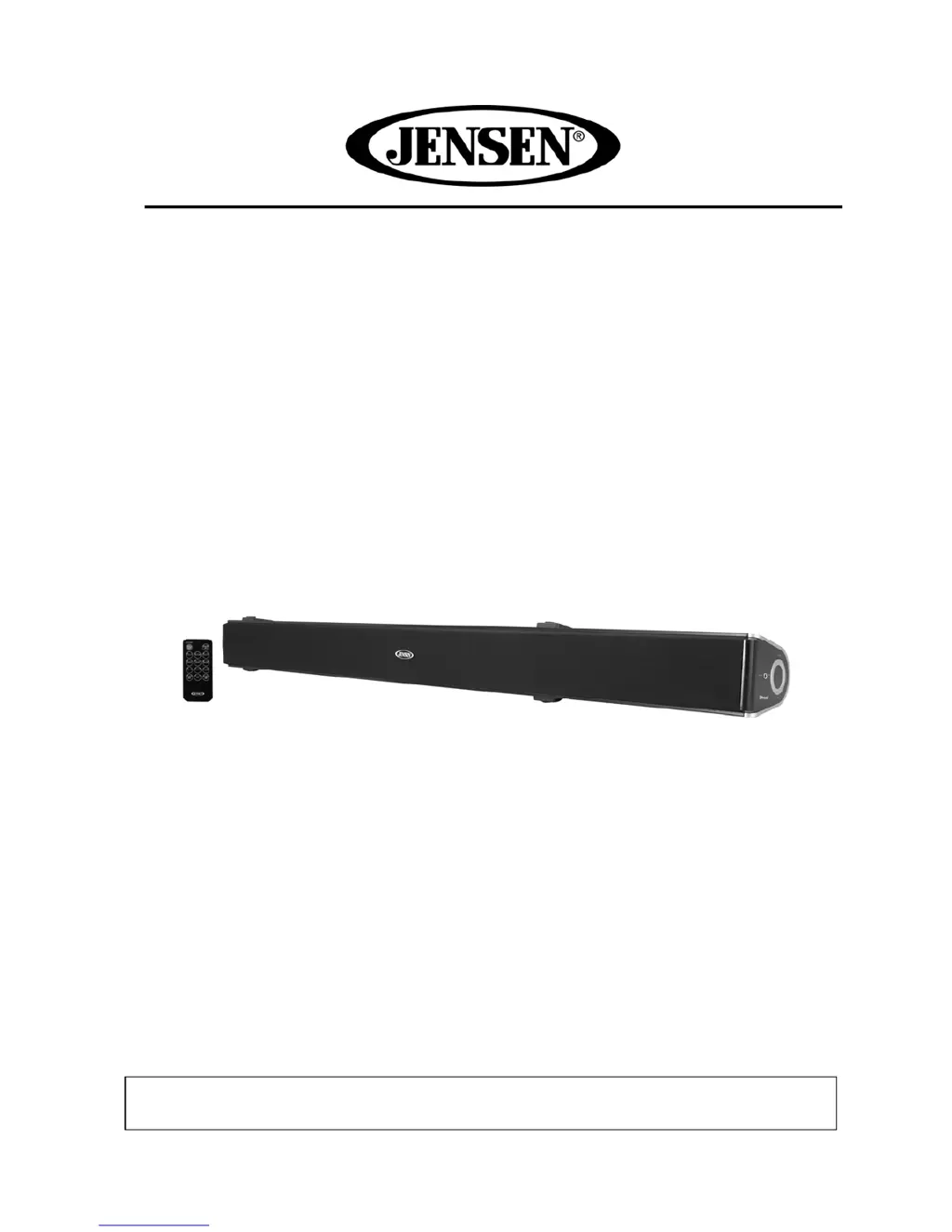
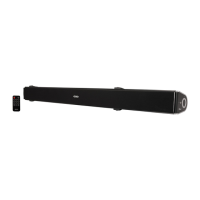
WALL MOUNTABLE 2.1-CHANNEL BLUETOOTH
SOUNDBAR SPEAKER WITH FM RADIO
USER MANUAL
JSBW-650
PLEASE READ THIS USER MANUAL COMPLETELY BEFORE OPERATING THIS UNIT AND
RETAIN THIS BOOKLET FOR FUTURE REFERENCE.

Other manuals for Jensen jsbw-650

Questions and Answers

  • H
    hcolemanAug 14, 2025
    Why is the sound distorted on my Jensen jsbw-650 Speakers?
    • E
      elizabeth30Aug 14, 2025
      If you notice sound distortion from your Jensen Speakers, the volume level might be too high; try decreasing it. The sound source itself could also be distorted. If you're using an external device with poor audio quality, distortion and noise are more noticeable with high-power speakers. Consider using a different audio source, like a music CD. Also, if you are using an external sound source like older generation of iPod, try reducing the output volume on the device itself. Also try turning bass boost OFF or change the EQ setting.
  • J
    Joshua WilliamsAug 17, 2025
    What to do if my Jensen jsbw-650 have low volume?
    • D
      dawnmorganAug 18, 2025
      If your Jensen Speakers unit is ON but there is low or no volume, it might be because the volume control has been turned all the way down. To fix this, simply turn the volume control to a higher output.
  • R
    Raven RossAug 21, 2025
    How to fix Jensen Speakers when it does not respond?
    • H
      harrisjonathanAug 21, 2025
      If your Jensen Speakers unit does not respond or power on, check if it is properly connected to the AC outlet and reconnect if necessary. Also, verify that the AC outlet has power by testing the unit on another outlet.
  • J
    joshualeeAug 25, 2025
    How to improve FM reception on Jensen jsbw-650?
    • M
      Michael JacksonAug 26, 2025
      If you are experiencing noise or sound distortion on FM broadcast with your Jensen Speakers, try fully extending or rotating the wire antenna to get the best reception. Additionally, retune the FM broadcast station.
  • J
    Jesus ThompsonAug 28, 2025
    Why do Jensen jsbw-650 get warm when used for a long time?
    • R
      Ruben LeblancAug 28, 2025
      It is normal for the Jensen Speakers unit to get warm after extended play at high volume. To address this, turn the unit off for a period of time or lower the volume.
  • W
    woodardalexanderAug 31, 2025
    Why is there no sound coming from my Jensen Speaker System?
    • C
      Carrie WoodAug 31, 2025
      If you're experiencing a lack of sound from your Jensen Speaker System, there could be a few reasons. First, check that the volume isn't set to the minimum; if it is, raise the volume using the VOL + button. Also, ensure that the connected device is playing music or a movie and that its volume is at an audible level. Finally, verify that the input source is correctly selected by pressing the SOURCE button until you've selected the appropriate mode.
  • K
    Kimberly LivingstonSep 3, 2025
    What to do if the remote control for my Jensen Speaker System is not working?
    • K
      kramerjohnSep 3, 2025
      If the remote for your Jensen Speaker System isn't working, the most likely cause is a dead battery. Replacing the battery with a new one should resolve this issue.
  • J
    John KochSep 7, 2025
    Why is the sound distorted on my Jensen Speaker System?
    • J
      johnhamiltonSep 7, 2025
      Sound distortion on your Jensen Speaker System can occur for a couple of reasons. One possibility is that the bass level on the connected device is set too high; try reducing it. Another reason could be that the volume level is too high, so reduce the volume using the VOL - button.
  • E
    Eric WeissSep 10, 2025
    What to do if Bluetooth is not connecting to my Jensen Speaker System?
    • B
      Brenda MooreSep 12, 2025
      If you're having trouble with Bluetooth reception on your Jensen Speaker System, there are a couple of things to check. First, make sure the external device is close to the unit. Also, ensure that you have paired the unit as per the Bluetooth pairing instructions.

Summary

Safety Instructions

Important Notes and Regulations

Usage Notes and Precautions

Advice on avoiding certain locations and handling electrostatic discharge.

FCC Compliance

Details on compliance with FCC rules for radio frequency emissions.

Accessories and Installation

Product Accessories

List of all items included in the product package.

Placement and Installation

Guidance on placing the unit on a table or floor for vertical use.

Wall Mounting Guide

Mounting on Wooden Walls

Steps for securely mounting the soundbar on a wooden wall.

Mounting on Drywall

Instructions for wall mounting using anchors and brackets on drywall.

Control Locations

Main Unit Controls Overview

Identifies controls on the front, back, and side of the main unit.

Remote Control Layout

Identifies buttons and the sensor on the remote control.

Getting Started

Connecting Audio Devices

Guide on connecting the soundbar to TVs, DVD players, or VCRs via AUX-IN.

AC Power Connection

Instructions for connecting the unit to a power source using the AC adaptor.

Remote Battery Installation

Steps for installing or replacing the battery in the remote control.

Listening Modes and Features

FM Radio Operation

How to tune and listen to FM radio stations on the soundbar.

Bluetooth Pairing and Use

Steps to connect a Bluetooth device to the soundbar.

Bluetooth Playback Control

Using the remote to control music playback from a Bluetooth device.

Preset Equalizer (EQ) Modes

Explanation of available equalizer settings for audio enhancement.

Mute Functionality

How to use the mute function on the remote control.

AUX Input Audio

Connecting and listening to audio from external devices via AUX-IN 1 and AUX-IN 2.

Care and Troubleshooting

Unit Care and Maintenance

Guidelines for cleaning and maintaining the soundbar unit.

Troubleshooting Common Issues

Common issues and their solutions for the soundbar.

Specifications and Warranty

Technical Specifications

Technical details including power requirements, frequency range, and radio band.

Limited Warranty Details

Details on the 90-day limited warranty and service procedures.

Jensen jsbw-650 Specifications

General IconGeneral
Audio Channels2.1
RMS Power30 watts
Inputsauxiliary audio
HDMI Inputs0
HDMI Outputs0
USB Ports0
Bluetoothyes
Wireless Connectivitybluetooth
Remote Controlyes
Weight and Dimensions IconWeight and Dimensions
Depth4.43 inches
Height2.5 inches
Width3.53 inches
Net Weight7.7 pounds

Related product manuals