EasyManua.ls Logo

Jensen JSB-550 - User Manual

Jensen JSB-550
18 pages
Print Icon
To Next Page IconTo Next Page
Loading...
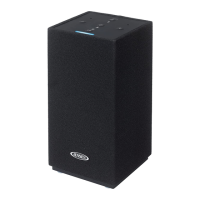
ALEXA ENABLED BLUETOOH/WIFI
WIRELESS STEREO SMART SPEAKER
MODEL: JSB-550
USER MANUAL
PLEASE READ THIS USER MANUAL COMPLETELY BEFORE OPERATI
NG THIS UNIT AND
RETAIN THIS BOOKLET FOR FUTURE REFERENCE.

Questions and Answers

  • J
    Jessica LeonJul 27, 2025
    What to do if there is no sound from my Jensen Speakers?
    • M
      Michael MckinneyJul 27, 2025
      If you're not getting any sound from your Jensen speakers, there could be several reasons: * The speaker might not be set up for Amazon Alexa. To resolve this, follow the setup steps in the manual. * You might not have selected casting. Make sure to select the speaker on your smartphone screen. * The Bluetooth speaker may not be linked with your cell phone. Please go through the 'Bluetooth Operations' process to link the speakers. * The speaker could be out of Bluetooth operating range. Try relocating the speaker within range.
  • J
    John StewartJul 31, 2025
    Why is Alexa voice control not working on my Jensen Speakers?
    • J
      Jennifer ParrishJul 31, 2025
      If Alexa voice control isn't working on your Jensen JSB-550 speakers, it could be due to a few reasons: * Your JSB-550 might not be connected to your WiFi network. Use the Muzo app to connect your JSB-550 to your WiFi network. * You might not be logged into your Amazon Alexa account. Create and log into your Amazon Alexa account. * The JSB-550 microphone could be disabled. Tap the POWER button to enable the microphone.
  • P
    Pamela ZhangAug 4, 2025
    How to fix Jensen Speakers that cannot connect to WiFi?
    • J
      Johnathan BrownAug 4, 2025
      If your Jensen speakers are unable to connect to the WiFi network, it might be due to the following reasons: * The WiFi network might be incorrect or malfunctioning. Turn on the speaker and select WiFi mode. Select the correct WiFi network, and try another device to ensure your WiFi network is working properly. * The app might not be installed properly. Uninstall, then reinstall the app, power the speaker off, then on, and restart setup using the WPS button.
  • E
    elunaAug 8, 2025
    Why is the sound distorted on my Jensen Speakers?
    • W
      wheelerdaleAug 8, 2025
      Sound distortion in your Jensen speakers can occur for several reasons: * The volume level might be set too high. Try decreasing the volume. * The sound source itself could be distorted. If the external device's original sound source is of poor quality, distortion and noise are easily noticed with high-power speakers. Try a different audio source, such as a music CD. * If you're using an external sound source like an older generation iPod, try reducing the output volume on the device itself, and also try turning bass boost OFF or changing the EQ setting.
  • J
    Jesse SantosAug 12, 2025
    What to do if Jensen Speakers do not turn on?
    • K
      Kimberly MackAug 13, 2025
      If your Jensen unit isn't responding or powering on, it could be due to these issues: * The unit might be disconnected from the AC outlet. Reconnect it to the AC outlet. * The AC outlet may not have power. Try the unit on another outlet.
  • L
    leslie51Aug 17, 2025
    Why is the volume low on my Jensen Speakers?
    • J
      John WolfeAug 17, 2025
      If you're experiencing low or no volume on your Jensen speakers, it's possible that the volume control has been turned all the way down. To fix this, turn the volume control to a higher output.
  • M
    Michelle CookAug 21, 2025
    What to do if Jensen JSB-550 get warm?
    • J
      Jason WilliamsAug 21, 2025
      If the unit gets warm after extended play at high volume, turn the unit off for a period of time or lower volume.

Summary

Getting Started

Connecting the AC Power

Instructions for connecting the unit to a power source using the provided AC adapter.

Connecting to a Network

Amazon Alexa Voice Control

Alexa Voice Commands

Examples and instructions for interacting with Alexa using voice commands.

Speaker Grouping

Speaker Ungrouping

Playback Music

Web Radio Stations

Bluetooth Operation

Pairing a Bluetooth Device

Step-by-step guide to connect a Bluetooth device wirelessly to the JSB-550 speaker.

Line In Operation

Troubleshooting Guide

Warranty Information

Jensen JSB-550 Specifications

General IconGeneral
TypePortable Bluetooth Speaker
Bluetooth Version4.2
ColorBlack
ConnectivityBluetooth
Impedance4 Ohms

Related product manuals