EasyManua.ls Logo

Jensen SMPS-640 - User Manual

Jensen SMPS-640
9 pages
Print Icon
To Next Page IconTo Next Page
Loading...
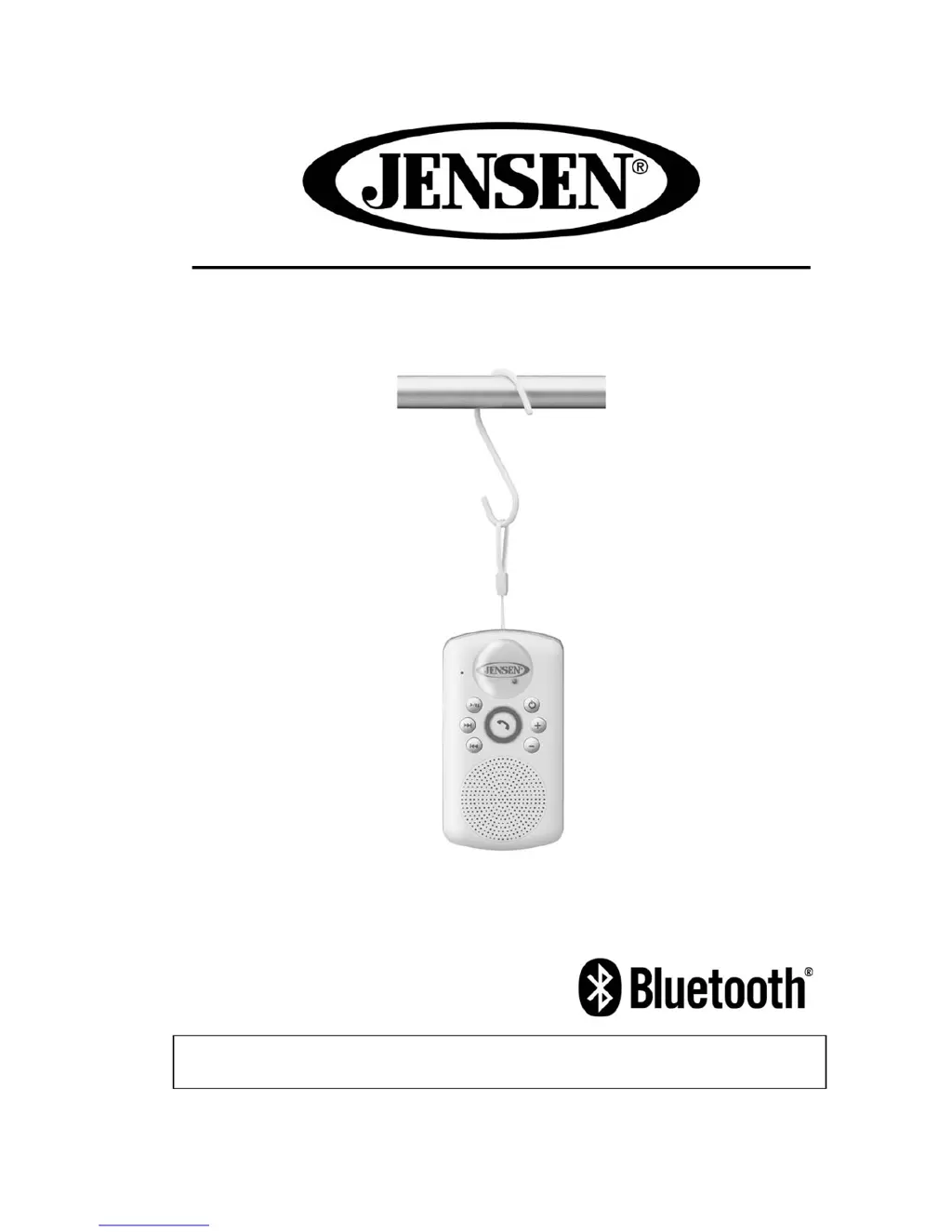
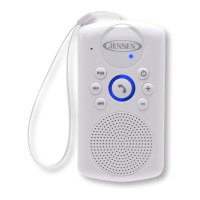
Bluetooth Wireless Shower Speaker
USER MANUAL
SMPS-640
PLEASE READ THIS USER MANUAL COMPLETELY BEFORE OPERATING THIS
SPEAKER AND RETAIN THIS BOOKLET FOR FUTURE REFERENCE.

Questions and Answers

Summary

FCC Compliance

Product Features and Setup

Protect Your Furniture

Advice on protecting furniture from the speaker's rubber feet using felt pads to prevent marks or residue.

Included Accessories

Lists the items provided with the speaker, including user manual, USB cable, and S hook for verification.

Getting Started and Controls

Getting Started

Initial steps for setting up and using the speaker, including unboxing and accessory verification.

Location of Controls

Identifies and labels all buttons, ports, and indicators on the speaker unit for user reference.

Charging Instructions

Charging the Battery for First Time

Guide for the initial battery charge, recommending a minimum of 3 hours for optimal performance.

Recharging the Battery

Steps to recharge the battery when low, including indicator light behavior and connection instructions.

Power Management and Operation

Battery Note and Care

Important safety notes and care instructions for Li-ion batteries, including disposal and charging precautions.

Turning Power On;Off

Procedures for powering the speaker on and off using the power button, noting audio and visual indicators.

Operating the Unit

Bluetooth Pairing

Steps to pair the speaker with a Bluetooth device, covering discoverable mode, searching, and passcode entry.

Hands-free Bluetooth Speakerphone

How to use the speakerphone function for calls, including answering, ending, and ignoring incoming calls.

Call Management

Specific actions for call handling like hanging up, redialing the last number, and call transfer via the phone button.

Re-linking Bluetooth Connection

Instructions for re-establishing a Bluetooth connection if the device becomes unlinked.

NFC Linking

Care and Maintenance

Cleaning the Unit

Methods for cleaning the speaker's exterior, emphasizing caution to prevent damage or water ingress.

Troubleshooting Guide

Specifications

Limited Warranty and Service

Summary

FCC Compliance

Product Features and Setup

Protect Your Furniture

Advice on protecting furniture from the speaker's rubber feet using felt pads to prevent marks or residue.

Included Accessories

Lists the items provided with the speaker, including user manual, USB cable, and S hook for verification.

Getting Started and Controls

Getting Started

Initial steps for setting up and using the speaker, including unboxing and accessory verification.

Location of Controls

Identifies and labels all buttons, ports, and indicators on the speaker unit for user reference.

Charging Instructions

Charging the Battery for First Time

Guide for the initial battery charge, recommending a minimum of 3 hours for optimal performance.

Recharging the Battery

Steps to recharge the battery when low, including indicator light behavior and connection instructions.

Power Management and Operation

Battery Note and Care

Important safety notes and care instructions for Li-ion batteries, including disposal and charging precautions.

Turning Power On;Off

Procedures for powering the speaker on and off using the power button, noting audio and visual indicators.

Operating the Unit

Bluetooth Pairing

Steps to pair the speaker with a Bluetooth device, covering discoverable mode, searching, and passcode entry.

Hands-free Bluetooth Speakerphone

How to use the speakerphone function for calls, including answering, ending, and ignoring incoming calls.

Call Management

Specific actions for call handling like hanging up, redialing the last number, and call transfer via the phone button.

Re-linking Bluetooth Connection

Instructions for re-establishing a Bluetooth connection if the device becomes unlinked.

NFC Linking

Care and Maintenance

Cleaning the Unit

Methods for cleaning the speaker's exterior, emphasizing caution to prevent damage or water ingress.

Troubleshooting Guide

Specifications

Limited Warranty and Service

Jensen SMPS-640 Specifications

General IconGeneral
BrandJensen
ModelSMPS-640
CategorySpeakers
LanguageEnglish

Related product manuals