EasyManua.ls Logo

Jensen SMPS-650 - User Manual

Jensen SMPS-650
13 pages
Print Icon
To Next Page IconTo Next Page
Loading...
®
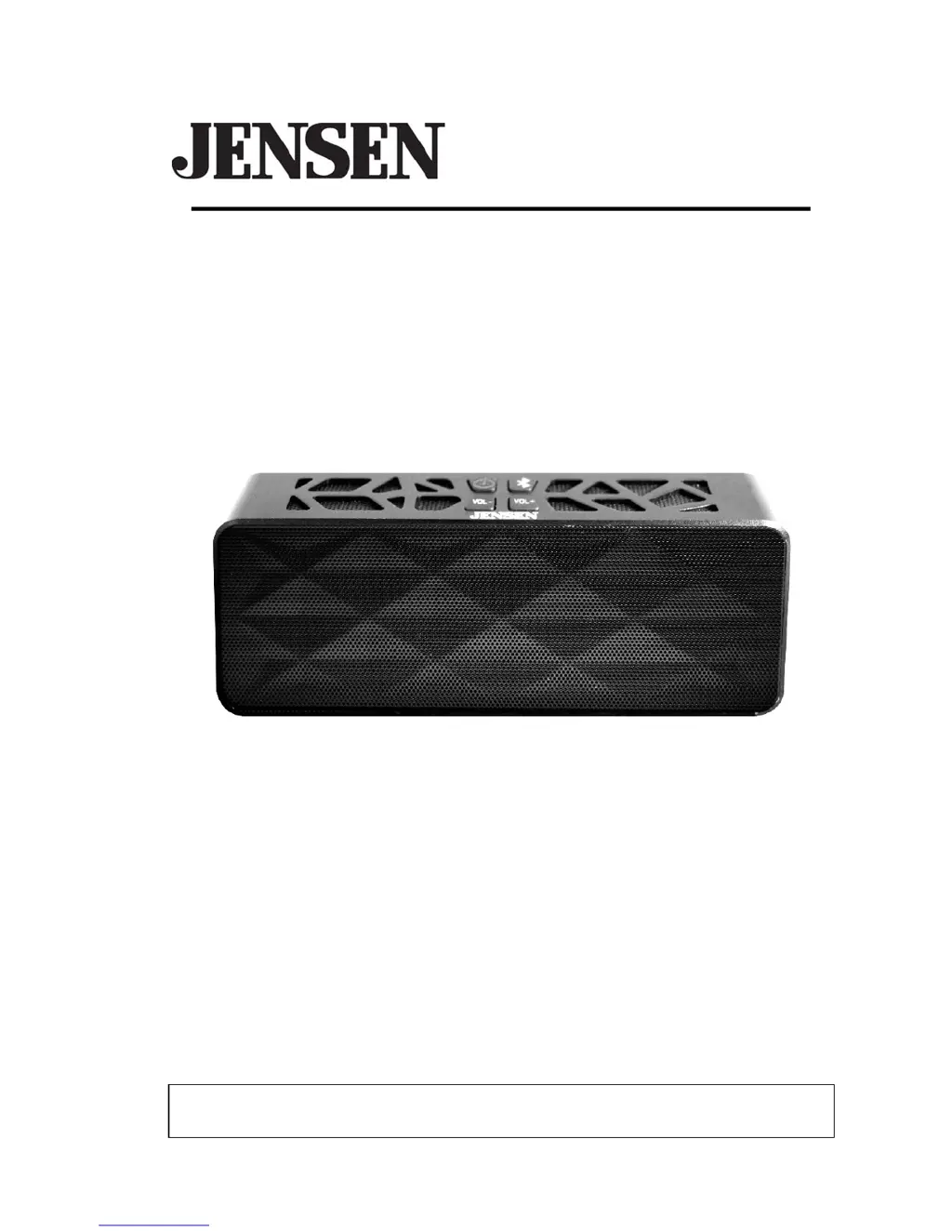
BLUETOOTH WIRELESS STEREO SPEAKERS
USER MANUAL
SMPS-650
PLEASE READ THIS USER MANUAL COMPLETELY BEFORE OPERATING THIS UNIT
AND RETAIN THIS BOOKLET FOR FUTURE REFERENCE.

Questions and Answers

  • A
    Alexis LongAug 1, 2025
    What to do if my Jensen SMPS-650 Speakers have no sound?
    • M
      Michael CookAug 1, 2025
      If your Jensen Speakers aren't producing sound, there are several potential causes. First, the speaker batteries might be dead, requiring a recharge. Second, the Bluetooth speaker might not be correctly linked to your cell phone; in that case, you should go through the “Bluetooth Operations” process to link the speakers. Third, the speaker might be out of range; relocate the speaker within Bluetooth operating range. Finally, the volume might be set too low; press the Volume+ button to increase the sound level.
  • T
    Todd RiveraAug 10, 2025
    Why my Jensen SMPS-650 are not charging?
    • I
      isimsAug 11, 2025
      If your Jensen Speakers aren't charging, it could be due to several reasons. First, check that the AC adapter is correctly plugged into both a functioning wall outlet and the power supply jack on the back of the unit. If the wall outlet isn't working, try plugging another device into it to confirm. Finally, if you're using a computer USB port, ensure the computer is powered on and try a different USB port.
  • S
    Scott HicksAug 21, 2025
    What to do if my Jensen SMPS-650 Speakers sound is distorted?
    • A
      allen36Aug 21, 2025
      If the sound from your Jensen Speakers is distorted, there are a few things you can try. First, the volume level might be set too high; try decreasing it. Second, the sound source itself might be distorted; if you're using a cell phone with poor audio quality, try a different audio source like a music CD. If you are using an external sound source like older generation of iPod, try reducing the output volume on the device itself. Also try turning bass boost OFF or change the EQ setting.

Summary

Important Safety Instructions

Important Notes

FCC Compliance Regulations

Furniture Protection Guide

Product Features Overview

Location of Controls

LED Status Indicators

Battery Charging Instructions

Speaker Power On;Off

Bluetooth Operation Guide

Pairing Bluetooth Devices

Hands-Free Speakerphone Use

Redial Last Number

Ending Calls

Re-linking Bluetooth Connection

Auxiliary Input Music Playback

Speaker Battery Recharging

Care and Maintenance

Cleaning the Unit

Instructions for safely cleaning the speaker's exterior finish and plastic parts to avoid damage.

Troubleshooting Guide

Product Specifications

Limited Warranty and Service

Jensen SMPS-650 Specifications

General IconGeneral
BrandJensen
ModelSMPS-650
CategorySpeakers
LanguageEnglish

Related product manuals