EasyManua.ls Logo

Jensen SMPS-625 - User Manual

Jensen SMPS-625
10 pages
Print Icon
To Next Page IconTo Next Page
Loading...
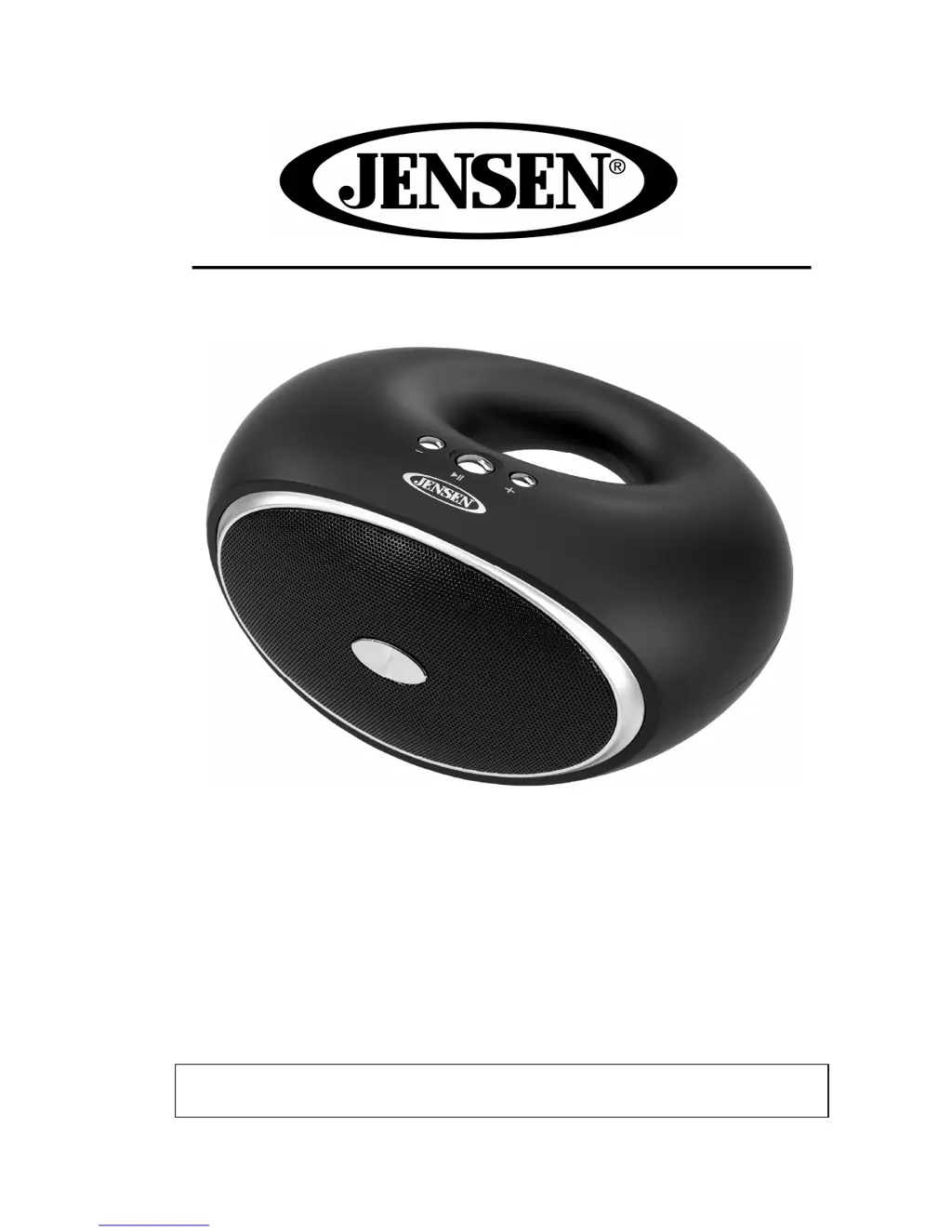
BLUETOOTH WIRELESS STEREO SPEAKER
USER MANUAL
SMPS-625
PLEASE READ THIS USER MANUAL COMPLETELY BEFORE OPERATING THIS
SPEAKER AND RETAIN THIS BOOKLET FOR FUTURE REFERENCE.

Questions and Answers

  • J
    jesusgrossJul 26, 2025
    Why is there no sound coming from my Jensen Speakers?
    • J
      John WrightJul 26, 2025
      If there's no sound from your Jensen Speakers, it could be due to several reasons: the battery might be dead (recharge it), the speaker might not be linked with your Bluetooth device (re-establish the connection through the pairing process), the speaker might be out of Bluetooth range (relocate it within 30 feet), or the volume might be too low (increase the volume using the Volume + button).
  • J
    Joshua MasonAug 2, 2025
    What to do if my Jensen Speakers are not charging?
    • M
      mortonteresaAug 3, 2025
      If your Jensen Speakers are not charging, ensure the USB power adapter is correctly plugged into a functioning wall outlet and that the USB cable is properly connected to the mini USB jack on the speaker. If the wall outlet isn't working, test it with another device. Also, if you're using a computer USB port, ensure the computer is powered on and try a different USB port.
  • E
    Elizabeth PadillaAug 9, 2025
    Why do my Jensen SMPS-625 sound distorted?
    • R
      Ryan PerezAug 10, 2025
      Distorted sound from your Jensen Speakers can occur if the volume level is too high (decrease the speaker's volume). Also, the sound source might be of poor quality, so try a different audio source. If you're using an external sound source like an older iPod, reduce the output volume on the device itself and try turning bass boost OFF or changing the EQ.
  • M
    Maria RuizAug 18, 2025
    How to cool down my Jensen Speakers if they get warm?
    • D
      Diana MurphyAug 18, 2025
      It's normal for Jensen Speakers to get warm after extended play at high volume. To cool them down, turn the speaker off for a while or lower the volume.

Summary

Introduction and Safety

Establish Safe Listening Level

Guides users on setting audio volume to prevent hearing damage.

Listening for a Lifetime

Encourages responsible use for long-term enjoyment of audio equipment.

Customer Record

Section for noting the product's serial number for identification.

FCC Compliance

Protect Your Furniture

Product Overview

Product Features

Lists key capabilities of the Bluetooth speaker.

Accessories Included

Lists items provided with the speaker unit.

Getting Started

Location of Controls

Identifies physical buttons and indicators on the speaker unit.

Charging Instructions

Initial Battery Charging

Details the procedure for charging the battery for the first use.

Recharging the Battery

Explains how to recharge the unit's battery after use.

Battery Care and Notes

Provides important guidelines and precautions for battery maintenance.

Operating the Unit

Powering the Speaker On;Off

Instructions for turning the speaker unit on and off.

Bluetooth Device Pairing

Guides users through connecting a Bluetooth device to the speaker.

Hands-free Speakerphone Usage

Explains how to use the speaker for incoming and outgoing calls.

Auxiliary Input Playback

Details how to connect and play audio via the aux input.

Care and Maintenance

Cleaning the Unit

Provides instructions on how to clean the speaker unit safely.

Troubleshooting

Specifications

Warranty and Service

Jensen SMPS-625 Specifications

General IconGeneral
BrandJensen
ModelSMPS-625
CategorySpeakers
LanguageEnglish

Related product manuals