3
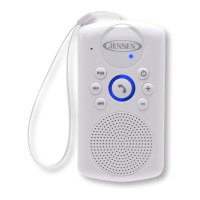
5. Speaker
6. Volume Down (-) Button
7. Phone Button
8. Volume Up (+) Button
9. Power Button
10. Power/Bluetooth Status indicator
11. Charging Jack (mini USB Jack)
12. Charging Jack Cover
13. NFC (Near Field Communication) Pairing Area
14. Hanging Strap
CHARGING INSTRUCTIONS
This unit operates on a built-in rechargeable Li-ion battery that can be recharged
either using the USB port on your computer or from a USB power adaptor (not
included) with a rated output of DC 5V and a minimum 500mA.
Note: The Charging Jack located on this unit is only designed for charging the
Li-ion battery.
CHARGING THE BATTERY FOR FIRST TIME
1.) Charge the Li-ion battery a minimum of 3 hours prior to first use.
Remove the Charging Jack Cover on the back of speaker by rotating it ¼ turn
counter clockwise. Plug the one end of USB cable (included) into a USB port on
your computer or into a USB power adaptor (not included), plug another end of
cable to Charging Jack on the back of the SMPS-640.
2.) The Power indicator will be red while charging in the power OFF mode. When
the red light turns off, the unit is fully charged. Unplug the USB cable from the
power source once the battery is fully charged and replace the Charging Jack
Cover on the back of speaker. Make sure the cover is secure to prevent moisture
from getting into the unit.
RECHARGING THE BATTERY
After prolonged use, the battery will become weak and operation may become
intermittent. When the internal battery charge is very low, the Power indicator will
flash red alerting you to recharge the internal battery as soon as possible. Plug the
speaker into a USB port on your computer or into a DC 5V, 500mA, USB power
adaptor (not included) using the included USB cable. Disconnect the USB cable from
the speaker as soon as it is fully charged.
Charging in Power ON mode
• The Power Indicator LED is flashing blue & red light steadily while charging.
• The red light will be off & blue light will flashing slowly, when the battery is
fully charged.
Note:
1. Charging time will vary if you are listening to music while charging the
speaker battery. We recommend you turn off the speaker power during
the charging process.
2. To prolong the life of a rechargeable battery, it is recommended to
completely discharge it before fully charging it again.
3. A rechargeable battery need to be cycled for maximum performance
and longer battery life. If you don’t use the player that often, be sure to
recharge the battery at least once a month in order to keep the internal


 To Next Page