4
battery working properly.
Charging in Unit Power OFF mode
• The Power Indicator is RED while charging.
• The Power Indicator will change from red to blue when the battery is fully
charged.
Battery Note and Care
• Do not burn or bury batteries.
• Do not puncture or crush.
• Do not disassemble.
• Recycle Li-ion batteries. Do not dispose of in the trash.
• If the electrolyte in the cells should get on your skin, thoroughly wash with
soap and water. If in the eyes, rinse thoroughly with cool water. Immediately
seek medical attention.
• Use only chargers rated for Li-ion cells. Be sure the charger’s voltage and
current settings are correct for the battery pack being charged.
• Charge batteries on the fireproof surface away from flammable items or
liquids.
• Batteries should NEVER be left unattended while charging. Only adults
should charge the batteries.
• Follow the manufacturer’s instructions for charging the product and do not
charge longer than recommended. Unplug the charger when the battery is
charged or not in use.
Recycle Rechargeable Batteries
Recycle your old rechargeable batteries at one of the many collection
sites in the U.S. and Canada. To find the site nearest you, visit
www.call2recycle.org or call toll-free 1-877-2-RECYCLE
NOTE: The speaker is not magnetically shielded and may cause color distortion on
the screen of some TVs or video monitors. To avoid this, you may need to move the
unit further away from the TV or monitor if an unnatural color shifts or image distortion
occurs.
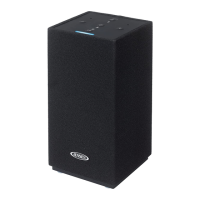
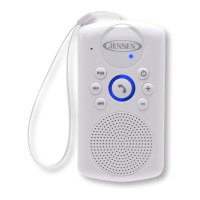
TURNING THE SMPS-640 POWER ON/OFF
1.) In power OFF mode, Press and hold the Power Button about 3 seconds to
turn the unit ON. Two melodies will be heard and the blue light around the Phone
Button will light indicating that the unit is ON.
2.) In power ON mode, press and hold the Power Button about 2 seconds. A
melody is heard and the blue light around the Phone Button will turn OFF
indicating that the power is now OFF.
OPERATING THE UNIT
1. If the unit has never been paired with a Bluetooth device before. You need to
follow the pairing instructions below to link the unit with your Bluetooth device.
• Press the Power Button to turn on the unit.
• The Bluetooth Status Indicator will be flashing rapidly and 2 melodies will
heard, the unit will goes into Pairing/Discoverable mode.
• Turn on the Bluetooth function of your Bluetooth device and enable the
search or scan function to find the unit.


 To Next Page