UNGROUP THE SPEAKERS
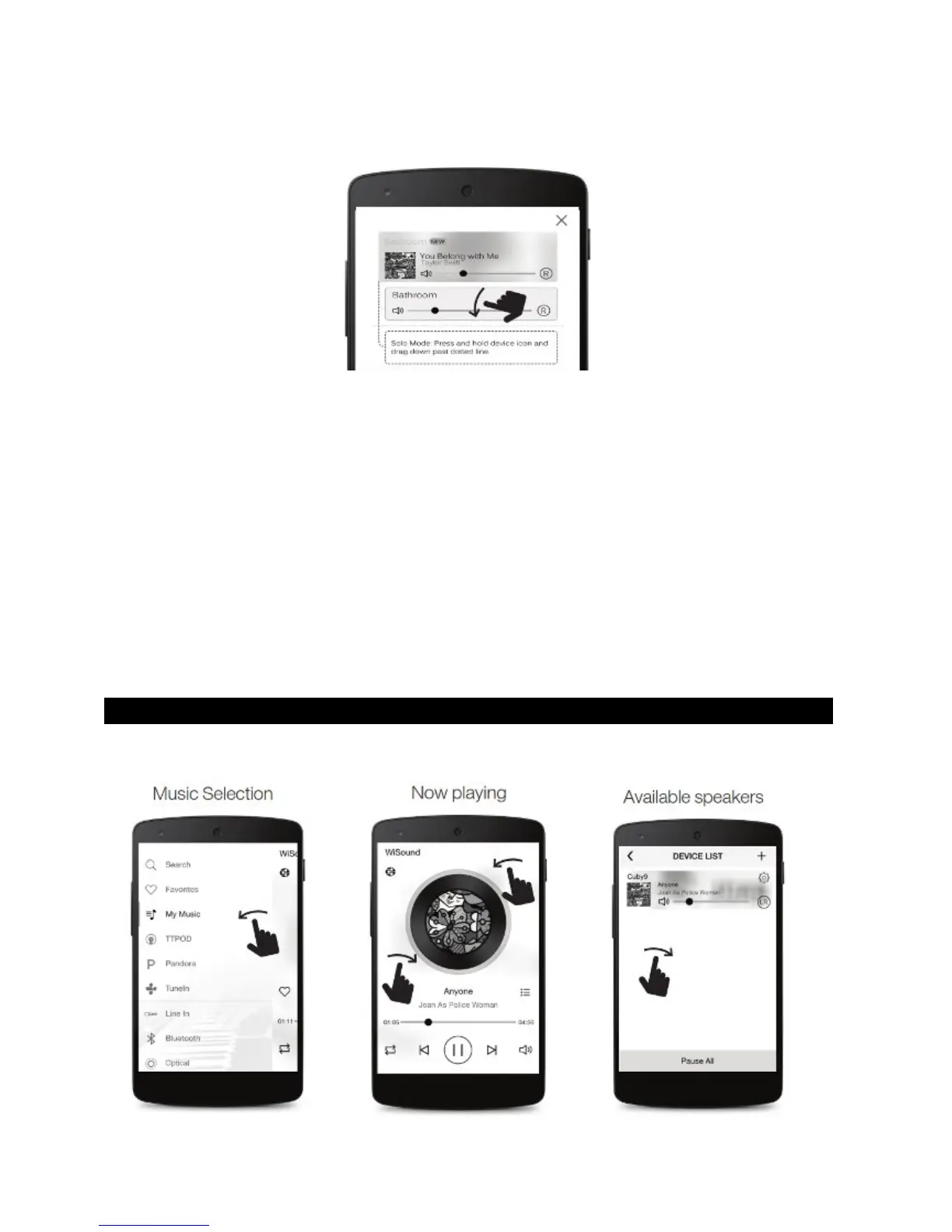
If you want to ungroup, just grab and drag the slave speaker below the middle line. Slave
speaker becomes Master speaker and can play different music
Note:
You can make one or more speaker groups.
You can have more than one Slave speakers under the same Master
In a Group, even if the source is Line in/Bluetooth, you can listen to Slave speakers
playing the same song as Master speaker (Redirect feature)
You can simultaneously control the volume of all the speakers in a group by Volume
buttons of your device
For a group configuration, choose which speaker can play Left (L), Right (R) or
Left/Right (L/R), by touching the relevant icon.
Master Speaker Mode LED – Shows current operation Mode color
Slave Speaker LED – Shows RED color to indicate it is a Slave, voice control and
mode button are disabled.
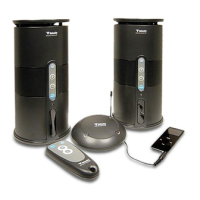
PLAYBACK MUSIC ON THE SPEAKERS
In Muzo app screen,


 To Next Page