EasyManua.ls Logo

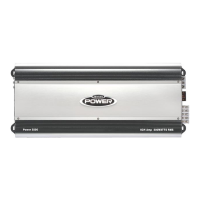
Jensen POWER 5500 - User Manual

Jensen POWER 5500
42 pages
Print Icon
To Next Page IconTo Next Page
Loading...
POWER 5500 Amplifier
Installation & Operation
Manual
Amplificador Power 5500
Manual de Instalación y
Operación
Amplificateur Power 5500
Manual de Installation et
Operation
Contents
Introduction. . . . . . . . . . . . . . . . . . . . . . . . . . . . . 1
Features and Specifications . . . . . . . . . . . . . . . 2
Installation . . . . . . . . . . . . . . . . . . . . . . . . . . . . . . 3
Power Wiring. . . . . . . . . . . . . . . . . . . . . . . . . . . . 4
Speaker Wiring . . . . . . . . . . . . . . . . . . . . . . . . . . 5
Input Wiring. . . . . . . . . . . . . . . . . . . . . . . . . . . . . 6
Indicators and Controls . . . . . . . . . . . . . . . . . . . 8
Testing . . . . . . . . . . . . . . . . . . . . . . . . . . . . . . . . 10
Remote Input Level Control. . . . . . . . . . . . . . . 10
Troubleshooting . . . . . . . . . . . . . . . . . . . . . . . . 11
Contenido
Introducción . . . . . . . . . . . . . . . . . . . . . . . . . . . .13
Características y Especificaciones . . . . . . . . .14
Instalación. . . . . . . . . . . . . . . . . . . . . . . . . . . . . .15
Cableado de Energía . . . . . . . . . . . . . . . . . . . . .16
Cableado de Parlantes. . . . . . . . . . . . . . . . . . . .17
Cableado de Entrada . . . . . . . . . . . . . . . . . . . . .18
Controles e Indicadores . . . . . . . . . . . . . . . . . .20
Prueba. . . . . . . . . . . . . . . . . . . . . . . . . . . . . . . . .22
Control de Nivel de Entrada Remoto . . . . . . . .22
Resolución de Problemas . . . . . . . . . . . . . . . . .23
Table des matières
Introduction . . . . . . . . . . . . . . . . . . . . . . . . . . . . 25
Caractéristiques et Spécifications. . . . . . . . . . 26
Installation . . . . . . . . . . . . . . . . . . . . . . . . . . . . . 27
Câblage de puissance. . . . . . . . . . . . . . . . . . . . 28
Câblage du haut parleur . . . . . . . . . . . . . . . . . . 29
Câblage d’entrée . . . . . . . . . . . . . . . . . . . . . . . . 30
Indications et commandes. . . . . . . . . . . . . . . . 32
Essais. . . . . . . . . . . . . . . . . . . . . . . . . . . . . . . . . 34
Commande niveau d’entrée à distance. . . . . . 34
Dépannage. . . . . . . . . . . . . . . . . . . . . . . . . . . . . 35

Questions and Answers

  • E
    Edward LeblancJul 30, 2025
    Why Jensen POWER 5500 Car Amplifier does not turn on?
    • K
      kylieblackburnJul 30, 2025
      If your Jensen Car Amplifier isn't turning on, there are several things to check: * First, make sure there is power reaching the +12V terminal by checking the fuse(s). * Next, verify power to the REM terminal by inspecting the head unit fuse(s) and wiring. * Also, inspect the main fuse at the battery and the fuse at the amplifier, replacing them and identifying the cause of failure if they are blown. * Finally, ensure the main power ground is properly connected to a bare metal chassis.
  • S
    Shannon MckinneyAug 4, 2025
    How to fix engine noise / alternator whine in Jensen Car Amplifier?
    • E
      Eric AllenAug 4, 2025
      If you're experiencing engine noise or alternator whine with your Jensen Car Amplifier, consider the following: * Use good quality shielded RCA cables to address potential ground loops. * Ensure the amplifier and head unit are properly grounded to a clean, bare metal chassis. * Reroute RCA and speaker wires away from factory harnesses to avoid inductive coupling. * Readjust the input level on the amplifier, as it may be set too high.
  • D
    David MooreAug 8, 2025
    What to do if Jensen Car Amplifier blows fuse(s)?
    • B
      Bryan RandallAug 8, 2025
      If your Jensen Car Amplifier is blowing fuses, it could be due to power wires connected backwards; in this case, reconnect the power wires correctly. Alternatively, there may be an internal problem with the amplifier, requiring you to take the unit in for service.
  • N
    Nichole GomezAug 13, 2025
    What to do if low impedance protection activated on Jensen POWER 5500?
    • P
      Parker MurphyAug 13, 2025
      If the low impedance protection is activated on your Jensen Car Amplifier, check the speaker connections to ensure they are properly loaded. Verify that the speakers are connected correctly and are not defective or blown. Also, check the crossovers, as faulty passive crossovers can cause this issue. Note that the amplifier will not drive a 2 ohm bridged load; the minimum is 4 ohms in a bridged configuration.
  • J
    jennifersmithAug 18, 2025
    What to do if short circuit protection activated on Jensen POWER 5500 Car Amplifier?
    • E
      Elizabeth GarrisonAug 18, 2025
      If the short circuit protection is activated in your Jensen Car Amplifier, check all speakers and look for faulty wiring, especially speaker wires shorting to ground. Also, a defective crossover can cause this, so inspect for a faulty passive crossover.
  • A
    alewisAug 25, 2025
    Why is the volume control too sensitive on Jensen Car Amplifier?
    • B
      burkewilliamAug 25, 2025
      If the volume control on your Jensen Car Amplifier is too sensitive, readjust the input level control, as it may be set too high.

Summary

Introduction

Before You Begin

Important preliminary information and safety warnings before installation.

Warranty Service Information

Details on obtaining warranty service and required documentation for returns.

Features and Specifications

Power Output Specifications

Details the power output of the amplifier in various configurations (4-channel, bridged).

Installation

Battery Disconnection and Mounting Guidelines

Crucial safety step to disconnect the battery and guidelines for securely mounting the amplifier.

Wire Routing Instructions

Instructions and warnings regarding the proper routing of electrical wires during installation.

Power Wiring

Charging System and Power Connections

Discusses vehicle charging system, power terminal, ground terminal, and fuse requirements.

Remote Terminal Connection

How to connect the remote turn-on lead from the receiver to the amplifier.

Speaker Wiring

Speaker Wiring Configurations

Diagrams illustrating options for connecting speakers and subwoofers in different setups.

Input Wiring

5 Channel and Bridged Mode Inputs

Wiring diagrams for connecting audio inputs in 5-channel and bridged modes.

Indicators and Controls

Power and Protection Indicators

Explains the function of the POWER and PROTECT LEDs on the amplifier.

Input Level and Bass EQ Adjustment

Details how to adjust input sensitivity and bass boost for optimal sound.

Crossover and Subsonic Filter Settings

Explains how to use the SUB SONIC, Low Pass, and High Pass filters for audio tuning.

Mode Selection

4 CH;5 CH MODE Switch Operation

Explains how to configure the amplifier for 4-channel or 5-channel input modes.

Testing and Remote Control

Pre-Operation Checks

Steps to test power wiring and speaker connections before full operation.

Remote Input Level Control Usage

How to connect and use the remote bass level control for system tuning.

Troubleshooting

Common Amplifier Operational Issues

Addresses problems like no power, distorted sound, and poor bass response.

Protection Circuitry and Impedance Problems

Covers troubleshooting protection modes, low impedance, and thermal issues.

Limited Warranty

Warranty Coverage and Exclusions

Defines eligibility, what's covered, exclusions, and limitations of the warranty.

Obtaining Warranty Service

Provides instructions for seeking repair or replacement under warranty.

Jensen POWER 5500 Specifications

General IconGeneral
BrandJensen
ModelPOWER 5500
CategoryCar Amplifier
LanguageEnglish

Related product manuals