E-7
TIPS FOR BEST RECEPTION
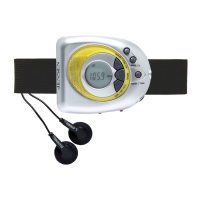
FM - The FM radio uses the cord from the earbuds as the antenna. Unwrap and
extend the cord for best reception. The FM STEREO INDICATOR (#15) will show
on the display when receiving a stereo broadcast and signal is strong enough.
AM - The AM antenna is located inside the cabinet of the unit. If AM reception is weak,
change the position of the unit until the internal antenna picks up the strongest
signal.
Setting the Radio Station presets
The unit allows you to store up to 10 FM stations and 10 AM stations for easy recall at
any time.
1. In the FM or AM mode, tune to the radio station you want to store in memory by
using the TUNER
BUTTON (#3) / TUNER BUTTON (#4).
2. Tap the STORE / ALARM BUTTON (#6). The MEMORY INDICATOR (#17) will
turn on and the PRESET CHANNEL NUMBER (#18) will flash on the LCD display.
3. To change the preset channel number location, tap the TUNER
BUTTON (#3) /
TUNER BUTTON (#4) to step through the preset locations (1 – 10).
4. To confirm the preset location, tap the STORE / ALARM BUTTON (#6).
5. To store up to 10 FM and 10AM station presets, repeat steps 1 to 4 above.
Recalling the Preset Radio Stations
1. Set the unit to Radio FM or AM mode.
2. Tap the TIME / MEM BUTTON (#2) repeatedly to select the desired preset station.
ALARM OPERATION
The unit has an alarm that will wake you up with a beeping sound.
The alarm beeper is built into the case so it is not necessary to connect earphones to
hear the alarm.
1. In Power Off / Standby mode, press and hold the STORE / ALARM BUTTON (#6),
the ALARM INDICATOR will turn on and the Hour digits of the alarm time will
flash on the LCD display.
2. Tap the TUNER
BUTTON (#3) / TUNER BUTTON (#4) until the correct
hour is reached.
Note: Make sure the correct AM or PM time is selected when setting the hour.
3. Tap the STORE / ALARM BUTTON (#6) to confirm and the minute digits of alarm
time will flash.
4. Tap the TUNER
BUTTON (#3) / TUNER BUTTON (#4) until the correct
minute is reached.
5. Tap the STORE / ALARM BUTTON (#6) to confirm and complete the alarm setting.
6. The Alarm will sound for 60 minutes at the time you entered.
TO STOP THE ALARM SOUND
When alarm sounds, press the STORE / ALARM BUTTON (#6) or the BAND /
POWER BUTTON (#5) once to stop the alarm and it will repeat next day same
time
TO COMPLETELY TO TURN OFF ALARM (NOT RESET FOR NEXT DAY)
In standby mode, tap the STORE / ALARM BUTTON (#6) repeatedly until the ALARM
INDICATOR (#20) disappears.


 To Next Page