30
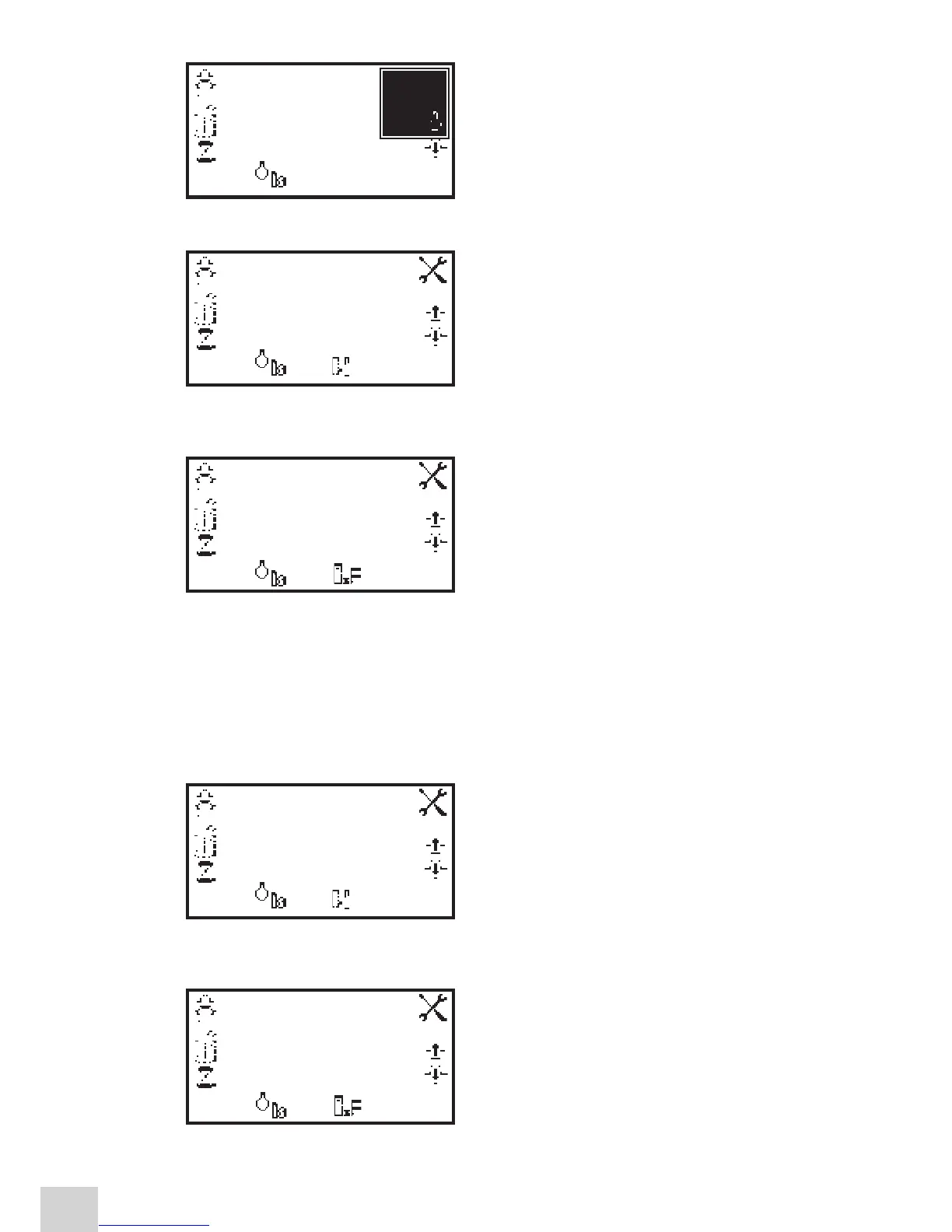
Press the key below the calibrate to zero absorbance
or standard icon, this will open another menu with the
option to re-calibrate to zero absorbance or to calibrate
to the previously entered standard value. Press the key
adjacent to the calibrate to standard icon.
If the standard selected requires a factor beyond the
range of the instrument the check standard icon will
be displayed.
The instrument will take a reading and calibrate to the
standard concentration. Once the calibration is complete
the sample can be measured using the measure to
standard icon.
6.3.2 Calibrating to a Factor
Insert a cuvette containing the blank solution into the
sample chamber and close the instrument lid. Press the
key below the calibrate to zero absorbance icon. The
instrument will calibrate to zero absorbance. Once the
calibration is complete the sample can be measured using
the measure to factor icon.
6.4 SAMPLE MEASUREMENT
It is not possible to perform sample measurements before the instrument has been calibrated at the
selected wavelength. In this operating mode the type of sample measurement performed depends on
the calibration which has been carried out.
6.4.1 Measuring a Sample After Calibrating to a Standard
Remove the cuvette containing the standard sample and
place a cuvette containing the sample to be measured in
the sample chamber. Close the instrument lid and press
the key below the measure to standard icon. Once
the measurement is complete the concentration and
absorbance values are displayed.
6.4.2 Measuring a Sample After Calibrating to a Factor
Remove the cuvette containing the blank solution and
place a cuvette containing the sample to be measured
in the sample chamber. Close the instrument lid and
press the key below the measure to factor icon. Once
the measurement is complete the concentration and
absorbance values are displayed.
In order to measure a sample based on a known factor
the value for the factor must be entered in the settings
menu before commencing measurement of the sample.
0.000
0.000
400
09:02
ppm
ABS
nm
0.000 ABS
20.000
10.00
0.121
400
09:02
ppm
ABS
nm
0.000
0.000
400
09:02
ppm
ABS
nm
10.00
0.121
400
09:02
ppm
ABS
nm
0.000
0.000
400
09:02
ppm
ABS
nm


 To Next Page