47
9.2.1.4 Changing the Resolution
The resolution of the concentration can be selected from 1, 0.1, 0.01 or 0.001 by repeat presses of the
key below the resolution icon.
9.2.1.5 Selecting Concentration Units
The concentration units can be selected from a number of options: no units, %, ppm, EBC, SRM, mEq/l,
mEq, M, mM, µM, nM, U, U/l, U/ml, g/l, mg/l, µg/l, ng/l, g/dl, mg/dl, µg/dl, mg/ml, µg/ml, ng/ml, µg/µl,
ng/µl, mol/l, mmol/l.
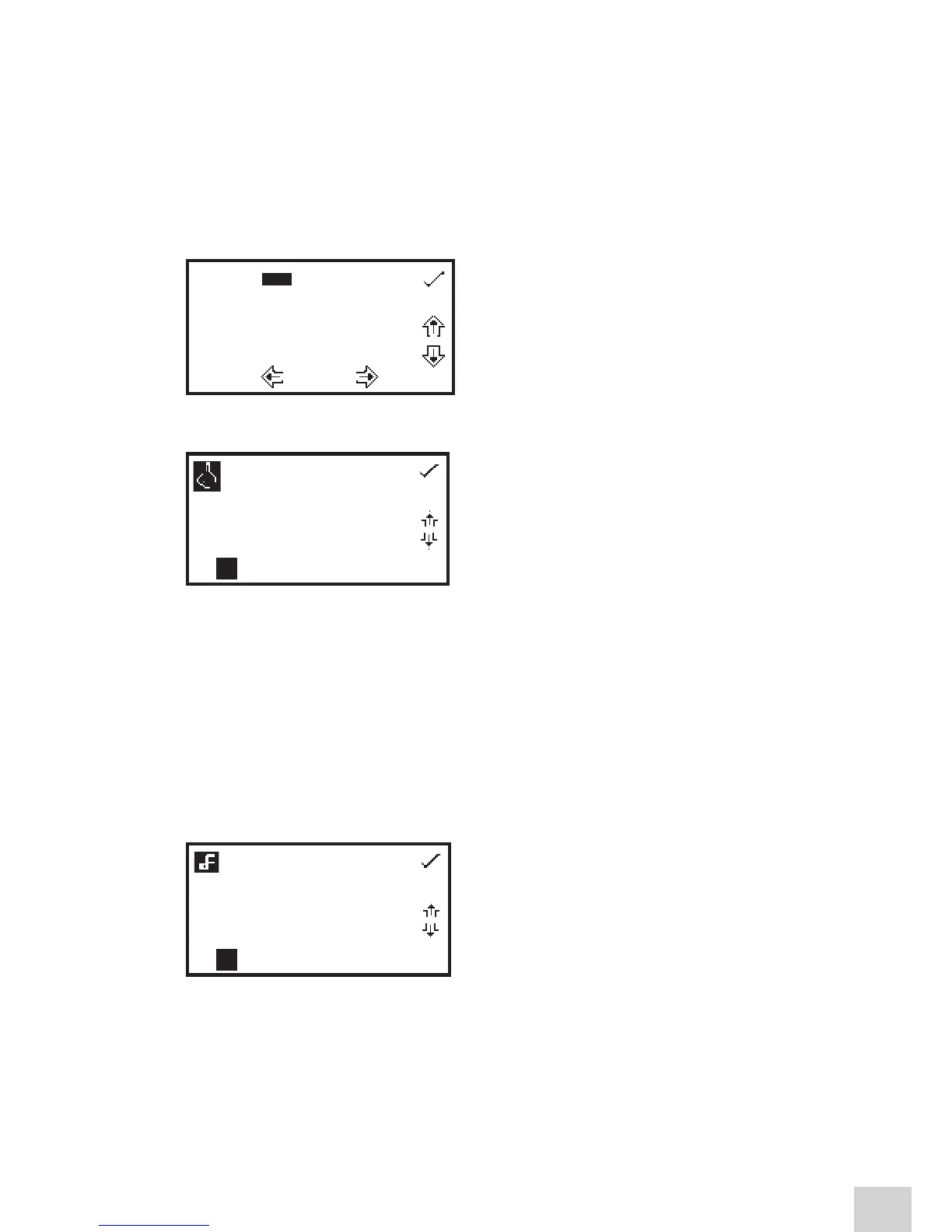
In the settings menu press the key below the units icon
to open the unit selection screen which displays all the
different unit options. Use the keys adjacent to the arrow
icons to navigate around the screen to select the required
units. Once the required units have been highlighted
press the key adjacent to the tick icon to save and return
to the settings menu.
9.2.1.6 Using a Standard
The standard menu enables the value for a standard to
be entered. This function is accessed by pressing the key
adjacent to the standard icon. This opens the extended
number entry screen. Use the keys at the bottom of the
screen to select the digit to be changed. The key below
the digit must be pressed twice to select the adjacent
digit. For example 00, the first press of the key alters 10,
the second press alters 01.
Use the keys adjacent to the arrow icons to increase or decrease the selected number. Standard values
of 0.001 to 1000 can be entered. The standard value can be reset to zero by pressing the key adjacent
to the 000 icon. Once the standard value has been entered press the key adjacent to the tick icon to
save and return to the settings menu screen. The entered value is now displayed in the settings menu
adjacent to the standard icon.
A standard value should only be entered if the factor is not known. If the factor is known the standard
value should be set to 1.000.
9.2.1.7 Using a Factor
The factor menu enables a factor to be entered. This
function is accessed by pressing the key adjacent to
the factor icon. This opens the extended number entry
screen. Use the keys at the bottom of the screen to select
the digit to be changed. The key below the digit must be
pressed twice to select the adjacent digit. For example
00, the first press of the key alters 10, the second press
alters 01. Use the keys adjacent to the arrow icons to
increase or decrease the selected number. Factor values of 0.001 to 10,000 can be entered. The factor
value can be reset to zero by pressing the key adjacent to the 000 icon. Once the factor has been entered
press the key adjacent to the tick icon to save and return to the settings menu screen. The entered value
is now displayed in the settings menu adjacent to the factor icon.
If the factor is not known a standard should be measured in order to calculate the factor. If a standard is
used the factor value should be set to 1.000.
---- % ppm EBC SRM mEq/l
mEq M mM µM nM U U/l
U/ml g/l mg/l µg/l ng/l g/dl
mg/dl µg/dl mg/ml µg/ml ng/ml
µg/µl ng/µl mol/l mmol/l.
00 1.00 00
000
000 1.00 00
000


 To Next Page