58
10.8 AUTOLOGGING
The autolog function enables repeat measurements of
the same sample to be performed with a set time period
between each measurement. This produces a batch
of results for the same sample. The autolog function
also enables the results to be autologged to different
destinations. The autolog menu is accessed from the
utility toolbar in the expanded operating menu by
pressing the key adjacent to the autolog icon.
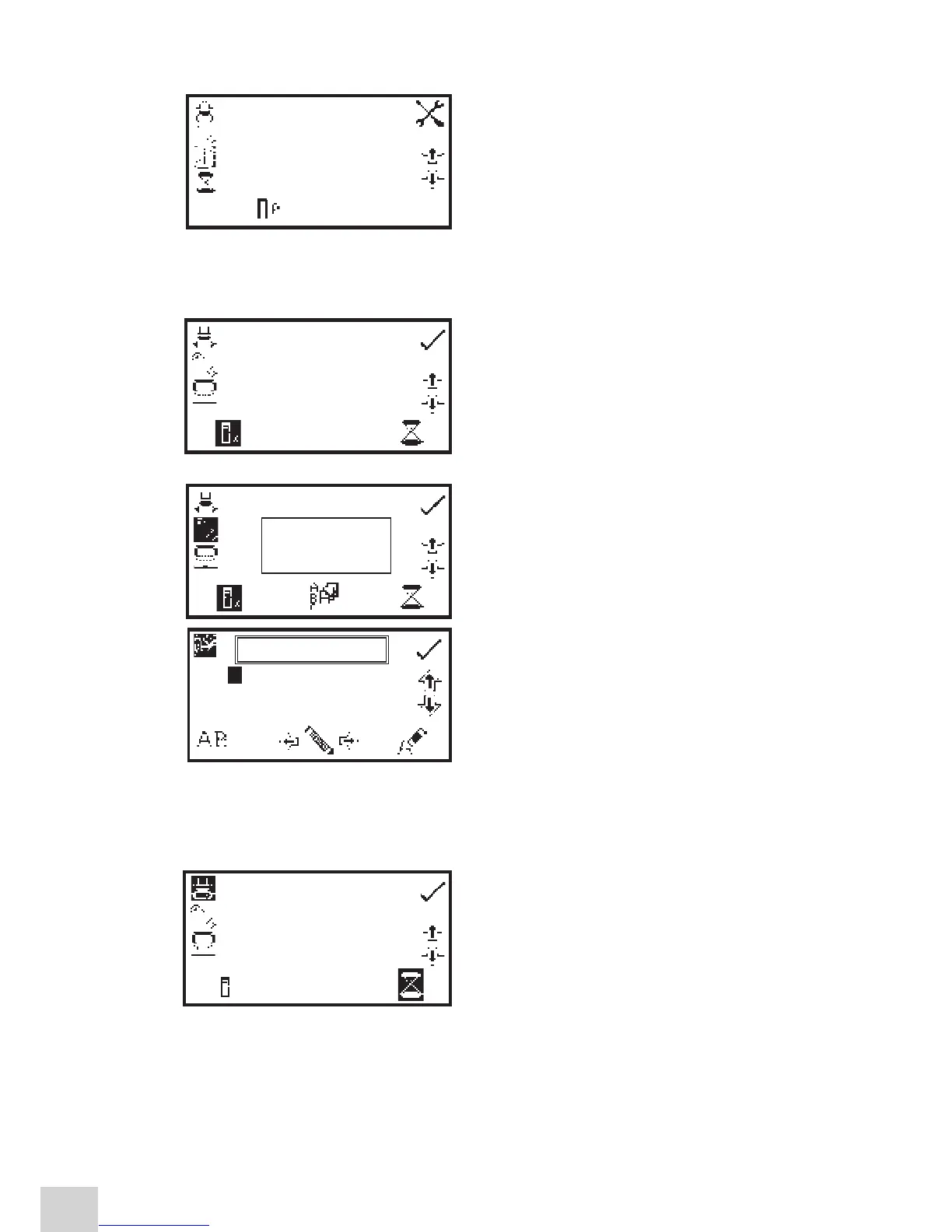
10.8.1 Setting the Number of Sample Repetitions
To set the number of repeat measurements of the same
sample press the key below the sample icon and use the
keys adjacent to the arrow icons to increase or decrease
the number of repetitions required. To reset the number
to zero press and hold the key below the sample icon
for 2 seconds.
Once the number of repetitions is increased above zero,
if the results are autologged to a USB memory stick, the
batch ABC icon will be displayed. To assign a batch name
for the repeated measurements press the key below the
batch ABC icon to open the batch naming menu.
The default batch name will be displayed. To save the
batch name under the default name press the key
adjacent to the tick icon. To change the name press
the key below the eraser icon. One press of the key
will delete one letter, holding the key for 2 seconds will
delete the name completely. To select letters use the keys
adjacent to the arrow icons to move around the menu.
Once the required letter is highlighted press the key below the pencil icon to select the letter. Up to
eight characters can be selected. To use numbers in the batch name press the key below the AB icon.
Repeat pressing of this key will cycle between upper case and numbers. Once the required name for the
batch has been entered press the key adjacent to the tick icon to save and return to the autolog menu.
To set the time period between each measurement press
the key below the timer icon and use the keys adjacent
to the arrow icons to increase or decrease the time in 1
second intervals. To reset the time to one second press
and hold the key below the timer icon for 2 seconds.
Once the required number of repetitions and time period
has been selected press the key adjacent to the tick
icon to save the changes and return to the expanded
operating menu.
0.000
0.000
400
09:02
ppm
ABS
nm
0000 001s
Expanded Operating Menu
0000 001s
JW0000-0
1
2
3
4
5
JW0000
~
0
A B C D E F G H I
J K L M N O P Q R
S T U V W X Y Z _
0005 010s
X


 To Next Page