50
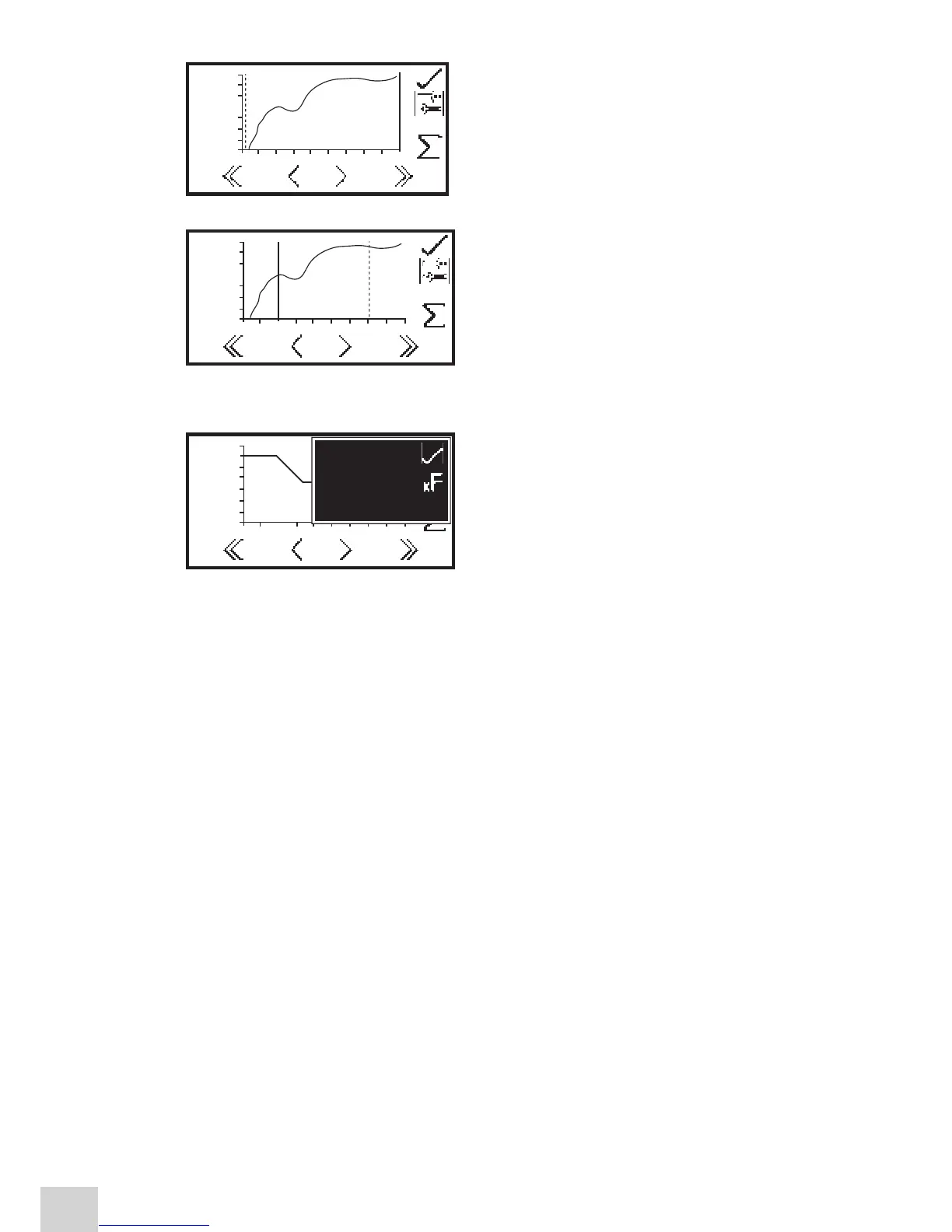
time lines appear as two vertical lines. The line which is
selected is represented by a dashed line ---- and can be
moved using the keys below the greater than (>) or less
than (<) icons at the bottom of the screen. Move the
dashed line to the point on the x-axis which is to be the
initial time.
To select the final time press the key adjacent to the
toggle icon. This will change the initial line from a
dashed line to a solid line. The final time line will change
from a solid line to a dashed line. Use the keys below the
greater than (>) or less than (<) icons to move the line
to the final time on the x-axis by reducing or increasing in
1 second time intervals.
The double greater than (>>) or double less than (<<)
icons move the line in 5 second time intervals.
Once the required initial and final times have been
selected press the key adjacent to the
S
icon to display
the statics menu for that portion of the experiment. The
information displayed includes concentration, absorbance
per minute (rate of change), correlation coefficient (r
2
),
start time absorbance and end time absorbance. If the
operating mode selected was % transmittance then the
statistics will be % transmittance instead of absorbance.
To exit the statistics menu press the key adjacent to the
tick icon.
3.000
ABS
-5.000
0.00 10.005.0 s
ppm
0.000
1.000
0.152
0.152
3.000
ABS
-5.000
0.00 10.005.0 s
ppm
0.000
1.000
0.152
0.152
3.000
ABS
-5.000
0.00 10.005.0 s
ppm
0.000
1.000
0.152
0.152
-0.005
ABS/m:
r2:
0s
10s
ppm
-0.005
0.74
0.118
0.112


 To Next Page