~
OPERATION
•
A. Controls
The operating controls for the deck are conveniently located In the
control box at the sides of the deck on both the driver's and passenger's
side.
All operators must be trained and understand the contents of the
operator's manual before operating any controls.
Assure adequate operating clearance and the safety of all personnel
before operating the rollback deck.
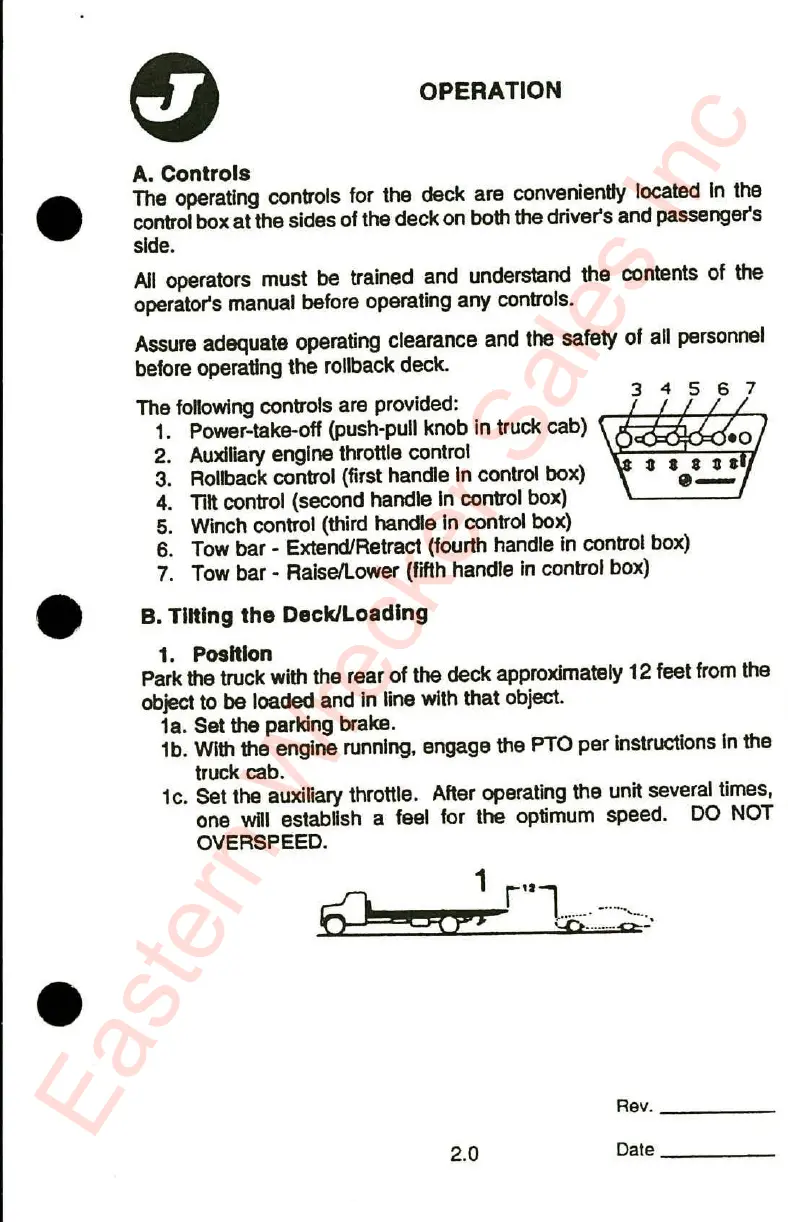
The following controls are provided:
1. Power-take-off (push-pull knob in truck cab)
2. Auxiliary engine throttle control
3. ROllbackcontrol (first handle In control box)
4. Tilt control (second handle In control box)
5. Winch control (third handle In control box)
6. Tow bar - Extend/Retract (fourth handle In control box)
7. Tow bar' Raisellower (fifth handle In control box)
• B. Tilting the Deck/Loading
1. Position
Park the truck with the rear of the deck approximately 12 feet from the
object to be loaded and In line with that object.
1a. Set the parking brake.
1b. With the engine running, engage the PTO per Instructions In the
truck cab.
1c. Set the auxiliary throttle. After operating the unit several times,
one will establish a feel for the optimum speed. DO NOT
OVERSPEED.
1 r"l .
fQ
g?'
::O
n-.
•
Rev. _
2.0
Date _
Eastern Wrecker Sales Inc


 To Next Page