EasyManua.ls Logo

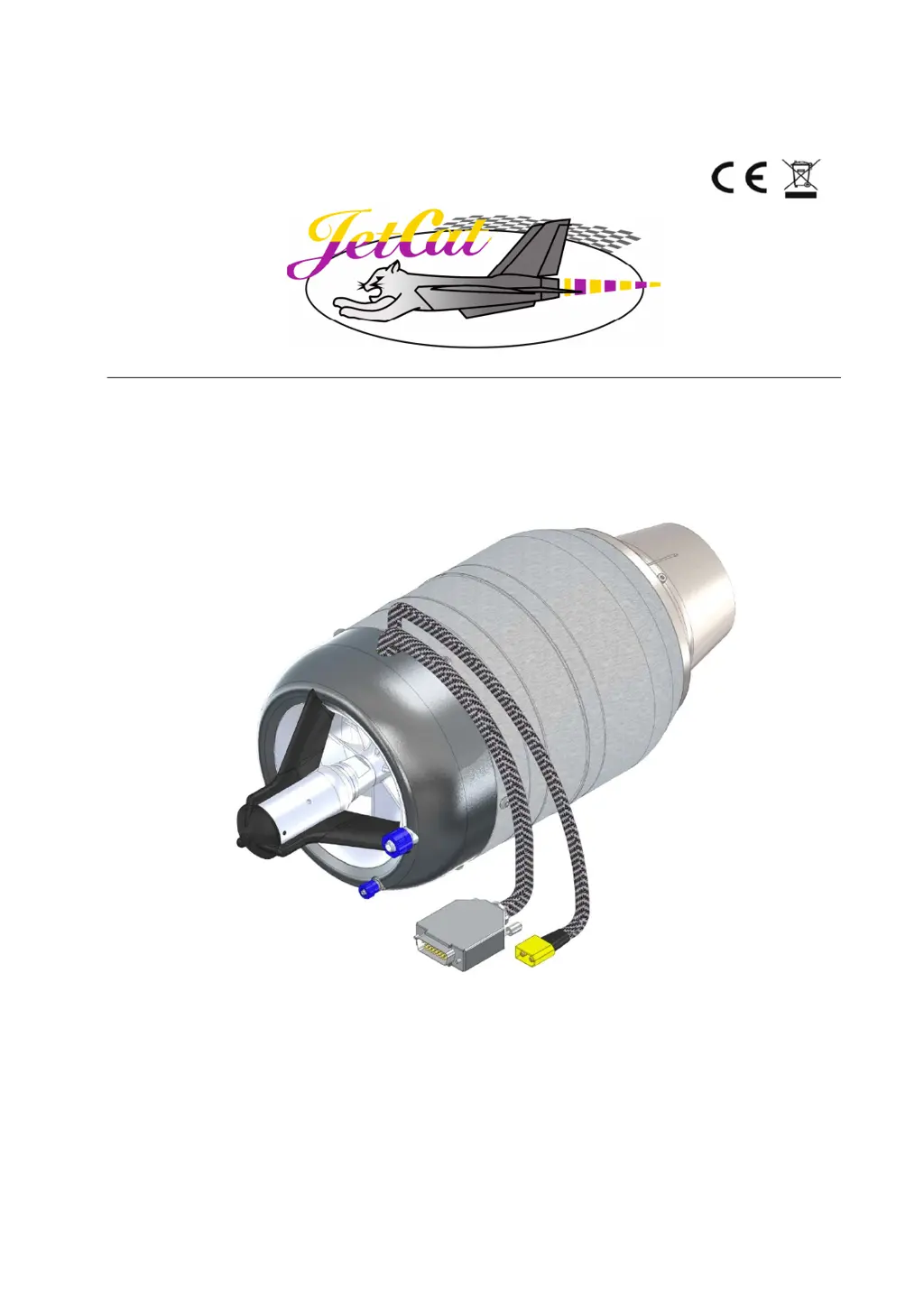
JetCat PRO Series - User Manual

JetCat PRO Series
70 pages
Print Icon
To Next Page IconTo Next Page
Loading...
05/2019
Operating instructions
JetCat PRO Engines

Table of Contents

Questions and Answers

  • B
    Brooke LeeJul 27, 2025
    What to do if the JetCat Engine starting process fails?
    • J
      Jerry DeleonJul 27, 2025
      If the JetCat Engine starting process fails, it could be due to several reasons. The turbine might still be too warm, so wait until the SlowDown sequence finishes and the green OK LED stops blinking. Alternatively, the battery could be low or have a faulty connection, so charge the battery and check the ECU's battery connection. A defective glow plug (indicated by a blinking red Pump running LED) would need replacement. Finally, ensure the three-conductor cable for the starter motor and glow plug is properly connected from the ECU to the engine.
  • K
    Katelyn WeberJul 31, 2025
    Why doesn't my JetCat Engine turbine ignite?
    • S
      stephensondanielJul 31, 2025
      If the JetCat Engine turbine doesn't ignite, the fuel supply lines may be empty or not purged, so purge the fuel system. Another possibility is a weak or empty ECU battery, so charge the ECU battery. If the kero start igniter has failed, call JetCat for information.
  • Z
    zpatrickAug 5, 2025
    What to do if the JetCat Engine ignites, but the start process stops?
    • J
      Justin FloresAug 5, 2025
      If the JetCat Engine turbine ignites but the start process is discontinued, there may be air in the fuel feed lines. Examine all Festo fittings, nipples, clunk, and the filter. Another potential cause is the fuel pump not running. Test the pump in the Test Functions menu; the fuel pump must run as soon as the red Pump running LED illuminates.
  • M
    Megan ReedAug 9, 2025
    How to fix ECU if it doesn't follow transmitter commands on my JetCat Engine?
    • B
      brian63Aug 9, 2025
      If the JetCat Engine ECU doesn't follow full commands from the transmitter, the programming may be altered in the R/C throttle stick. Check alignment with the RC-Check menu and re-align the ECU to the R/C system.
  • M
    Mr. Justin Jennings DDSAug 13, 2025
    What causes a Watchdog Failure and how do I fix it on my JetCat Engine?
    • C
      Christina ParrishAug 13, 2025
      If the JetCat Engine turbine quits with a Watchdog Failure, reset the ECU. Also, do not mount the ECU directly to the fiberglass body of the plane; use a plywood mount with a layer of foam tape and Velcro between the body and the ECU.
  • R
    Riley MillerAug 17, 2025
    How to stop my JetCat Engine starter unit from slipping and making noise?
    • Y
      ydavisAug 17, 2025
      If the JetCat Engine starter unit slips and makes noise, it's likely due to dust and oil sediment on the compressor nut and O-ring. Clean the O-ring and compressor nut periodically with a cotton swab and solvent.
  • E
    Erik AlvaradoAug 22, 2025
    Why is my JetCat Engine EGT giving erratic readings?
    • D
      Danielle AllenAug 22, 2025
      If the JetCat Engine EGT is giving erratic temperature or RPM readings, the transmitter antenna may be too close to the model. Keep the antenna away from the model, as this may cause false readings.

Summary

Introduction to JetCat PRO Engines

JetCat PRO Engine Safety and Hazard Areas

Safety Symbols and Meanings

Explains safety symbols for safe operation and user safety.

General Safety Precautions

Outlines essential safety rules and warnings for operating the jet engine.

Hazard Areas During Operation

Defines critical hazard zones during engine startup, idle, and full power.

Engine Mounting and Connection Ports

Engine Mounting and Fixing

Provides guidelines for securely mounting the jet engine.

Engine Connection Overview

Details all available connection ports on the engine.

Data Connector (A) Pinout

Explains the 15-pin SUB-D connector for data and control signals.

Power and Expansion Connectors

Details power (XT60) and expansion (Molex) connectors.

JetCat PRO-Interface and GSU System

PRO-Interface Functionality

Overview of the PRO-Interface for RC, education, and industry.

PRO-Interface Connection Diagram

Shows how to connect the engine, battery, and accessories to the PRO-Interface.

GSU Control Panel and Button Functions

Describes the GSU control panel, buttons, and LED indicators.

Engine Operation Modes and Control

Engine Operation Modes Explained

Details the various operating modes available for the engine.

Engine Power ON;OFF and Control Methods

Covers powering the engine on/off and various control methods.

Failsafe Mode Setup and Configuration

Explains the setup and importance of the failsafe mode for safety.

Fuel System and Engine Startup Procedures

Fuel System Preparation and Priming

Guidelines for preparing the fuel system and priming the pump.

First Engine Startup and Shutdown

Step-by-step guide for the initial engine startup and shutdown process.

Troubleshooting and Engine Status

GSU Display Symbols and Engine States

Explains GSU display symbols and engine running states.

Common Errors, Causes, and Remedies

Lists frequent errors with their causes and recommended remedies.

Diagnosing Engine Shut-Downs

Methods for diagnosing the causes of unexpected engine shutdowns.

Advanced Menus and Parameter Settings

Menu Navigation and Structure

Overview of the GSU menu structure and navigation.

INFO, Statistics, and R;C Check Menus

Details parameters found in INFO, Statistics, and R/C Check menus.

LIMITS Menu for Parameter Adjustment

Explains how to adjust engine parameters via the LIMITS menu.

Parameter Configuration and Firmware Updates

AUX Channel and Smoke Pump Configuration

Details configuration of auxiliary channel and smoke pump functions.

Failsafe, Restart, and Operation Mode Settings

Covers failsafe, auto-restart, and operation mode settings.

Firmware Update Procedure

Instructions for updating the engine's firmware via USB adapter.

JetCat Three Year Limited Warranty

Warranty Terms and Conditions

Outlines the terms and conditions of the limited warranty.

JetCat PRO Series Specifications

General IconGeneral
BrandJetCat
ModelPRO Series
CategoryEngine
LanguageEnglish

Related product manuals