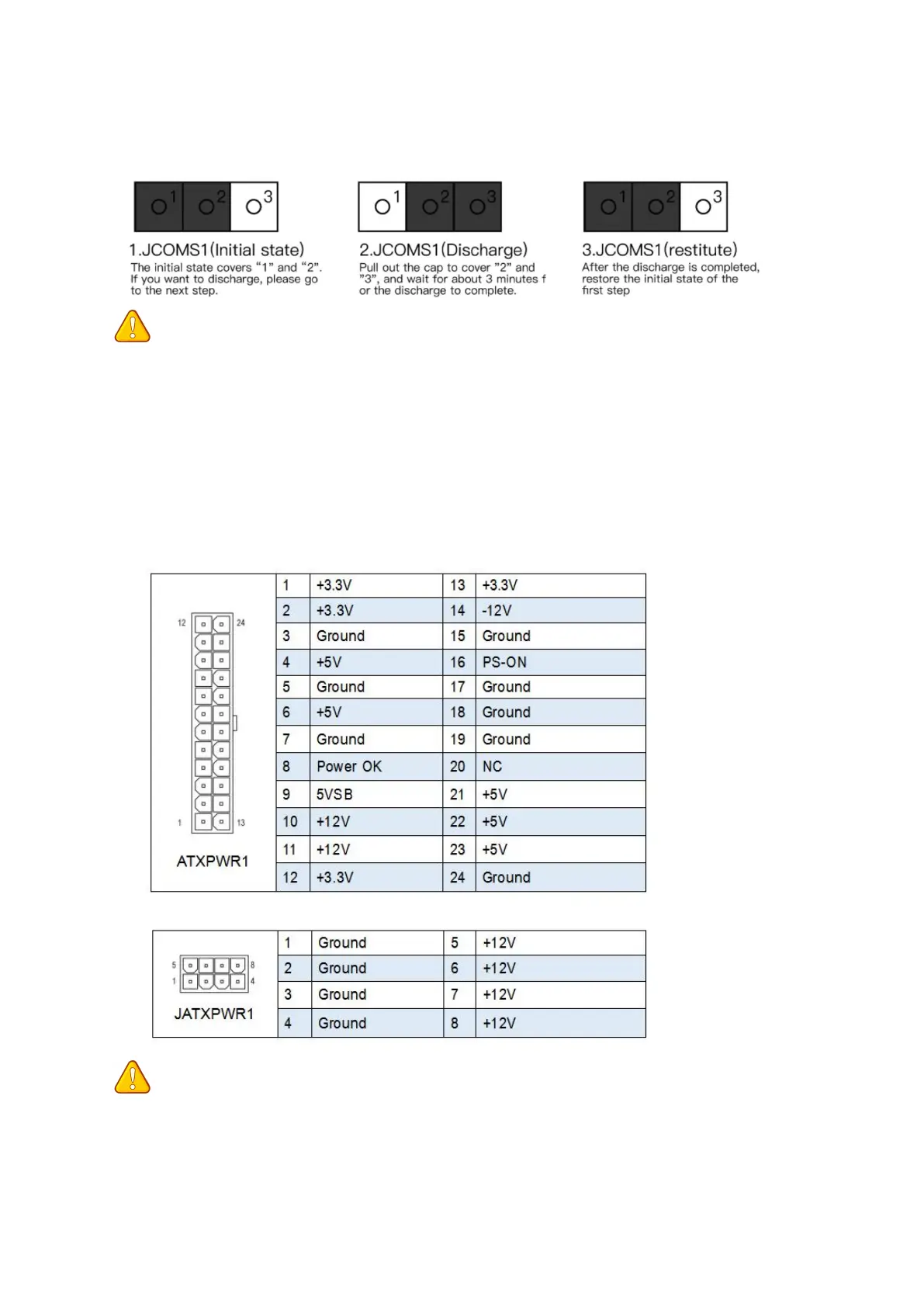
JCMOS1: CMOS Discharge
Important
• Always turn off the computer and unplug the power cord from the power outlet before
discharging.
ATXPWR1, JATXPWR1: Power Connectors
With the use of the power connector, the power supply can provide enough stable power to
all the components on the motherboard. Before connecting the power connector, make sure
the power supply is turned off and all devices are properly installed.
Important
• It is recommended that a power supply that can withstand high power consumption be
used (at least 500W). If a power supply is used that does not provide the required power,
the result can lead to an unstable or unbootable system.


 To Next Page