Need help?
Do you have a question about the JideTech P9 and is the answer not in the manual?
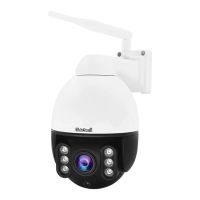
Describes the front components and features of the dome camera, including lens and fill light.
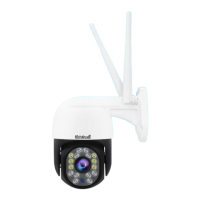
Details the rear components of the dome camera, such as the TF slot and reset button.
Provides an overview of the JideTech dome camera's technology and capabilities.
Lists the key technical specifications and functionalities of the dome camera.
Guides users through the process of creating a new account for the camera app.
Explains how to log in using a registered account and password.
Details how to log in using third-party services like Google or WeChat.
Step-by-step guide for adding the camera using a QR code scan.
Instructions for connecting the camera via the device's Wi-Fi hotspot.
Process for adding a camera that has been shared by another user.
Details the configuration options available for the camera within the app.
Illustrates how to perform touch gestures for controlling the camera view.
Guides through the process of installing the EseeCloud software on a computer.
Covers account creation and login procedures for the computer software.
 General
| Two-Way Audio | Yes |
|---|---|
| Resolution | 1080P (1920x1080) |
| Connectivity | 2.4GHz WiFi |
| Night Vision | Yes |
| Motion Detection | Yes |
| Storage | MicroSD card (up to 128GB) |
| Lens | 3.6mm |
| Night Vision Range | 10 meters |
| Power Supply | DC 5V/1A |
| Operating Temperature | -10°C - 55°C |

 To Next Page