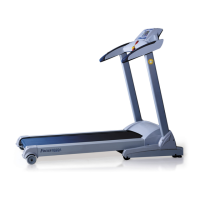
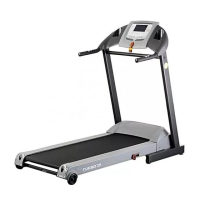
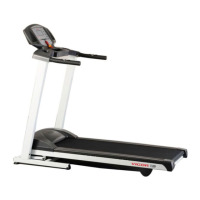
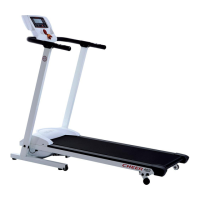
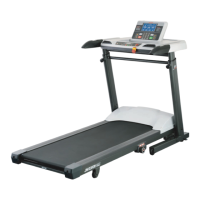
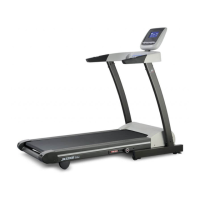
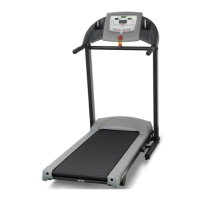
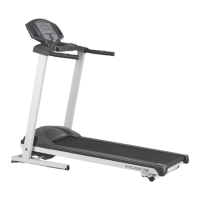
This document is an owner's manual for the JKEXER Motorized Treadmill, specifically models EPIC 823 and EPIC 825. It provides comprehensive instructions for assembly, operation, maintenance, and safety.
The treadmill is designed for indoor use and offers a range of features to support various exercise programs. It is a motorized unit, meaning the running belt is powered by an electric motor, allowing users to control speed and incline.
Safety and Setup
Before operating the treadmill, users are advised to read the manual thoroughly to familiarize themselves with the computer and other important features. Crucially, before starting the treadmill, users should always stand on the two side rails, not on the running belt itself. A safety key is provided for operation and emergency stops; it must be properly placed on the computer console, and its safety clip securely attached to an article of clothing. To begin exercise, the treadmill should be started and allowed to reach a speed of at least 1.0 kph. Users should hold onto the handlebar before stepping onto the running belt.
The treadmill requires a dedicated electrical circuit (110V/220V 15/10AMP) to prevent damage to its electronics and motor, which would void the warranty. For safety, the power cord should always be unplugged from the electrical outlet immediately after use, and before cleaning, assembling, or servicing. The treadmill should never be left unattended when plugged in. Hands and feet must be kept off the treadmill while it is in use, and children should not be allowed on or around it.
Proper grounding is essential to reduce the risk of electric shock. The treadmill is equipped with a three-lug grounding plug that must be plugged into an appropriate, properly installed, and grounded outlet. Using outlets that service multiple appliances or have fluctuating voltage may cause erratic performance or damage.
For optimal placement, the treadmill should be on a solid, level surface with at least two feet of clear space on all sides. Air openings must be kept clear of lint, hair, and other obstructions to prevent overheating.
Operation
The treadmill offers several operational modes:
- Quick Start (Manual): Pressing the "Start/Stop" button initiates running, with time, distance, and calories counting up from zero. Users can adjust speed and incline using the "+ / -" buttons or quick speed/incline buttons on the computer console.
- P1 - P7 Programs: The treadmill includes seven pre-set programs. Users select a program and level (L1-L3) using the speed or incline buttons, then set a desired workout time (10-99 minutes) before starting. Levels 2 and 3 increase speed and incline by 1.0 KPH / 1% per interval compared to Level 1, though incline does not change for P1-P3.
- User Programs (U1, U2): These allow for interval training. Users set a workout time, then define desired speed and incline for each of the 14 intervals.
- Heart Rate Control (HRC 1, HRC 2): These programs adjust speed based on the user's heart rate. Users select HRC 1 or HRC 2, set their age (13-70 years), and then hold the pulse sensor plates on both handlebars. The system detects the actual pulse rate and automatically adjusts speed to maintain a target heart rate zone (e.g., Level 1: 60% of max heart rate, Level 2: 75%, Level 3: 85%). If the pulse cannot be detected or is significantly outside the target, the system may pause or stop.
- FAT Program: This program helps users assess their body fat. Users input gender, age, height, and weight. After holding the pulse plates, the treadmill displays BMI, BMR, BODY TYPE, and BODY FAT.
- Target Programs (Time, Distance, Calories): Users can set specific targets for workout time, distance, or calories. The machine will stop once the target is reached.
The console features a "Safety Key" for emergency stops, "Fast/Slow + / -" buttons for adjusting speed and selecting programs/levels, "Start/Stop" button to begin/end workouts, "Enter" button to confirm settings, and "Up/Down ▲ / ▼" buttons for adjusting incline and selecting programs/levels. Quick speed and incline buttons allow for immediate adjustments. An extendable holder at the top of the computer is provided for tablets, with a warning against using smart devices while running.
Functions Display
The treadmill's display shows:
- Time: Accumulates total working time (up to 99:99) or counts down from a preset time.
- Distance: Accumulates total working distance (up to 99.99 KM or MILES) or counts down from a preset figure.
- Calories: Accumulates calories consumed (up to 999 KCAL) or counts down from a preset figure.
- Pulse: Displays heart rate when hands are on the sensor plates.
- Speed: Ranges from 0.8 to 18 KPH for EPIC 823 and 0.8 to 20 KPH for EPIC 825.
- Incline: Ranges from 0 to 12%.
- Program: Indicates the selected program (1-7).
- Level: Indicates the selected program level (1-3).
- BMI (Body Mass Index): A standard to evaluate health based on height and weight.
- BMR (Basal Metabolic Rate): The calories burned at rest, calculated based on sex, height, weight, and age.
Adjustable Shock-Absorbing (ASA) System
The treadmill is equipped with an ASA system on both sides of the main frame. Users can adjust shock intensity from soft (1, 60% decrease) to firm (5, 20% decrease) by turning a knob. This adjustment should not be made while someone is running on the machine.
Folding and Transport
For storage, the rear end of the frame can be lifted towards the computer until a "CLICK" sound from the cylinder indicates it is fixed. To fold down for exercise, a safety pin on the air-shock is released by pushing the center of the air shock with a foot while holding the frame, then leaning the frame onto the ground. The treadmill has four wheels at the front bottom, allowing for easy transport once the frame is folded up. For transport, the four balancers should be screwed in so they don't touch the ground.
Maintenance
Regular maintenance is crucial for the treadmill's longevity and functional operation.
- Running Deck Lubrication: The high-efficient, low-friction running deck comes pre-lubricated. Subsequent lubrication should occur every 180 KM or every 3 months, whichever comes first. Only approved 100% silicone, non-petroleum-based lubricant should be used. To lubricate, lift the running belt, wipe the deck and belt edges clean, then insert the straw from the silicone bottle about 18 inches from the motor cover and apply a one-foot line of silicone across the deck. Repeat for three spots. After application, walk at a low speed for at least 5 minutes to ensure even distribution. An alert "LUBE" will flash on the console every 180 KM to remind the user. This alert can be cleared by pressing "STOP" and "SPEED Slow (-)" simultaneously.
- Aligning the Running Belt: Running style or an unlevel surface can cause the belt to drift. Minor adjustments to the two bolts at the rear of the treadmill are necessary to re-center the belt. The treadmill should be run at 3 kph, and the adjustment bolts turned clockwise or counter-clockwise as needed.
- Adjusting the Running Belt Tension: If the belt slips on the rollers, tension needs adjustment. With the treadmill running at 3 KPH, turn both adjustment screws equally, about one-quarter turn clockwise. Test for slipping by applying weight to the belt while walking.
- Cleaning: The treadmill should be unplugged and turned off before cleaning. A small vacuum nozzle can be used to remove dust from visible components. A damp cloth with a mild cleaning agent can wipe down surfaces, avoiding immersion of any components in liquids. The inside face of the running belt should also be wiped clean with a damp cloth.
- Inspecting Fasteners and Wiring: All fasteners should be properly tightened, and wiring securely in place. Do not overtighten fasteners.
- Storage: Store the treadmill in a clean, dry environment with the master power switch off and unplugged.
Troubleshooting
The manual lists common error messages:
- E1 (ERROR 1): Appears if the computer does not read a signal from the sensor for 7 seconds after starting.
- E6 (ERROR 6): Appears if the computer does not read the VR signal from the incline motor for 6 seconds after starting.
- E3 (ERROR 3): Indicates a problem with the cable between the computer and control box (not well-connected, damaged, or faulty components).
- Smell from Motor: Suggests applying silicone to the running board. If the smell persists, consult the distributor.
Workout Safety and Efficiency
Users are strongly advised to consult a doctor before starting any exercise program, especially if they have pre-existing health conditions. For efficient workouts, using heart rate as a guide is recommended. The "Maximum Heart Rate" is roughly 220 minus age. A "Target Heart Rate" of 60-85% of the maximum heart rate is considered the optimum level for cardiovascular exercise. Exercising at least three times a week, keeping the heart rate within the target zone for a minimum of 20 minutes per session, will yield the most benefits.

 Need help?
 General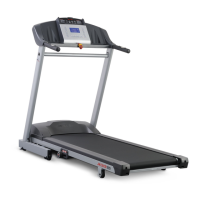

 To Next Page