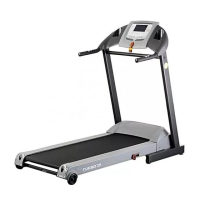
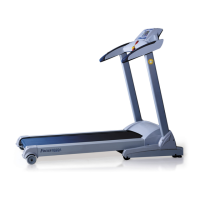
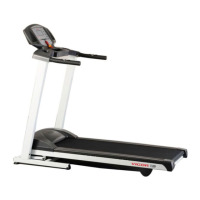
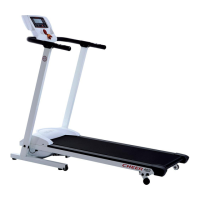
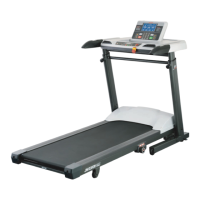
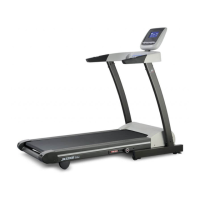
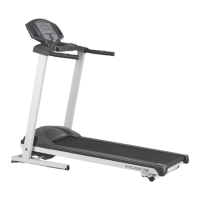
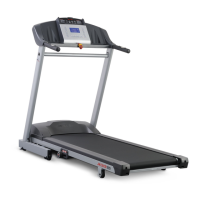
This document is an owner's manual for the JKEXER Turbo 772 Motorized Treadmill. It provides comprehensive information on the treadmill's function, technical specifications, usage, and maintenance.
Function Description:
The JKEXER Turbo 772 is a motorized treadmill designed for exercise. It features a running belt, a computer console for controlling and monitoring workouts, and an adjustable shock-absorbing system (ASA) to customize the running surface's firmness. The treadmill supports various workout modes including Quick Start, preset programs (P1-P12), and Heart Rate Control programs (HRC1-HRC2). It also allows users to set target goals for time, distance, and calories.
Important Technical Specifications:
- Maximum User Weight: 120 KGS (264 LBS).
- Power Requirements: Dedicated circuit as 110V/220V 15/10AMP.
- Speed Range: 0.8 ~ 16 KPH (0.5 MPH/0.8 KPH to 10 MPH/16 KPH, adjustable in 0.1 increments).
- Incline Range: 0 ~ 12%.
- Computer Display Information:
- Distance: 0 ~ 99.9 km (or miles).
- Incline: 0 ~ 12% (Levels L1-L3).
- Calories: 0 ~ 999 KCAL.
- Time: 0 ~ 99.59 (Default setting 32:00).
- Pulse: 40 ~ 200 BPM.
- Speed: 0.8 ~ 16 KPH.
- Dot Matrix: 8 x 16 for speed & incline, showing accumulated laps (40 dots = 400 meters) or program profiles.
- ASA System: Adjustable Shock Absorbing system with 5 settings from soft (1, 60% decrease) to firm (5, 20% decrease).
- Motor RPM Difference: ±10%.
Usage Features:
- Safety Key: Essential for operation and emergency stops. Must be securely attached to clothing.
- Quick Start: Press START to begin running, with time, distance, and calories counting up from zero. Speed and incline can be adjusted using INCLINE or SPEED buttons, or Quick Speed buttons.
- Preset Programs (P1-P12): Users can select from 12 preset programs, each with varying speed and incline profiles across 16 intervals. Programs have three levels (LEVEL 1, LEVEL 2, LEVEL 3), where LEVEL 2 increases speed by 1.0 KPH and incline by 1% over LEVEL 1, and LEVEL 3 increases speed by 1.0 KPH and incline by 1% over LEVEL 2.
- Heart Rate Control Programs (HRC1-HRC2):
- HRC1: Target heartbeat is (220 – age) x 60%.
- HRC2: Target heartbeat is (220 – age) x 75%.
- Requires holding pulse sensor plates on handlebars for 30 seconds to detect pulse. The machine adjusts speed and incline to maintain the target heart rate. If pulse is not detected, the machine pauses.
- Target Programs (Time, Distance, Calories): Users can set specific countdown goals for workout time (10-99 minutes), distance (1-20 km), or calories (10-990 KCAL). The machine stops automatically when the target is reached.
- Computer Buttons:
- SPEED UP/DOWN: Adjusts speed, selects programs, and sets figures.
- INCLINE UP/DOWN: Adjusts incline, selects programs, and sets figures.
- MODE: Confirms settings and switches function display (incline/time/speed or distance/calories/pulse).
- START/STOP: Starts running, enters pause mode, or resets the system.
- Quick Speed Keys: 8 dedicated buttons for speeds 2, 4, 6, 8, 10, 12, 14, 16 KPH.
- Pulse Sensor Plate: Integrated into handlebars for heart rate monitoring.
- Folding Mechanism: The treadmill can be folded up for storage by lifting the rear end until a "CLICK" sound is heard from the cylinder. To fold down for exercise, a safety pin on the air-shock is released by pushing at the center of the air shock with a foot while holding the frame.
- Moving: Equipped with two wheels at the bottom of the frame for easy relocation when folded.
- Positioning: Balancers at the front bottom allow for stable positioning on the ground.
- Pre- and Post-Workout: Always stand on side rails before starting and after stopping. Allow the treadmill to reach at least 1.0 KPH before stepping onto the running belt.
Maintenance Features:
- Running Deck Lubrication:
- Why: To reduce friction between the belt and deck, preventing undue stress on the motor and other components.
- When: Every 120 hours or every 3 months of operation, whichever comes first.
- What: Only use approved 100% silicone, non-petroleum based lubricant (one 30ml tube included, 200ml available from distributor).
- How: Lift the running belt, wipe the deck and belt edges clean, insert the straw from the silicone bottle about 18 inches from the motor cover, and apply silicone across the deck in a one-foot line, distributing it onto 3 spots. Walk at low speed for at least 5 minutes to ensure even distribution.
- Note: If the belt is stuck, use a screwdriver to lever it out. If static occurs, add silicone.
- Aligning the Running Belt:
- The running belt should always be centered.
- If the belt drifts to the right, turn the right adjustment bolt one-quarter turn clockwise and the left adjustment bolt one-quarter turn counter-clockwise.
- If the belt drifts to the left, turn the left adjustment bolt one-quarter turn clockwise and the right adjustment bolt one-quarter turn counter-clockwise.
- Observe for two minutes and repeat if necessary.
- Adjusting the Running Belt Tension:
- Adjust if the belt slips on the rollers.
- Turn both adjustment screws an equal amount (approximately one-quarter turn clockwise).
- Test for slipping by holding handrails and applying weight while walking. Repeat if necessary.
- Caution: Do not overtighten the running belt.
- Cleaning:
- Turn off power and unplug from the electrical outlet.
- Use a small vacuum nozzle for visible components.
- Use a slightly damp rag with a mild cleaning agent for film or dust. Do not immerse any component in liquids.
- Inspecting Fasteners and Wiring:
- Regularly check that all fasteners are properly tightened and wiring is secure. Do not overtighten fasteners.
- Storage:
- Store in a clean and dry environment with the master power switch off and unplugged.
- Error Messages & Trouble Shooting:
- E1 (Error 1): Computer cannot read signal from sensor for 7 seconds.
- E6 (Error 6): Computer cannot read VR signal from incline motor for 6 seconds.
- E3 (Error 3): User's heart rate is 20 beats more than target heart rate for over 30 seconds in HRC mode. Stop running.
- SMELL: If a smell comes from the motor, first apply silicone to the running board. If the problem persists, consult the distributor.
- Grounding Instructions: The treadmill must be properly grounded to reduce the risk of electric shock. It requires a nominal 110 volt, 10 AMP or 220 Volt, 7 AMP circuit with a grounding plug. Do not modify the plug. Using incorrect power will void the warranty.

 Need help?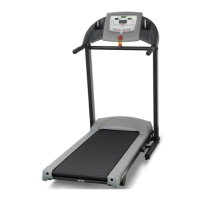

 To Next Page
 General