EasyManua.ls Logo

JKEXER Turbo 776 User Manual

JKEXER Turbo 776
24 pages
To Next Page IconTo Next Page
Page #1 background imageLoading...
Page #1 background image
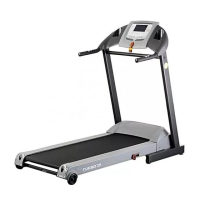
MOTORIZED TREADMILL
Turbo 776
Question and Answer IconNeed help?

Do you have a question about the JKEXER Turbo 776 and is the answer not in the manual?

JKEXER Turbo 776 Specifications

General IconGeneral
BrandJKEXER
ModelTurbo 776
CategoryTreadmill
LanguageEnglish

Summary

IMPORTANT SAFETY INSTRUCTIONS

ELECTRICAL GROUNDING INSTRUCTIONS

CAUTION: BEFORE AND AFTER RUNNING ON THE TREADMILL

Before Running

Steps and checks to perform before starting treadmill use.

After Running

Steps to take after completing treadmill exercise.

RUNNING DECK LUBRICATION

ASSEMBLY PARTS LIST

ASSEMBLY INSTRUCTIONS

Step 1: Connect Cables

Connect cables between front post and main frame.

Step 2: Attach Cross Bar

Attach cross bar to front posts using bolts.

Step 3: Secure Front Post

Fix front post to main frame and tighten bolts.

Step 4: Connect Handlebar Cables

Connect and place handlebar cables.

Step 5: Tighten Meter

Secure meter to front post and handlebar.

Step 6: Plug In Power

Connect the power cable for operation.

POSITIONED FOR OPERATION

TREADMILL OPERATION

Safety Precautions Before Use

Important checks and cautions before starting treadmill use.

General Operation & Quick Start

Overview of operation and instructions for quick start.

Program Operation Overview

General instructions for selecting and using workout programs.

PROGRAM SELECTION DETAILS

Preset Programs (P1-P12) Setup

Detailed steps for setting up preset programs.

User Programs (U1, U2) Setup

Steps for setting up custom user programs.

HRC Programs (H1-H3) Operation

Instructions for Heart Rate Control programs.

Target Program Setup (Time, Distance, Calories)

Setting up countdown exercises for time, distance, or calories.

COMPUTER INFORMATION DISPLAY

Display Components Overview

Explains speed, distance, program, incline, calories, time, pulse, level, and dot matrix displays.

Maximum Heartbeat Setting

FUNCTION OF BUTTONS

Speed & Incline Control Buttons

Buttons for direct speed/incline selection and adjustment.

Start/Stop & Enter Button

Controls for starting, pausing, and confirming settings.

Emergency Key Function

Usage for starting and emergency stopping.

PROGRAM SUMMARY

Preset Program Types

Overview of preset speed, incline, and combined programs.

Safety Key Function

Behavior when the safety key is removed.

Program Segments

Information on program division into segments.

MASTER POWER SWITCH LOCATION

ERROR MESSAGE & TROUBLE SHOOTING

Error Code E1 (Sensor Signal)

Troubleshooting for sensor signal errors.

Error Code E6 (Incline Motor)

Troubleshooting for incline motor signal errors.

Error Code E3 (Heart Rate)

Troubleshooting for heart rate exceeding target.

Motor Smell Troubleshooting

Steps to take if a smell comes from the motor.

ASA OPERATION

HOW TO FOLD UP FOR STORAGE

HOW TO FOLD DOWN FOR EXERCISE

Folding Safety Warnings

Important safety notes regarding folding the treadmill.
ALIGNING THE RUNNING BELT

ADJUSTING THE RUNNING BELT TENSION

CLEANING AND INSPECTING THE RUNNING BELT

CLEANING

INSPECT FASTENERS AND WIRING

STORAGE

HOW TO MOVE

HOW TO WORK OUT SAFELY AND EFFICIENTLY

Exploded Drawing

Parts List

Related product manuals