EasyManua.ls Logo

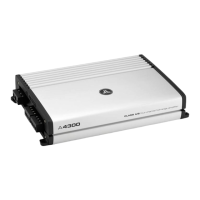
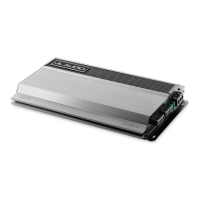
JL Audio A-Series A4300 User Manual

JL Audio A-Series A4300
11 pages
To Next Page IconTo Next Page
Page #1 background imageLoading...
Page #1 background image
Thank you for purchasing a JL Audio amplifier for
your automotive sound system.
Your amplifier has been designed and manufactured to exacting
standards in order to ensure years of musical enjoyment in your vehicle.
For maximum performance and extended warranty
coverage, we highly recommend that you have your new amplifier
installed by an authorized JL Audio dealer. Your authorized
dealer has the training, expertise and installation equipment to ensure
optimum performance from this product. Should you
decide to install the amplifier yourself, please take the time
to read this manual thoroughly so as to familiarize yourself
with its installation requirements and setup procedures.
If you have any questions regarding the instructions in this
manual or any aspect of your amplifiers operation, please contact your
authorized JL Audio dealer for assistance. If you need further assistance,
please call the JL Audio Technical Support Department
at (954) 443-1100 during business hours.
OWNER’S MANUAL
A4300
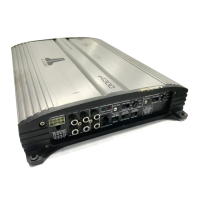
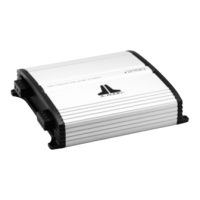
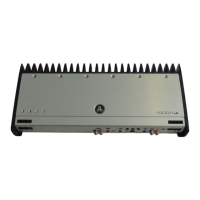
four-channel full-range amplifier
Question and Answer IconNeed help?

Do you have a question about the JL Audio A-Series A4300 and is the answer not in the manual?

JL Audio A-Series A4300 Specifications

General IconGeneral
BrandJL Audio
ModelA-Series A4300
CategoryCar Amplifier
LanguageEnglish

Summary

Protect Your Hearing

Installation Applications

Power Connections

Fuse Requirements

Specifies the correct fuse type and placement for power wire protection.

Turn-On Lead Connection

Details the connection for the remote turn-on signal to activate the amplifier.

Input Section

Filter Controls

Filter Mode Control

Selecting High-Pass, Low-Pass, or Off for specific speaker frequency ranges.

Filter Frequency Setting

Setting the cutoff frequency for high-pass or low-pass filters.

Bass Boost Controls

Pre-Outs

Bridging Considerations

Amplifier Status Indicator Lights & Protection Circuitry

System Configurations: Single Amplifier Bi-Amp

System Configurations: Four-Channel Mode Bi-Amp

Appendix A: Input Sensitivity Level Setting

Nine-Step Input Sensitivity Procedure

Detailed steps for setting input sensitivity for optimal distortion-free output.

Appendix D: Trouble Shooting

No Power or Turn-On Issues

Diagnosing why the amplifier does not turn on or receive power.

Sound Quality Problems

Addressing distorted, attenuated, or fluctuating audio output.

Intermittent Shut-Offs at High Volume

Troubleshooting amplifier shutdowns, often at higher volumes.

No Output or Output Fluctuations

Diagnosing issues with no sound or inconsistent audio output.

Related product manuals