EasyManua.ls Logo

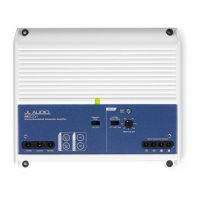
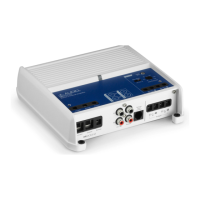
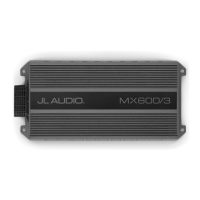
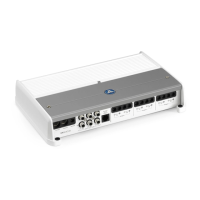
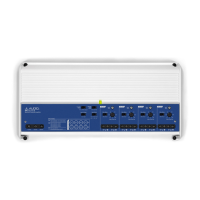
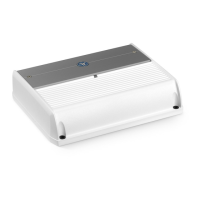
JL Audio M400/4 - User Manual

JL Audio M400/4
11 pages
Print Icon
To Next Page IconTo Next Page
Loading...
Thank you for purchasing a JL Audio amplifier for
your marine sound system.
Your amplifier has been designed and manufactured to exacting
standards in order to ensure years of musical enjoyment in your vessel.
For maximum performance, we highly recommend that you have
your new amplifier installed by an authorized JL Audio dealer. Your
authorized dealer has the training, expertise and installation equipment
to ensure optimum performance from this product. Should you
decide to install the amplifier yourself, please take the time
to read this manual thoroughly so as to familiarize yourself
with its installation requirements and setup procedures.
If you have any questions regarding the instructions in this
manual or any aspect of your amplifier’s operation, please contact your
authorized JL Audio dealer for assistance. If you need further assistance,
please call the JL Audio Technical Support Department
at (954) 443-1100 during business hours.
OWNER’S MANUAL
400W Marine 2/3/4 Channel Amplier

Questions and Answers

  • M
    michaelhillAug 6, 2025
    What to do if my JL Audio M400/4 Amplifier turns on but there is no output?
    • J
      Jeffrey HortonAug 6, 2025
      If your JL Audio Amplifier turns on but produces no output, take these steps: 1. Check the input signal from the source unit using an AC voltmeter while playing a test tone. A steady voltage (0.1 to 4.0 volts) should be present. 2. Check the amplifier's output at the speaker outputs, ensuring you disconnect the speakers first. You should measure 5V AC or more with the volume at halfway. 3. Verify that the speaker wires are properly connected to the terminal block, ensuring sufficient bare wire is making contact inside the terminal.
  • P
    Paula ParsonsAug 14, 2025
    How to fix a JL Audio Amplifier that doesn’t turn on?
    • V
      Victoria SpencerAug 14, 2025
      If your JL Audio Amplifier isn’t turning on: * Check the fuse with a continuity meter, as visual inspection may not reveal internal connection issues. Remove the fuse from the holder for testing. Also, inspect the fuse-holder. * Check the connections to the “+12VDC”, “Ground”, and “Remote” terminals for integrity. Ensure no wire insulation is pinched and each connection is tight. * Verify +12V at the “Remote” connection. If the source unit's turn-on lead is insufficient, use a relay. Test by jumping the “+12VDC” wire to the “Remote” terminal to see if the amplifier turns on.
  • A
    Amy TaylorAug 21, 2025
    Why does my JL Audio M400/4 Amplifier shut off at high volumes?
    • Z
      Zachary Davis Jr.Aug 21, 2025
      If your JL Audio Amplifier shuts off at higher volumes, it might be due to a drop in voltage. The power supply requires a minimum of 10V. Check your voltage source and grounding point. Momentary voltage drops below 10V can occur, which are hard to detect with a voltmeter. Inspect all wiring and termination points to ensure proper voltage. Consider upgrading the ground wire connecting the battery to the vessel’s electrical ground and the power wire connecting the alternator to the battery, especially if your system has a main fuse rating above 60A. Grounding issues are a common cause of amplifier problems.
  • J
    Joshua HumphreyAug 29, 2025
    Why do I hear ticking or popping sounds from my JL Audio M400/4 Amplifier speaker?
    • D
      Daniel SwansonAug 29, 2025
      If you hear repetitive ticking or popping sounds from your JL Audio Amplifier's speaker, it could be due to: * A short in the speaker wires, either between the positive and negative leads or between a speaker lead and the vessel’s electrical ground. Disconnecting the speaker wires and using a test speaker with different wires can help diagnose this. * An incorrect load impedance. Verify that each amplifier channel is driving a load equal to or greater than 2 ohms in stereo mode (4 ohms bridged).

Summary

Planning Your Installation

Cooling Efficiency Considerations

Discusses proper ventilation for heat dissipation to maintain optimal performance.

Safety Considerations

Covers safe mounting, avoiding vessel damage, and proper wiring.

Stupid Mistakes to Avoid

Lists critical installation errors to prevent damage or injury.

Power Connections

Fuse Requirements

Details the correct fuse type and placement for safe operation.

Turn-On Lead

Input Section

Input Sensitivity Controls

Tuning Hint

Provides guidance on setting input sensitivity for optimal output.

Filter Controls

Filter Mode Control

Explains the 12dB/octave filter options: Off, LP, HP.

Filter Frequency (Hz)

Details the rotary control for setting filter cutoff frequencies.

Tuning Hint

Suggests baseline settings for filter frequency based on application.

Remote Level Control

Remote Level Mode Switch

Explains how the HD-RLC affects channel pairs.

Preouts

Preouts From Switch

Describes two modes for pass-through preamp outputs: 1&2 and Sum.

Speaker Outputs

Bridging Considerations

Bridging Logic

Explains combining amplifier channels for higher power output.

Bridging Impedance

Specifies optimal load impedance for bridged channels.

Input Connection for Bridging

Details how to connect inputs for bridged operation.

Status LED; Protection Circuitry

LED Status Indicators

Describes the meaning of different LED colors and states.

Servicing Your JL Audio Amplifier

System Configurations

Bi-Amplified Systems

Bi-Amplified System with one M400;4

Configuring the amplifier for bi-amplification with one unit.

Crossover Setup for Bi-Amplified System

Details crossover settings for bi-amplified configurations.

Multi-Amplifier Systems

Input Sensitivity Level Setting

Precise Frequency Selection Chart

M400;4 Specifications

Troubleshooting

Amplifier Doesnt Turn On

Steps to diagnose why the amplifier fails to power up.

Repetitive Ticking or Popping Sound

Diagnosing audio artifacts like ticking or popping.

Output Fluctuates When Tapped

Troubleshooting intermittent output issues.

Amplifier Shuts Off

Addresses unexpected shutdowns, usually at higher volumes.

No Output

Steps to take when the amplifier turns on but produces no sound.

Installation Notes

Limited Warranty - Amplifiers (USA)

JL Audio M400/4 Specifications

General IconGeneral
Amplifier ClassClass D
Number of Channels4
THD+N at Rated Power< 1%
Fuse Rating30 A
Power Output (4 Ohms)75W x 4
Power Output (2 Ohms)100W x 4
Power Output (Bridged 4 Ohms)200W x 2
Frequency Response10 Hz - 20 kHz

Related product manuals