Machine Controls and Indicators
46
31219187
EC450AJ, EC520AJ
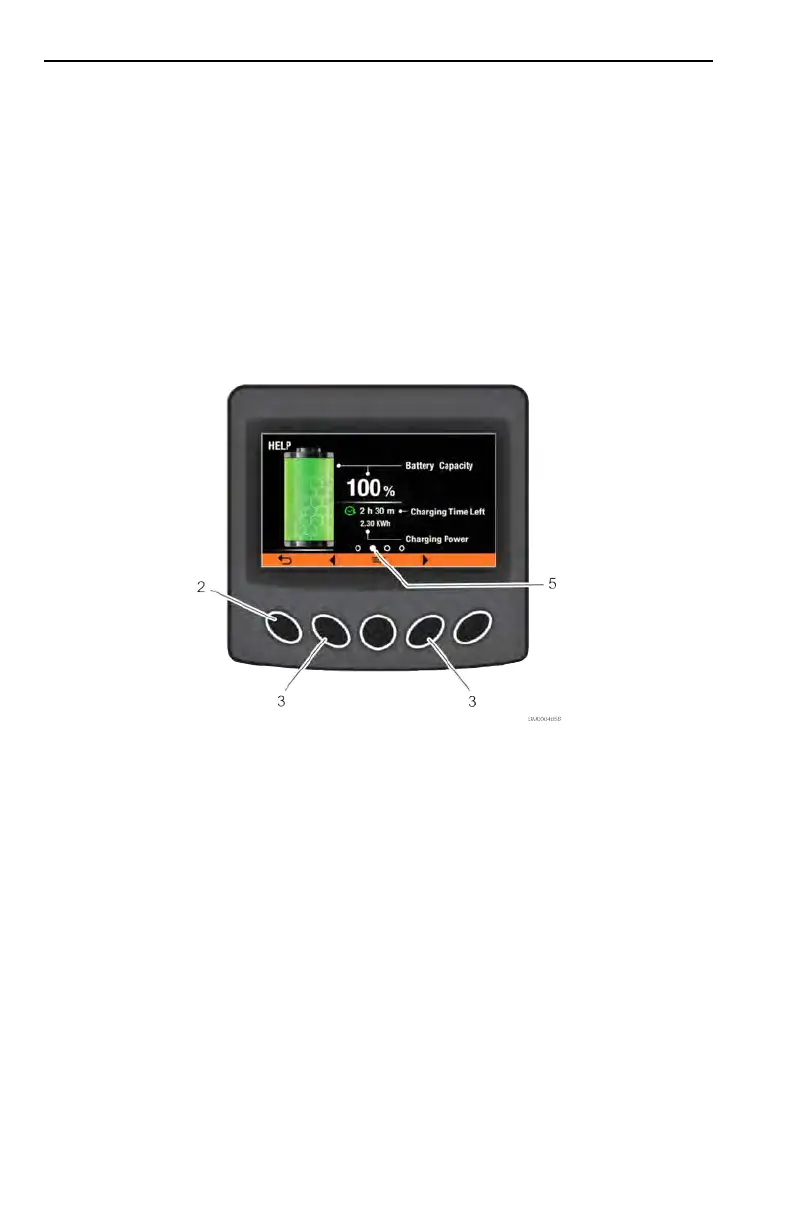
2. To view the menu, press the Menu Select button (1) which will bring up the Menu
Screen.
3. Use the Right and Left Navigation buttons (3) to move through the menu items.
When the option you wish to view is highlighted (4), press the Menu Select button
(1).
4. To return to the Home Screen, press the Left Scroll Page button (2).
5. Use the Scroll Page Left and Right Navigation buttons (3) to cycle through the
different pages of your selection.
6. The page icon (5) will inform what page is currently being viewed.
7. To return to the Home Screen, press the Left Scroll Page button (2).



 To Next Page